

Quick summary
In this guide, we evaluate the 12 best no-code workflow automation platforms based on verified integration counts, pricing, and real-world use cases. You’ll find concrete feature breakdowns of Launchpad, Zapier, and Outfunnel alongside honest limitations so you can make an informed choice for your business and teams.
What no-code workflow automation platforms actually deliver on their promises?
Nearly 68% of employees struggle with growing workloads, yet most of this overload comes from tasks that shouldn’t require human attention at all. Manual handoffs waste hours, introduce errors, and distract from meaningful work.
Unfortunately, traditional integration projects rarely fix this. They require months of developer time, are expensive to implement, and break when APIs change. No-code workflow automation platforms connect business tools and run multi-step processes without needing programming skills.
But the real challenge is choosing an automation tool that actually works. In this guide, we review the 12 best no-code workflow automation platforms, outlining real integrations, strengths, and ideal use cases for each.
Why trust us?
Launchpad builds workflow automation platforms backed by Pegasystems' 40 years of enterprise automation expertise.

We serve companies like Quavo, Connext, and Fielo, who rely on our platform for production-scale automation daily. This experience gives us direct insight into which integrations maintain reliability under load and where "no-code" marketing claims fail in practice.
What is a no-code workflow automation platform?
No-code workflow automation platforms let teams build and deploy automated processes without writing programming code.
Think about a simple automated email notification. Before no-code platforms existed, you needed to write Python or JavaScript code to authenticate your email service API, construct the message payload in proper JSON format, and deploy the script to a server that runs continuously.
With a no-code workflow automation platform, you only need to:
- Select the trigger event that should send the email
- Choose the email service from a dropdown menu
- Fill in the recipient, subject line, and message body
- Specify what happens if the email fails to send
Benefits of no-code workflow automation platforms
Companies that adopt no-code workflow automation see significant results, some of which include:
- Faster deployment: Workflows that required time to build and test now deploy in hours because teams create automation by configuring visual builders instead of waiting in engineering backlogs.
- Lower implementation and maintenance costs: Traditional custom integrations often require heavy engineering time, multiple developers, and six-figure budgets. No-code platforms replace this complexity with predictable monthly subscription fees, allowing businesses to automate workflows at a fraction of the cost.
- Reduced manual errors: Humans can make mistakes when copying data between systems, routing approvals, or updating records across multiple platforms. No-code workflow automation platforms execute the same steps identically every time.
- Quicker return on investment: Most organizations achieve positive ROI within six to 12 months of using no-code workflow tools. Modestly priced no-code automation platforms eliminate the time and labor costs wasted on manual data entry and often pay for themselves quickly.
The 12 best no-code workflow automation platforms
# | Platform | Best for | Starting Price | Free Plan | Deployment Options | AI Features |
1 | Launchpad | B2B Saas workflow-centric applications | $900 per month | Yes | Cloud (AWS) | Blueprint AI, GenAI via Bedrock |
2 | Zapier | Perfect for non-technical teams | $19.99 per month | Yes | Cloud | Copilot, AI troubleshooting |
3 | Outfunnel | Sales and marketing CRM synchronization | $29 per month | No | Cloud | Limited |
4 | Kissflow | Fortune 509 middle-office operations | $1,500 per month | No | Cloud | Workflow intelligence |
5 | Cflow | Affordable BPM and workflow automation | $11 per user per month | No | Cloud (AWS) | Seyarc AI for workflow generation |
6 | Unito | Two-way data synchronization | $99 per month | No | Cloud | Limited |
7 | Make | Complex visual workflows | $9 per month | Yes | Cloud | Maia AI builder |
8 | n8n | Open-source with self-hosting option | $20 per month | Yes | Cloud, self-hosted | AI workflow Builder |
9 | Microsoft Power Automate | Microsoft ecosystem automation | $15 per user per month | Yes | Cloud | AI Builder, Copilot, PowerFX |
10 | Worktato | Enterprise iPaaS for high-volume workflows | Custom | No | Cloud/Hybrid | Recipe IQ |
11 | ActivePieces | Open-source AI-first automation | Flat rate cloud | Yes | Cloud | AI agents framework |
12 | Whalesync | Two-way CRM and database synchronization | $99 per month | No | Cloud | Limited |
1. Launchpad
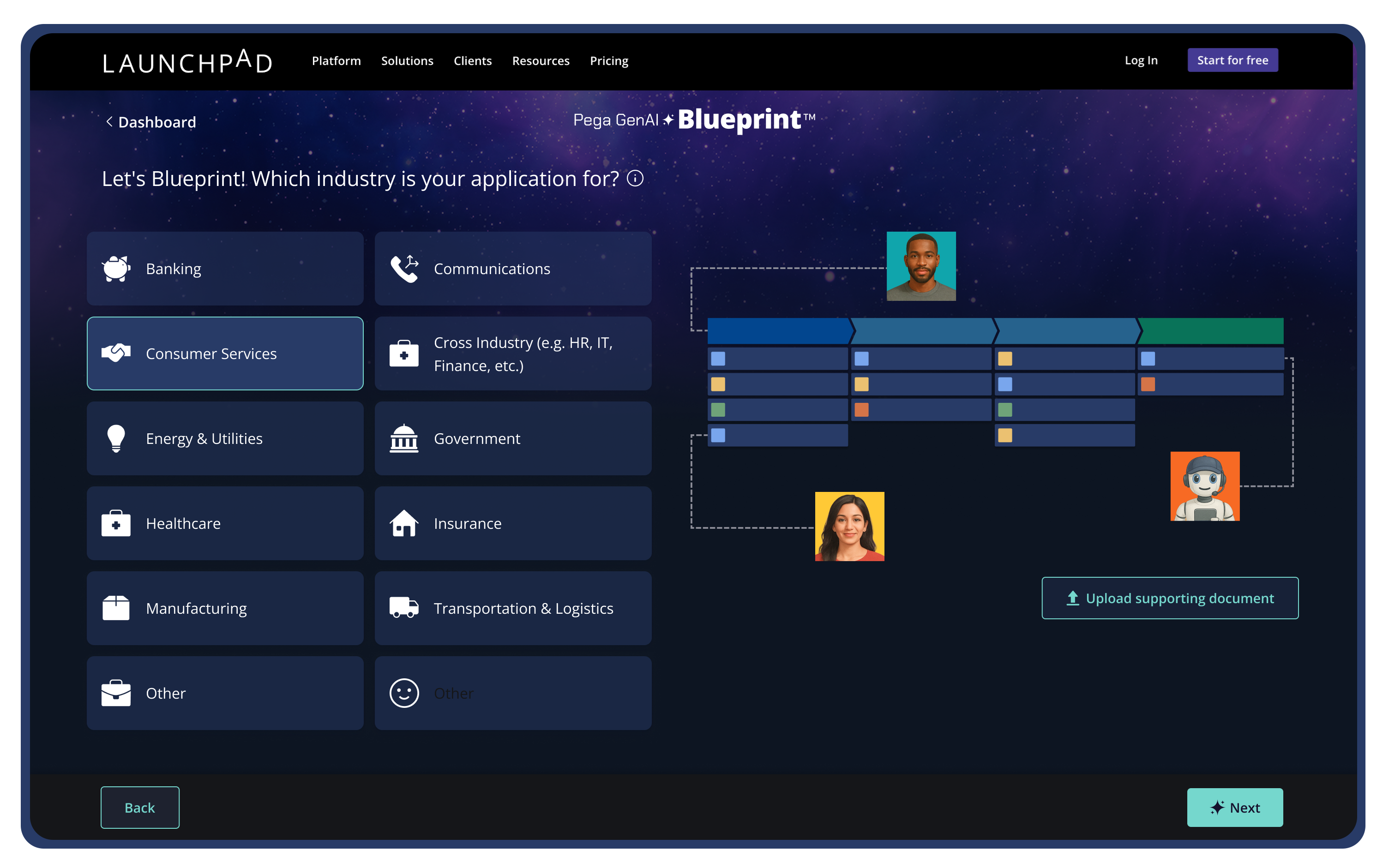
Launchpad is an AI-powered no-code platform designed to help teams launch and scale production-ready workflows. Supported by Pegasystems’ long-standing enterprise expertise, it delivers built-in infrastructure, security, and workflow orchestration for reliable automation.
Companies like Rules Cube use Launchpad to manage backend operations, cloud infrastructure, and database management. Launchpad also handles complexities that typically require dedicated infrastructure teams. Multi-tenant isolation through separate AWS accounts, identity and access management, and auto-scaling all come pre-configured.
Key Features
- Open integrations: Connects to REST APIs and existing systems, giving teams flexibility without being locked into a single vendor.
- Advanced process orchestration: orchestrates complex B2B processes across your platform and subscribers' existing software.
- AI workflow builder: GenAI Blueprint generates initial workflow structures and provides guided support for building automation flows, system connections, and business rules.
- Enterprise SaaS infrastructure: Built-in cloud infrastructure, security, multitenancy, and DevOps support for production-ready deployment.
Pricing
Launchpad charges based on platform usage and capacity through what it calls Launchpad Units.
- Explore/Free Tier: You can start exploring and use the Blueprint design tool without an upfront cost.
- Ignite Plan: $1000 per month, which includes access to core development and production capabilities, 25,000 Launchpad units per month, unlimited apps, users, and runtime support.
- Accelerate and Startups: Larger plans with more units and extended support, available via custom sales quotes.
Integration Breakdown
Launchpad connects to any REST API without vendor lock-in and provides native integration with AWS services. It also supports custom functions and scripts in isolated environments, so teams can safely extend workflow capabilities.
Pros
- Built-in administration lets teams manage users, permissions, and reporting in one place
- Usage-based pricing ensures you only pay for what you use
- Reduces the longer periods of infrastructure setup that B2B SaaS companies typically experience when building a product from scratch
- Apps are built to scale and production-ready from day one
- Trusted in regulated, high-stakes industries
- Possesses true agentic AI workflows
Con
- May feel constraining for engineers who prefer direct code-level control
2. Zapier
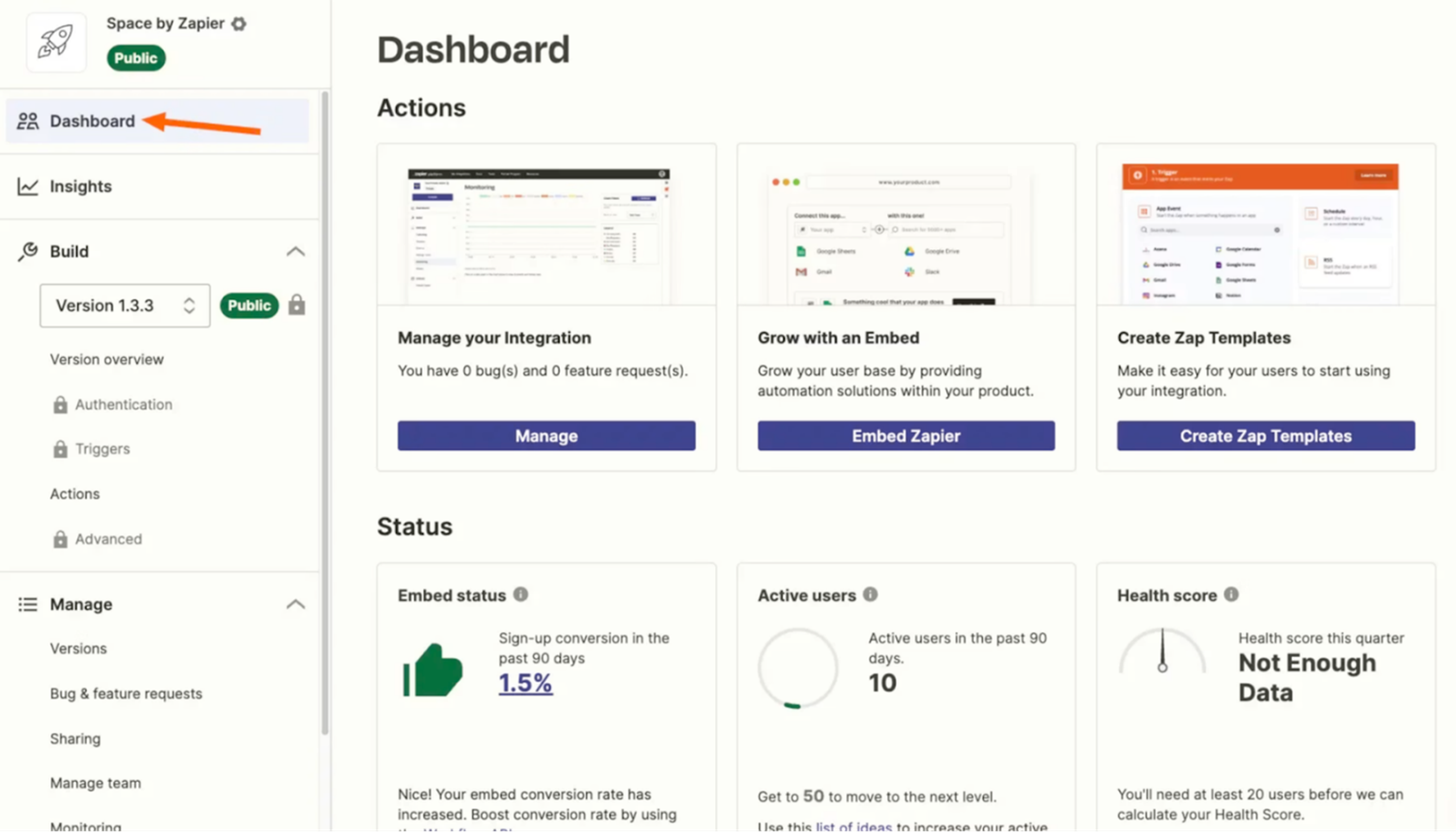
Zapier connects business apps through automated workflows called Zaps, where a trigger in one app causes actions in other apps without requiring code. It automatically handles the technical complexity of API authentication, OAuth flows, and webhook configurations, allowing teams to build workflows and specify actions that execute when conditions are met.
Key Features
- AI-Powered Copilot: Zapier Copilot uses AI to generate workflows from natural language descriptions, map data fields between apps, and write custom code steps.
- Advanced Logic Builder: Features advanced logic steps, likes Filters, Paths, and Delays, allowing teams to build complex conditional workflows without consuming task quota.
Pricing
Zapier offers tiered pricing, starting with a free plan for light automation. Paid plans begin at $19.99/month and scale. Enterprise pricing is available for custom business needs.
Integration breakdown
Zapier connects to 8,000+ apps, including Gmail, HubSpot, Salesforce, Stripe, and QuickBooks. It provides pre-built integrations with native authentication for all major business tools across CRM, marketing, sales, finance, HR, and operations categories.
Pros
- Makes authentication accessible to non-technical teams
- Advanced logic steps reduce costs for complex conditional workflows
- Excels at connecting pre-built app integrations
Cons
- Each action in a workflow counts as a task
- No self-hosted option for teams that require complete data control
3. Outfunnel
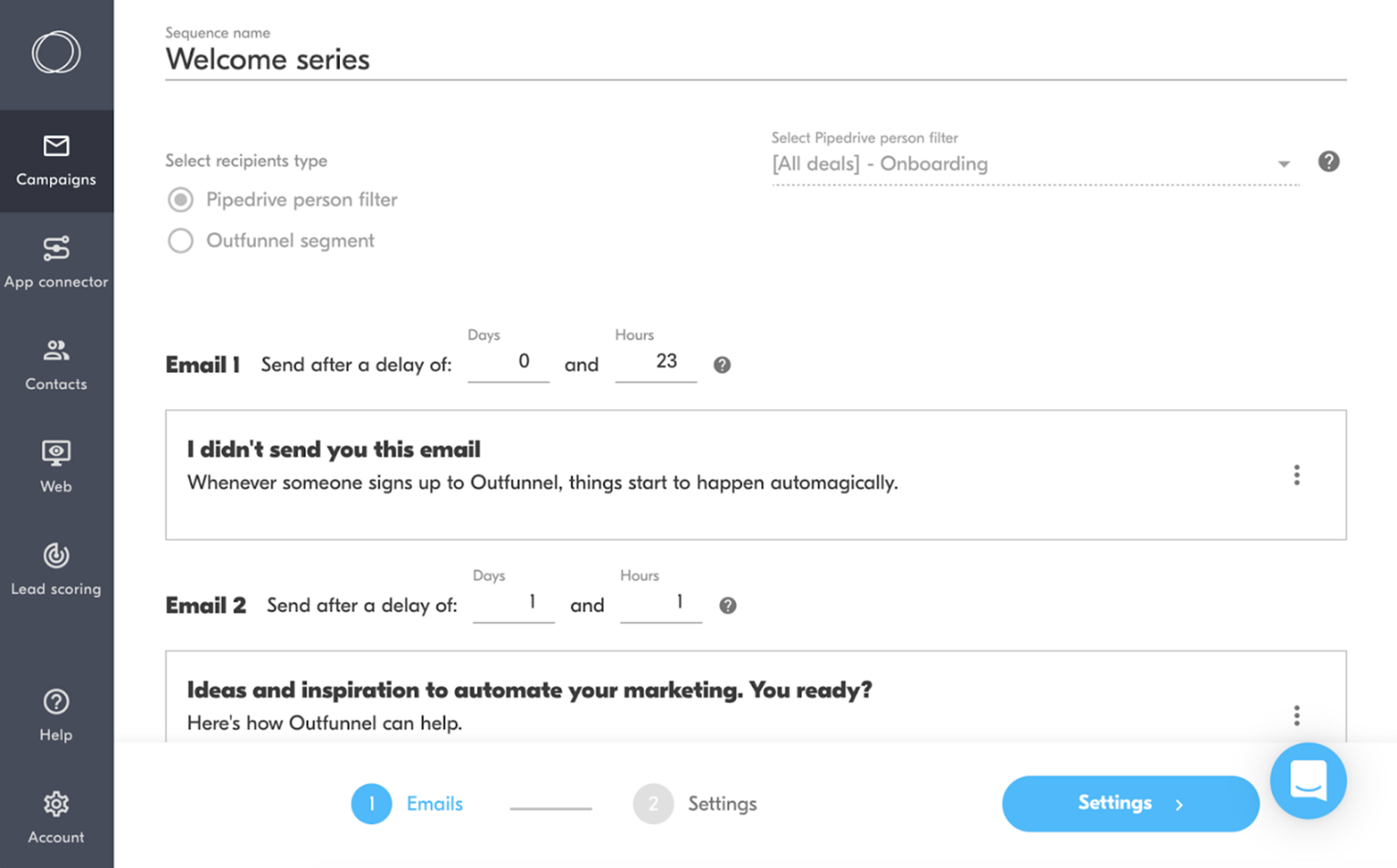
Outfunnel is a purpose-built sales and marketing workflow automation platform that synchronizes CRM and marketing tools in real-time. With Outfunnel, sales teams can see which prospects opened emails, visited pricing pages, or downloaded content without switching between platforms.
Key Features
- Two-way CRM synchronization: Keeps contact lists, engagement data, and deal information synced between your CRM and marketing tools.
- Automated email campaigns: Connect to CRM contacts and deals, allowing you to trigger personalized sequences based on tag updates or custom field values
Pricing
Outfunnel offers three pricing tiers, including a Basic plan that starts at $29/month, a Professional plan at $99/month, and a custom scale plan.
Integration breakdown
Outfunnel integrates with CRMs and marketing tools like Calendly, Suite, and LinkedIn. The platform also connects with web analytics tools and form builders for comprehensive marketing data synchronization.
Pros
- Intuitive user interface for non-technical marketing and sales teams
- Affordable for small businesses and startups
- Connects CRMs with marketing tools
Cons
- Integration library is smaller than general automation platforms
- Requires separate tools for complete marketing automation workflows
4. Kissflow
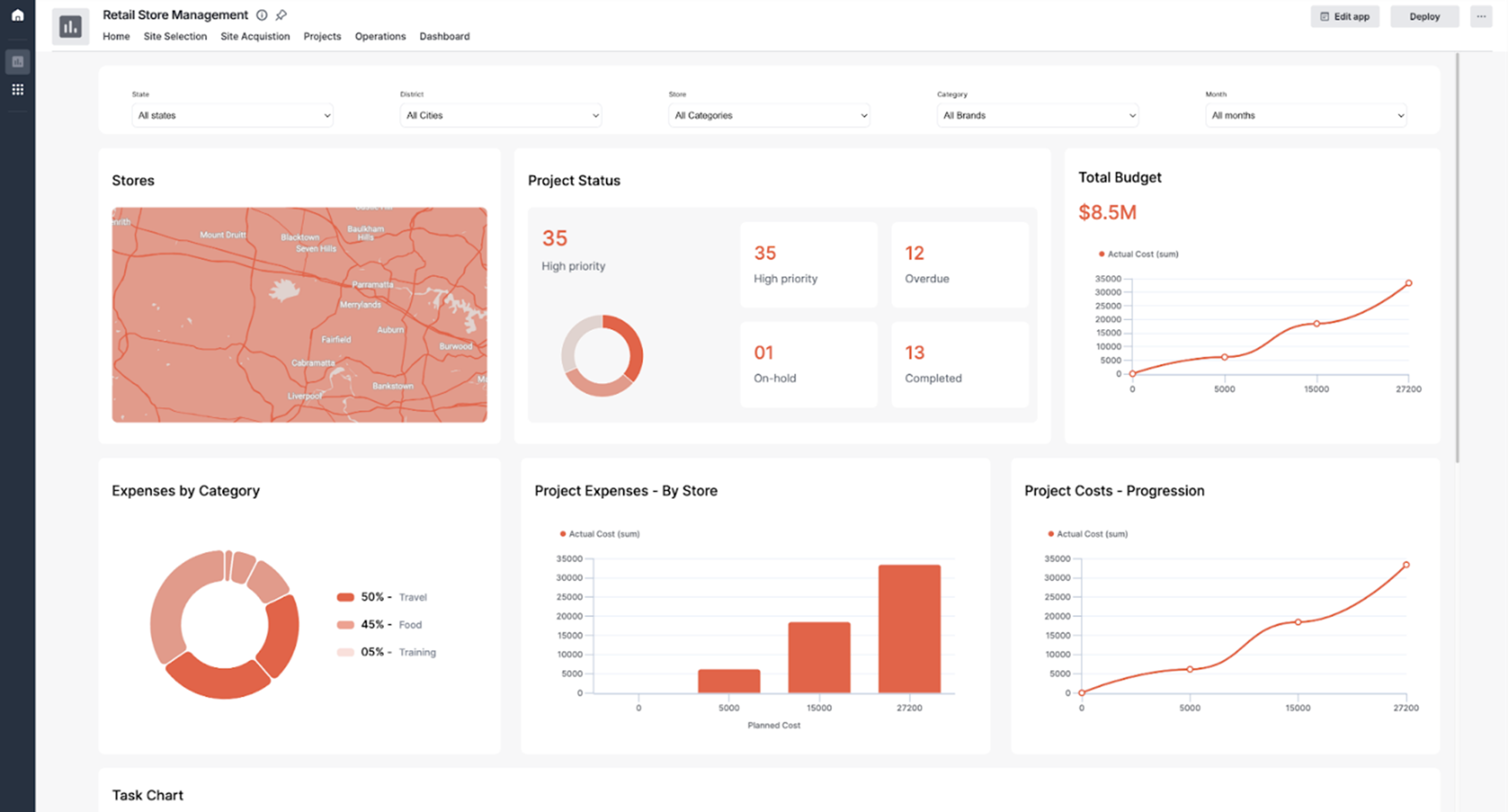
Kissflow is a low code and no-code workflow automation that combines process management, project management, and case management in a unified environment. Teams use Kissflow to automate approval chains, purchase requisitions, IT service requests, and employee onboarding without writing code. The platform includes a patented rules engine for conditional logic and a governance module for centralized oversight.
Key features
- AI process insights: Analyzes workflow data patterns, predicts delays, and suggests process optimizations based on historical execution data using artificial intelligence.
- Centralized process library: Stores all workflow designs with version control, reusability across departments, and governance controls for citizen development programs.
Pricing
Kissflow’s free trial is available after a qualifying consultation. Its basic plan, however, starts at $1,500/month.
Integration breakdown
Kissflow integrates with Dropbox, Slack, Google Drive, and other enterprise tools. REST APIs enable custom integrations with internal systems, legacy databases, and specialized enterprise software for industries like healthcare, retail, and manufacturing.
Pros
- User-friendly no-code interface accessible to non-technical business users
- Responsive customer support team
- Automates approvals, service requests, and onboarding
Cons
- The starting price can be a bit pricey for small businesses and startups
- Limited customization options for complex or highly specialized processes
5. Cflow
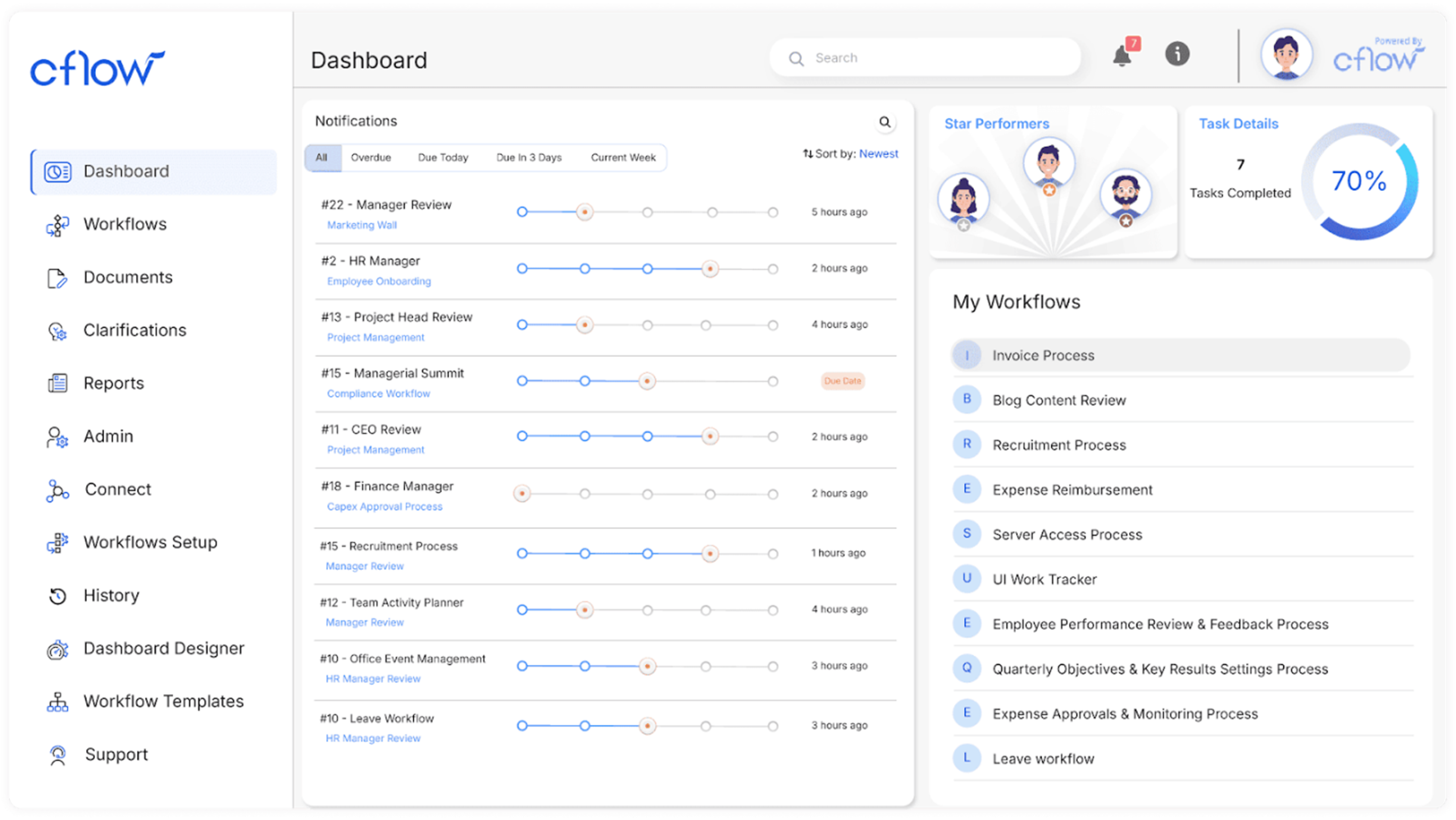
Cflow is another tool that uses a visual drag-and-drop designer to build workflows for HR, finance, procurement, IT operations, sales, and marketing without writing any code. Cflow includes Seyarc AI, which lets users describe a process in plain English and automatically generates a complete workflow with steps, conditional logic, and routing rules.
Key features
- Visual workflow builder: Uses a What-You-See-Is-What-You-Get (WYSIWYG) designer for creating workflows.
- Smart Process Automation: Seyarc AI allows teams to build workflows in minutes using natural language instructions.
Pricing
Cflow offers a 14-day free trial with no credit card required. Its pricing is subscription-based, starting at $11/user/month.
Integration breakdown
In addition to its native integration with GitHub, Mailchimp, and HubSpot, Cflow connects with thousands of additional applications through Zapier integration. Custom integrations use webhooks, REST APIs, and custom connectors for connecting to legacy systems, ERP platforms, and proprietary databases.
Pros
- Users can create workflows without IT involvement or technical training
- Hosted on AWS with automated backups and encryption
- Provides enterprise-grade security without infrastructure management
Cons
- Limited advanced customization for highly specialized or unique workflows
- Analytics and reporting capabilities require data export to Excel for detailed analysis
6. Unito
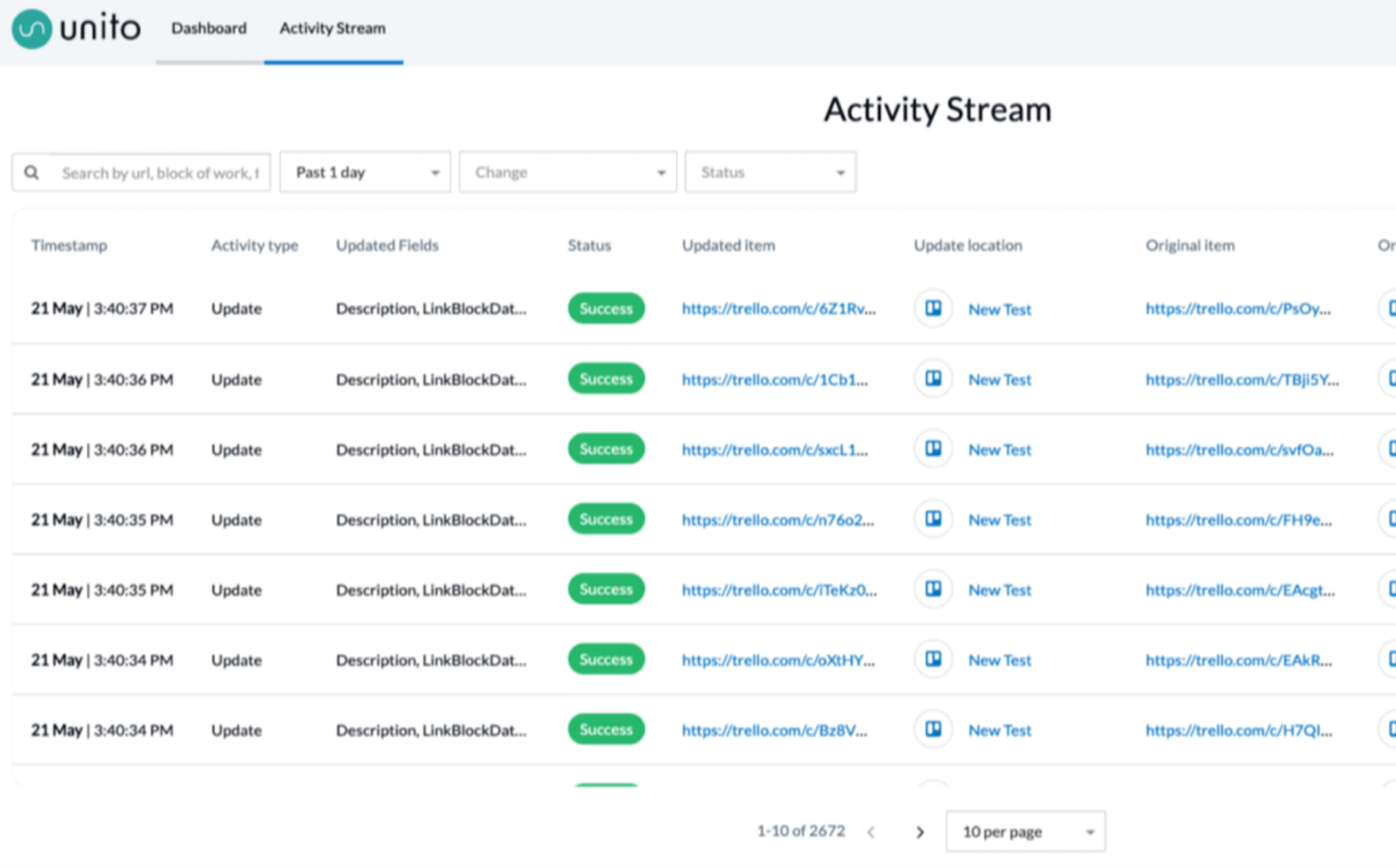
Unito is a two-way synchronization platform that keeps data flowing bi-directionally. The platform uses "flows" to automate tasks, eliminating the need for manual data entry and ensures teams working in different tools always have current information.
Key features
- Two-Way Data Sync: Changes update in both directions automatically, making data consistent across connected tools.
- Automatic Conflict Resolution: Automatically detects sync loops, resolves field-level conflicts, and retries failed syncs to maintain workflow continuity.
Pricing
Unito’s pricing begins around $99/month, and the enterprise pricing is available with custom quotes. A free trial is also available to test functionality before commitment.
Integration breakdown
Unito integrates with Airtable, Asana, Azure DevOps, Basecamp, Bitbucket, ClickUp, Favro, GitHub, and Zoho Projects. Premium connectors, including ServiceNow, Salesforce, Jira On-Premise, Jira Data Center, and Eloqua, are available on Enterprise plans for complex workflows.
Pros
- Quick makes it accessible for non-technical users without requiring IT involvement
- Offers enterprise-grade security with GDPR compliance and end-to-end encryption
- User-friendly interface
Cons
- Guest users are counted per device, which can inflate user totals
- Configuring complex field mappings and sync rules may be difficult for new users
7. Make
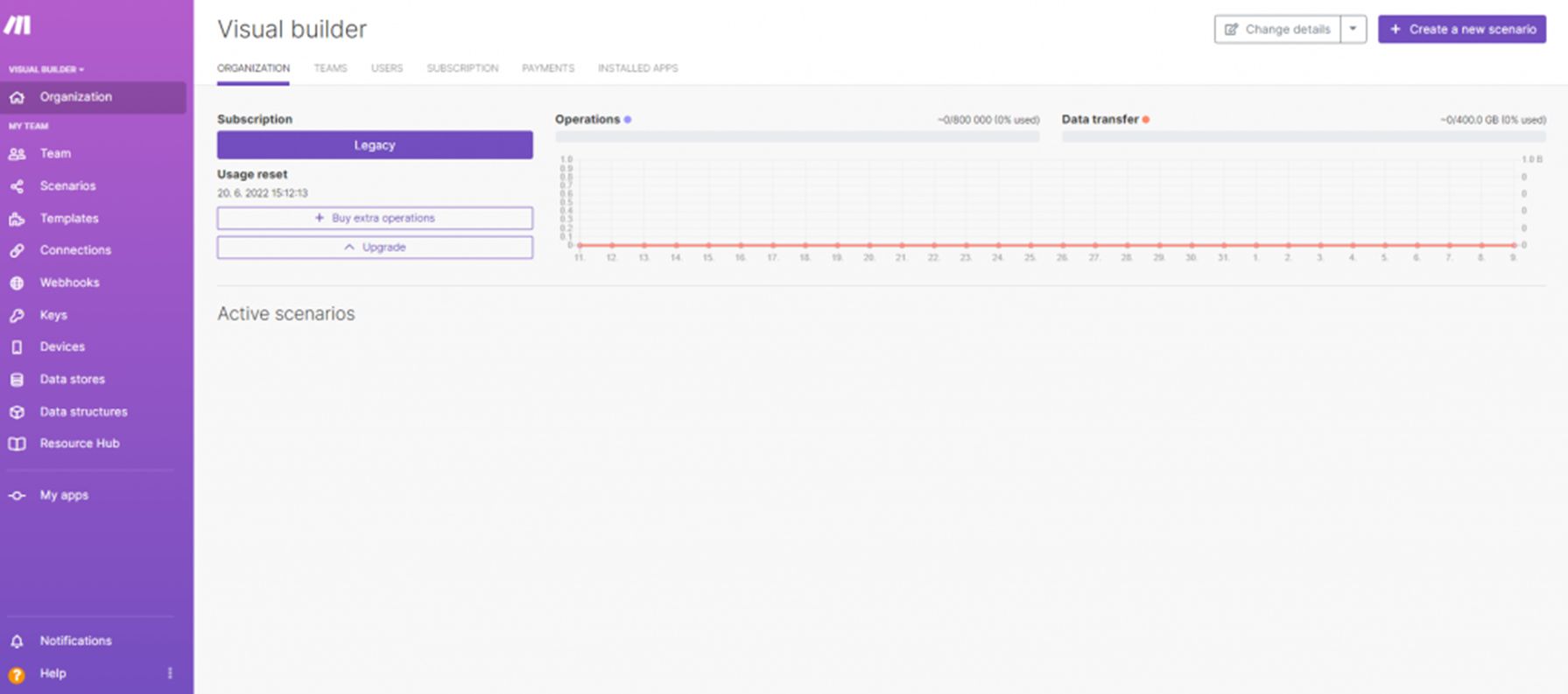
Make, formerly Integromat, is a visual workflow automation platform that lets users create branching paths with routers, conditional logic with filters, and parallel processing with iterators and aggregators. The platform uses a credit-based pricing model which can escalate unpredictably for complex workflows.
Key features
- Advanced flow controls: Includes routers for branching workflows, filters for adding conditions, and iterators for processing arrays.
- AI workflow builder: Make’s AI features include the Maia AI builder that generates workflows from natural language descriptions.
Pricing
With a free plan available for basic automation needs, paid plans start at $9/mon and scale based on operation volume, scheduling frequency, collaboration features, and support levels.
Integration breakdown
Make connects to apps like Google Workspace, Slack, Shopify, Stripe, HubSpot, and QuickBooks. It also provides pre-built app integrations with native authentication and supports custom API connections through HTTP modules and webhooks for any REST API.
Pros
- Visual interface makes complex workflows easier to understand and debug
- Unlimited workflow steps for complex automation
- Features native and custom API integrations
Cons
- Operation-based pricing can escalate quickly for high-volume workflows
- Error messages and debugging can be confusing for complex scenarios
8. n8n
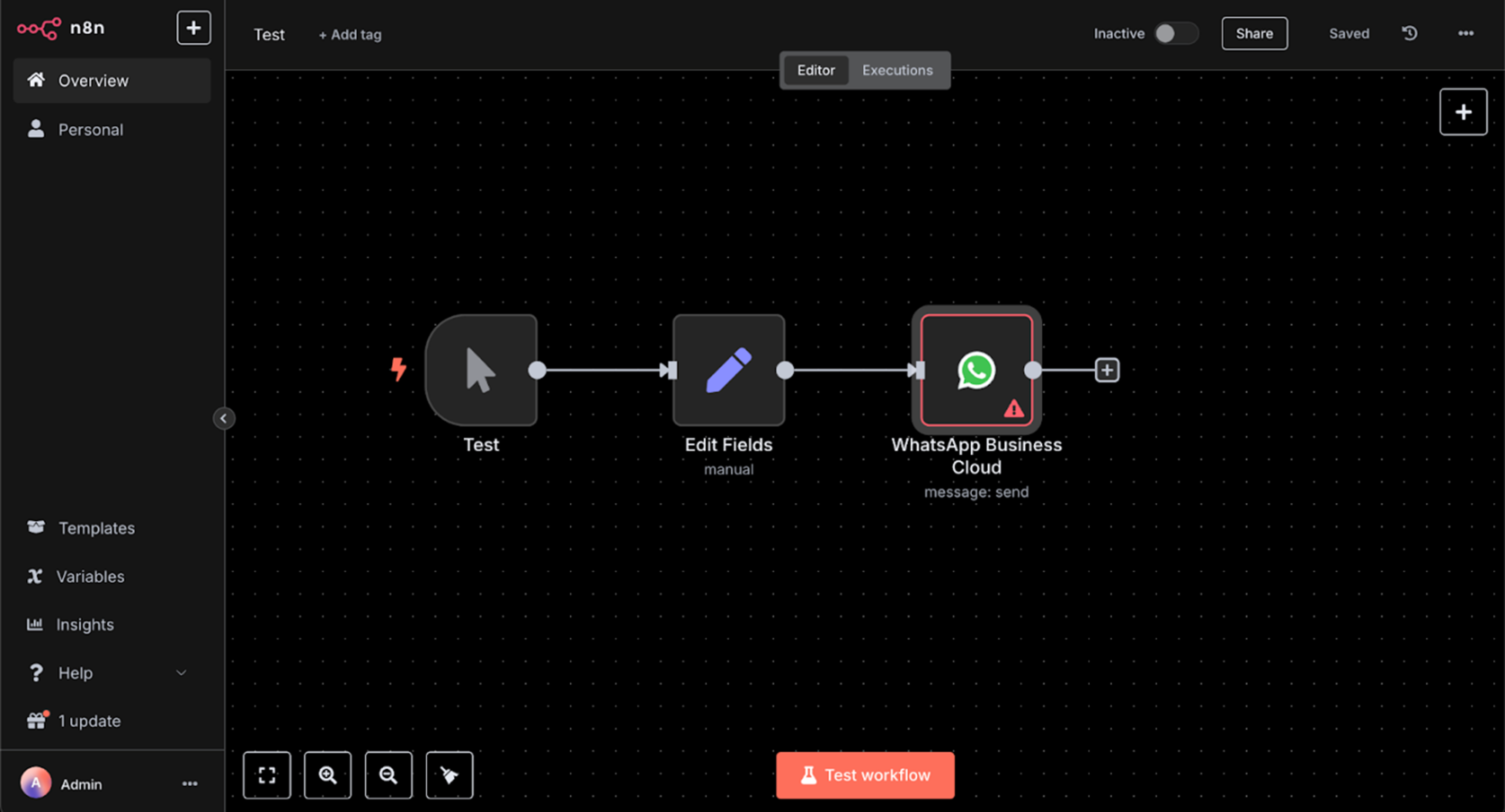
n8n is an open-source workflow automation platform that combines visual no-code building with the option to write custom code when needed. n8n offers both cloud-hosted and self-hosted deployment options with execution-based pricing, helping teams control data and avoid unpredictable per-action fees.
Key features
- Git-based change management: Git integration supports version control for workflows, allowing teams to manage changes through branches, commits, and pull requests.
- Self-hosting deployment version: Free access to the complete Community Edition with unlimited executions, unlimited workflows, and access to all available integrations.
Pricing
n8n offers a free Community Edition for self-hosted deployments. Cloud-hosted plans start at $20/month and scale based on execution volume, performance, and collaboration features.
Integration breakdown
n8n provides 400+ pre-built integrations and supports custom integrations through HTTP request nodes and webhooks. It can also build private custom nodes in TypeScript for proprietary systems or specialized APIs.
Pros
- Predictable execution-based pricing
- Open-source foundation allows code auditing for security, custom modifications, and community-contributed improvements
- Offers both cloud-hosted and self-hosted deployment options
Cons
- Self-hosting requires DevOps expertise to manage databases, security patches, backups, and high availability, adding hidden operational costs
- Cloud execution limits (2,500 executions on the Starter plan) can be restrictive for businesses with moderate automation needs, requiring frequent upgrades
9. Microsoft Power Automate
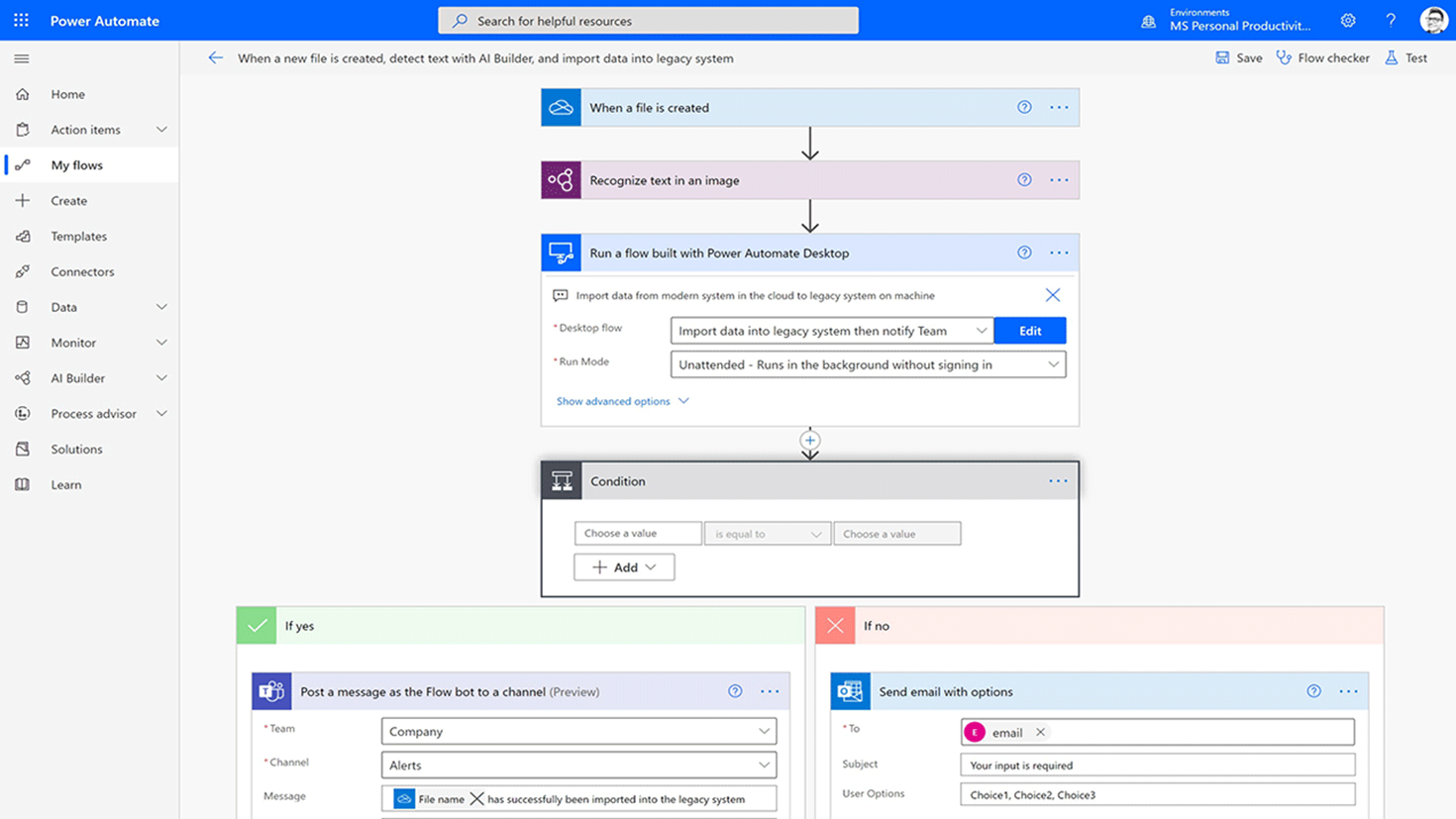
Microsoft Power Automate lets you create automated workflows that connect Microsoft services and third-party applications. It's included with many Microsoft 365 plans at no additional cost, making it accessible for organizations already using Microsoft products. Power Automate features cloud flows, desktop flows, and process mining to identify bottlenecks before automation.
Key features
- Robotic Process Automation: Uses desktop flows to automate legacy desktop applications that lack APIs.
- Excel-style logic expressions: PowerFx expression language uses Excel-like formulas for workflow logic, making it accessible for users familiar with spreadsheet functions.
Pricing
Power Automate offers a 30-day free trial with access to premium features. Paid plans start at $15/user/month and scale based on automation type.
Integration breakdown
Power Automate natively integrates with all Microsoft 365 services, Azure services, and provides 750+ connectors for third-party applications, including Salesforce, SAP, Oracle, DocuSign, Adobe, Dropbox, Slack, and ServiceNow.
Pros
- Included with many Microsoft 365 plans
- Provides workflow automation without additional licensing costs for basic use cases
- Enterprise-grade governance
Cons
- Slowdowns affect workflow execution and reliability w
- Complex pricing structure with per-user, per-flow, and per-bot options
10. Workato
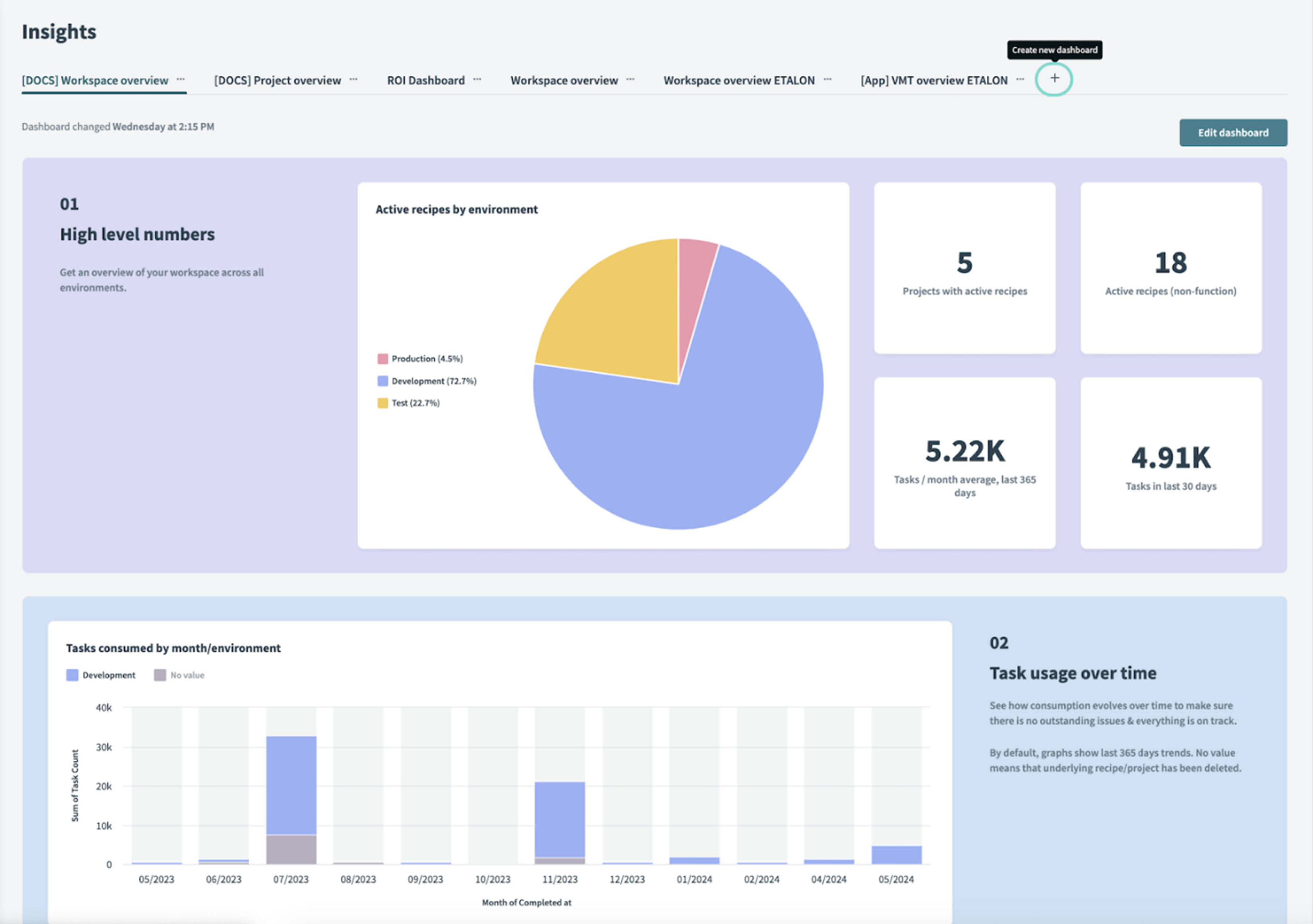
Workato is an enterprise integration platform (iPaaS) designed for large organizations with complex automation and orchestration requirements. The platform uses automated workflows) built from triggers and actions with conditional logic.
Workato's focus on integration resembles Launchpad's B2B orientation, but Launchpad provides purpose-built infrastructure for building complete SaaS applications rather than just connecting existing systems.
Key features
- Recipe-based workflows: Users can combine triggers, actions, and conditional logic into reusable automation patterns that can be shared across teams.
- On-Premise Agent (OPA): Connects legacy systems and internal databases with cloud applications while keeping sensitive data within your infrastructure.
Pricing
Pricing uses a task-based model where one task equals one action in a recipe. However, its Enterprise tier starts around $84,200-$128,300 annually for 5 million tasks.
Integration breakdown
Workato provides 1,400+ pre-built connectors and includes both standard connectors and premium connectors (SAP, Oracle) available on higher tiers. Custom connector building is supported through the Developer Platform for proprietary systems.
Pros
- Powerful for complex workflows spanning multiple systems and departments
- Recipe sharing and pre-built templates accelerate development
- Serves mid-to-large enterprises
Cons
- Learning curve for complex recipes
- Pricing structure based on tasks can become unpredictable as automation scales
11. ActivePieces
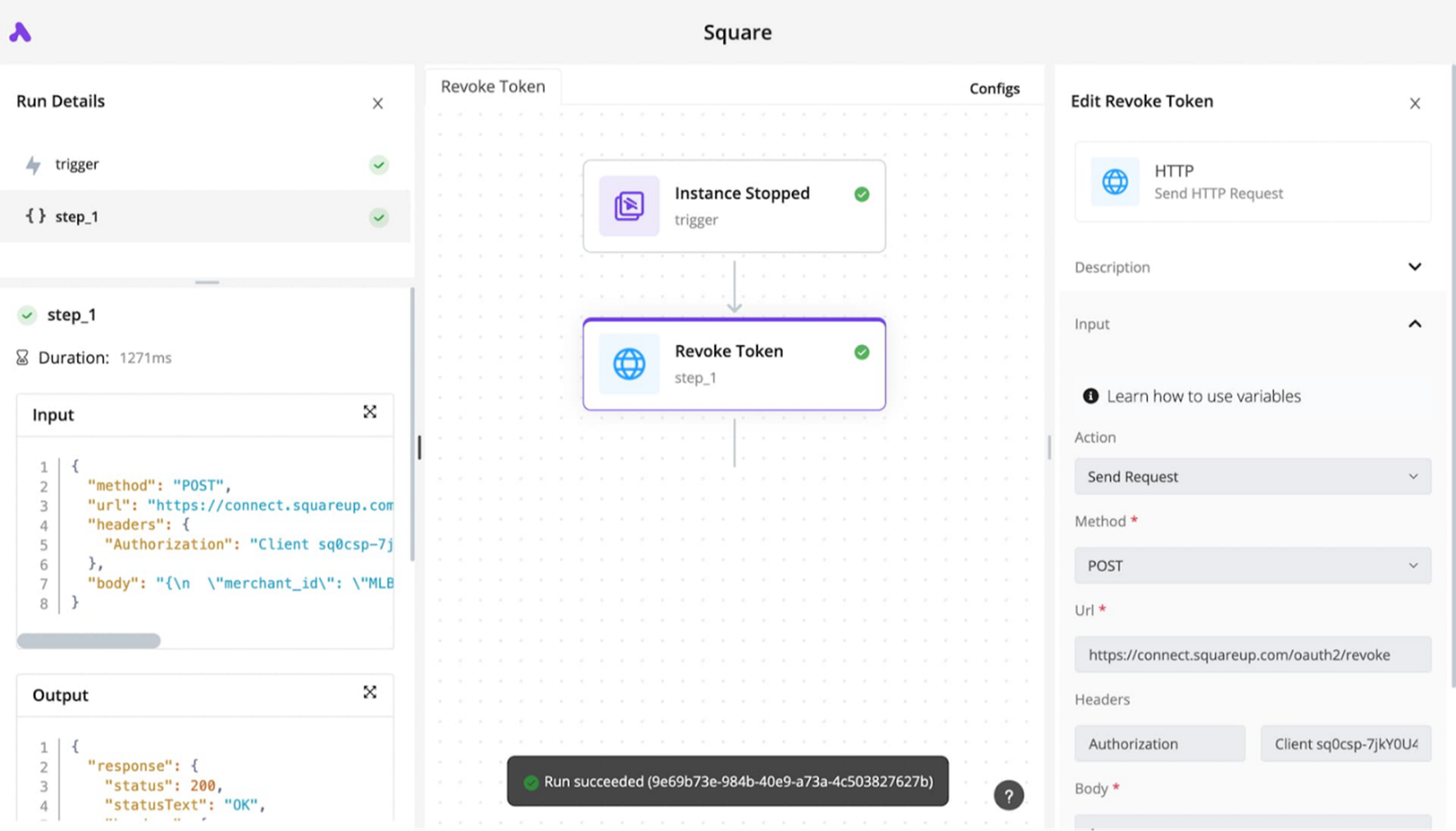
ActivePieces is another open-source no-code automation platform that positions itself as a cost-effective alternative to Zapier and Make. The platform supports both cloud and self-hosted deployment. Its self-hosted version is free under an MIT license and allows unlimited workflow executions without per-task fees.
Key features
- Model context protocol integration: Allows external AI systems like Claude Desktop, Cursor, or Windsurf to interact with ActivePieces workflows securely.
- Built-in AI Copilot: Assists with workflow design, suggests optimizations, helps troubleshoot errors, and speeds up automation creation for non-technical users.
Pricing
ActivePieces offers a free plan with 10 active flows. Paid plans start at $5 per active flow per month and scale based on usage, including AI agents and unlimited tables.
Integration breakdown
ActivePieces supports 450+ pre-built integrations, including Google Sheets, Gmail, Slack, HubSpot, Salesforce, Notion, and hundreds of other services. All integrations are open-source and available on npm, with 60% contributed by the community. You can build custom integrations using the TypeScript framework and publish them as npm packages.
Pros
- Free self-hosted option eliminates all licensing costs for organizations
- Open-source MIT license offers complete transparency and customization freedom
- Supports custom integrations
Cons
- A few integrations don’t provide all the necessary triggers or actions
- Less proven track record in enterprise production environments compared to alternatives
12. Whalesync
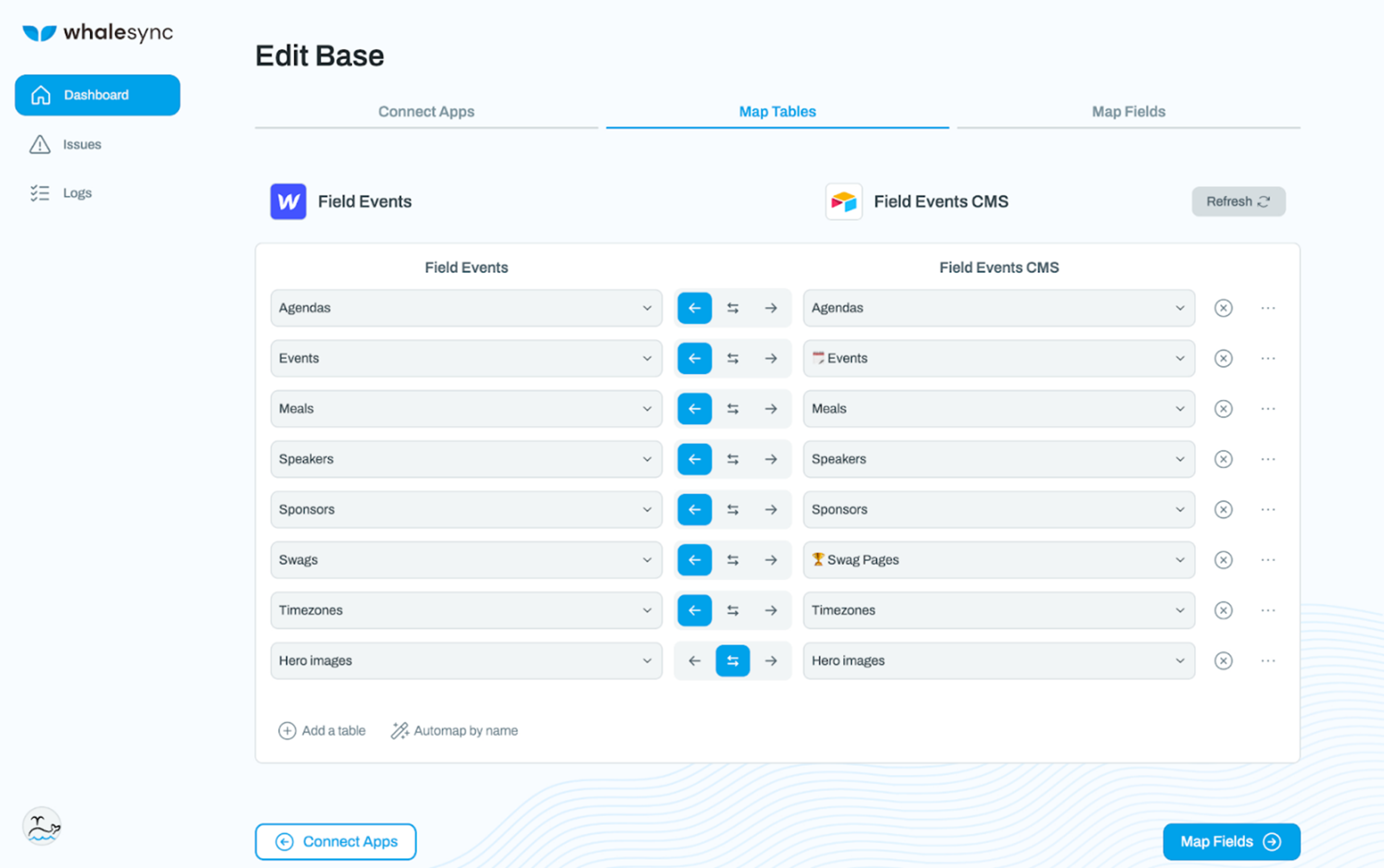
Whalesync is another two-way data synchronization platform built specifically for keeping customer data in sync across CRMs, databases, spreadsheets, and no-code tools. Freelancers and agencies use Whalesync to sync Airtable and Webflow, managing CMS content from a spreadsheet instead of Webflow’s editor.
While Whalesync handles data synchronization between existing tools effectively, platforms like Launchpad address a different use case by providing the complete infrastructure for building production-ready B2B applications.
Key features
- Historical data sync: Applies sync rules to existing records, allowing teams to synchronize past data.
- Granular field controls: Field-level sync controls let teams specify exactly which data fields synchronize between applications and define whether each field syncs one-way or bidirectionally.
Pricing
The platform offers a $5 per month Personal Plan to get started with popular connectors like Airtable, Notion, and Supabase. Paid plans scale based on record limits, active syncs, and connector access, with higher tiers providing priority support and advanced features.
Integration breakdown
Whalesync connects CRMs, including Salesforce, HubSpot, Attio, and Zoho CRM, with no-code databases like Airtable, Notion, and Google Sheets.
Pros
- Enterprise-grade security and GDPR compliance
- Responsive founder-led support team that actively implements user feature requests
- Works well for mission-critical data integrations
Cons
- Smaller integration library compared to general automation platforms
- Complex CMS collections that require manual field mapping for each attribute
How we selected these 12 no-code workflow automation platforms
Businesses choose workflow automation platforms based on demos and marketing claims. Sadly, they discover workflows break silently in production when API providers change authentication methods or update endpoints.
Finding platforms that maintain reliability while preventing these common pitfalls requires evaluating beyond vendor demonstrations and feature lists. We selected these 12 because:
- We confirmed integration depth beyond connector counts by checking documentation for field-level mapping, bidirectional sync support, and real-time updates
- User reviews and community feedback proved that non-technical business users successfully build workflows independently without requiring IT assistance
- Each platform provides clear pricing information that scales predictably
- We confirmed SOC 2, ISO 27001, GDPR, and HIPAA compliance claims through publicly available certification documents and vendor security documentation
How to choose a no-code workflow automation platform for your development needs
Getting the best no-code workflow automation platform begins with understanding your specific requirements before evaluating vendor capabilities.
1. Define your automation objectives
A marketing team spending 15 hours monthly copying leads between platforms needs different capabilities than a finance department routing 500 invoices through multi-level approval chains.
Document the exact manual steps you want to eliminate, the frequency of execution, and the complexity of logic involved. This clarity prevents purchasing platforms with sophisticated features you'll never use or choosing limited tools that can't handle your actual requirements.
2. Know who builds and maintains workflow
Some platforms marketed as “no-code” sometimes vary in actual technical requirements. Some require understanding concepts like API authentication, JSON data structures, and conditional logic operators. Misalignment between platform complexity and team capabilities may create dependency on scarce technical resources.
3. Consider deployment constraints and compliance requirements
Understanding deployment constraints and compliance requirements upfront protects you from investing time in platforms that teams will reject later. Similarly, organizations with strict change management processes need platforms that support development, staging, and production environments with controlled promotion workflows.
4. Establish success metrics and timeline expectations
What specific outcomes justify the platform investment, and when must you achieve them? Understanding required ROI timelines helps you determine whether platforms with higher upfront costs but faster implementation deliver better value than cheaper options that require longer setup periods.
Choose Launchpad for your workflow automation today
Building workflow automation into commercial products requires infrastructure that most teams spend months recreating.
Launchpad delivers these enterprise capabilities pre-configured and also combines agentic AI orchestration with operational infrastructure so development teams can build revenue-generating workflow features.
Sign up for free today and build production-ready workflow applications without duplicating infrastructure.
Frequently asked questions about no-code workflow automation platforms
1. What’s the difference between no-code workflow automation and low code platforms?
No-code workflow automation platforms let non-technical users build automations through visual interfaces without writing any code. They focus primarily on connecting applications and automating task sequences.
Low-code platforms, on the other hand, require some technical knowledge but provide deeper capabilities for building complete applications with custom logic, database management, and enterprise features.
2. Can I integrate AI models into my workflow automation?
Some platforms offer limited AI capabilities or require complex custom coding to connect AI models. Tools like Launchpad offer out-of-the-box integrations and connectors, which make it easy to connect to any external AI functionality.
3. How do workflow automation platforms handle rate limits from third-party APIs?
Most enterprise platforms include built-in retry logic with exponential backoff that spaces out requests when APIs return rate limit errors. However, some platforms lack sophisticated rate limit handling, causing workflows to fail during high-volume periods.
About the Author
Jason Masciarelli (VP, Launchpad Go-To-Market & Ventures) helps companies build new revenue streams by bringing powerful SaaS apps to market and leads the strategic investment into early-stage companies to accelerate growth and innovation.