


As a software engineering manager, I spend a lot of time thinking about what our clients need and how I can build the right product for them. For three months, I went a step further and rotated onto our Provider Success team to work directly with clients on their Launchpad applications.
Even though I’ve spent over five years developing Launchpad, stepping away from the code and into the shoes of a client was a completely different experience. I went from developing features to only using them, fixing bugs to finding them. I worked with new providers to introduce them to the power of Launchpad, and I helped experienced clients translate more of their complex workflows into their applications. I even developed an internal application as if I were a client myself. Most importantly, I lived the day-to-day experience of our Launchpad users and listened closely to the feedback they shared.
I walked away with two key takeaways:
- Launchpad is powerful.
- Users need better guidance to unlock that power.
The first takeaway was exciting. Nearly everything I wanted to do in the applications I worked on, I could. I was able to build nearly everything I set out to using Launchpad.
The second takeaway was exciting for a different reason. While my applications could do what I wanted, I wasn’t always confident about how to build them to get there. That crystallized into one clear priority: we needed to make the Launchpad authoring experience more seamless and intuitive.
Two months after my rotation ended, that’s exactly what we’re focused on today. We’re crafting a Launchpad authoring experience rooted in intuitive, delightfully usable features. Based directly on client feedback, we’ve already delivered several meaningful improvements, and we’re shipping more every week.
Here are three crucial usability improvements you can start using today to make your Launchpad authoring experience even easier:
Change field types without rework
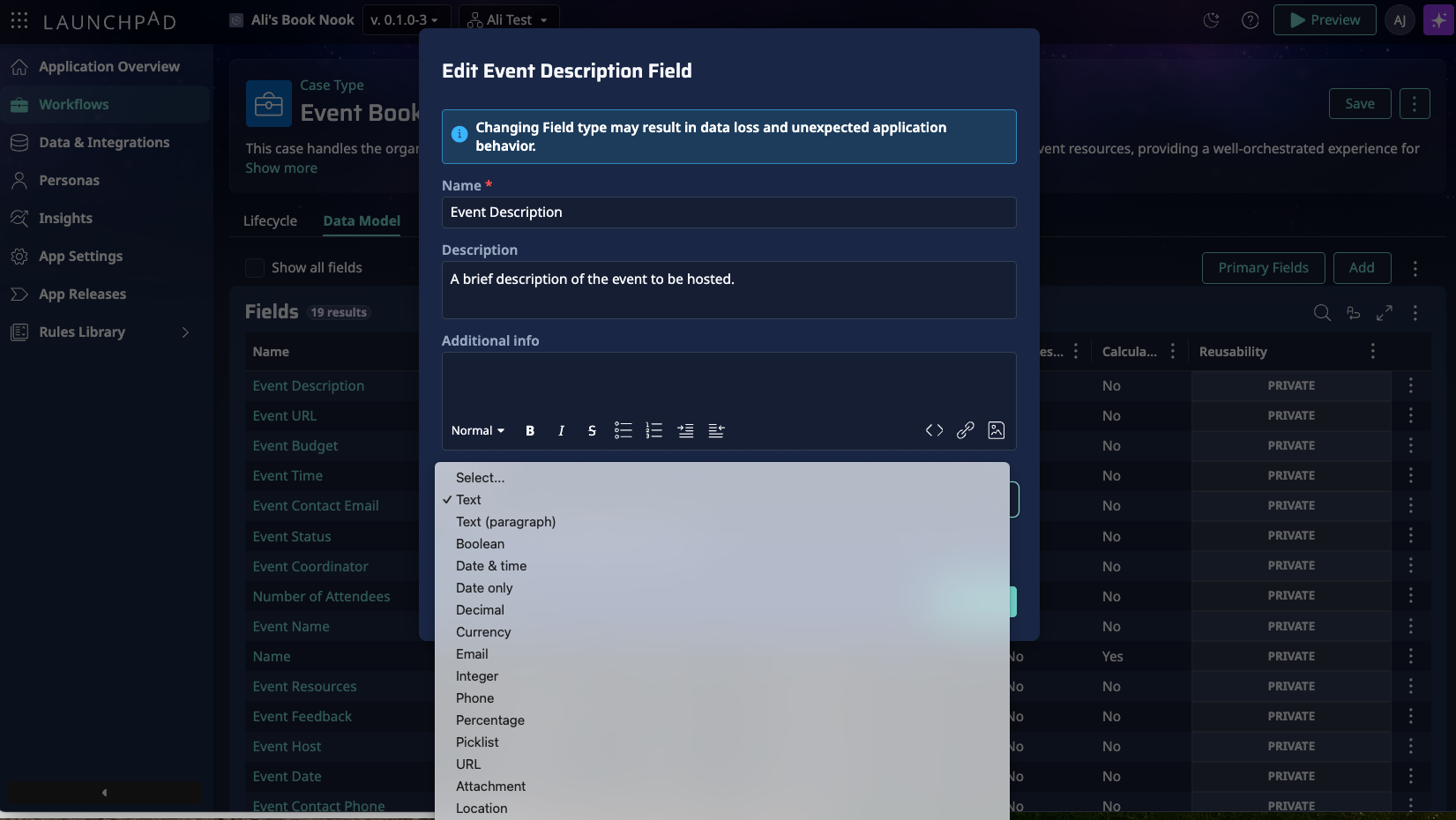
You can now easily change field types, whether the fields are from a Blueprint import or created later in your app-building process. No more recreating fields just because the type wasn’t quite right – you can change it directly.
See real data while authoring insights
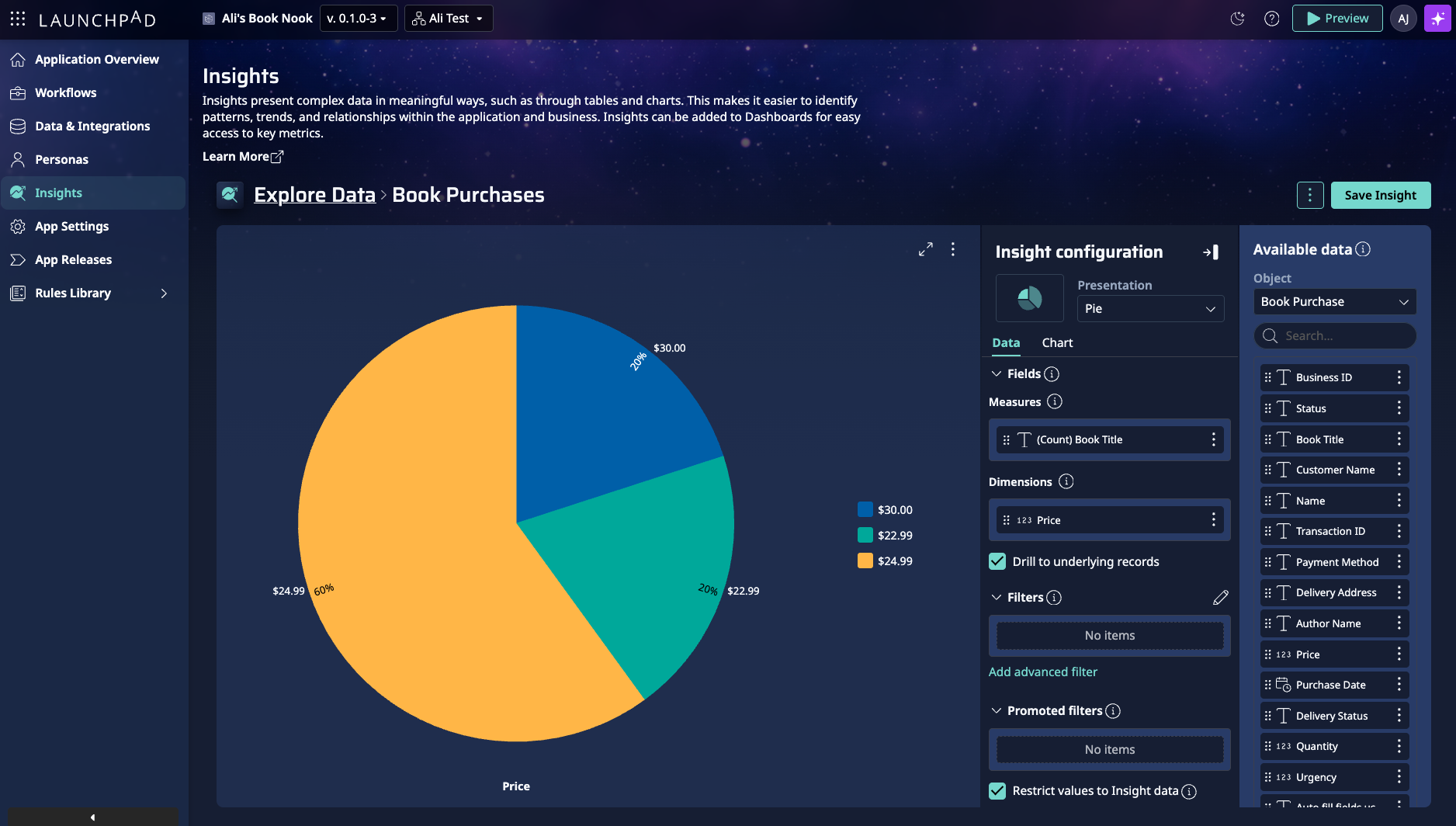
No more guessing what your table or chart will look like before you preview. You can now see a live preview while authoring insights, using preview data to reflect how your changes will look. Be confident that the changes you’re making will look great.
Flexible configuration settings throughout the app
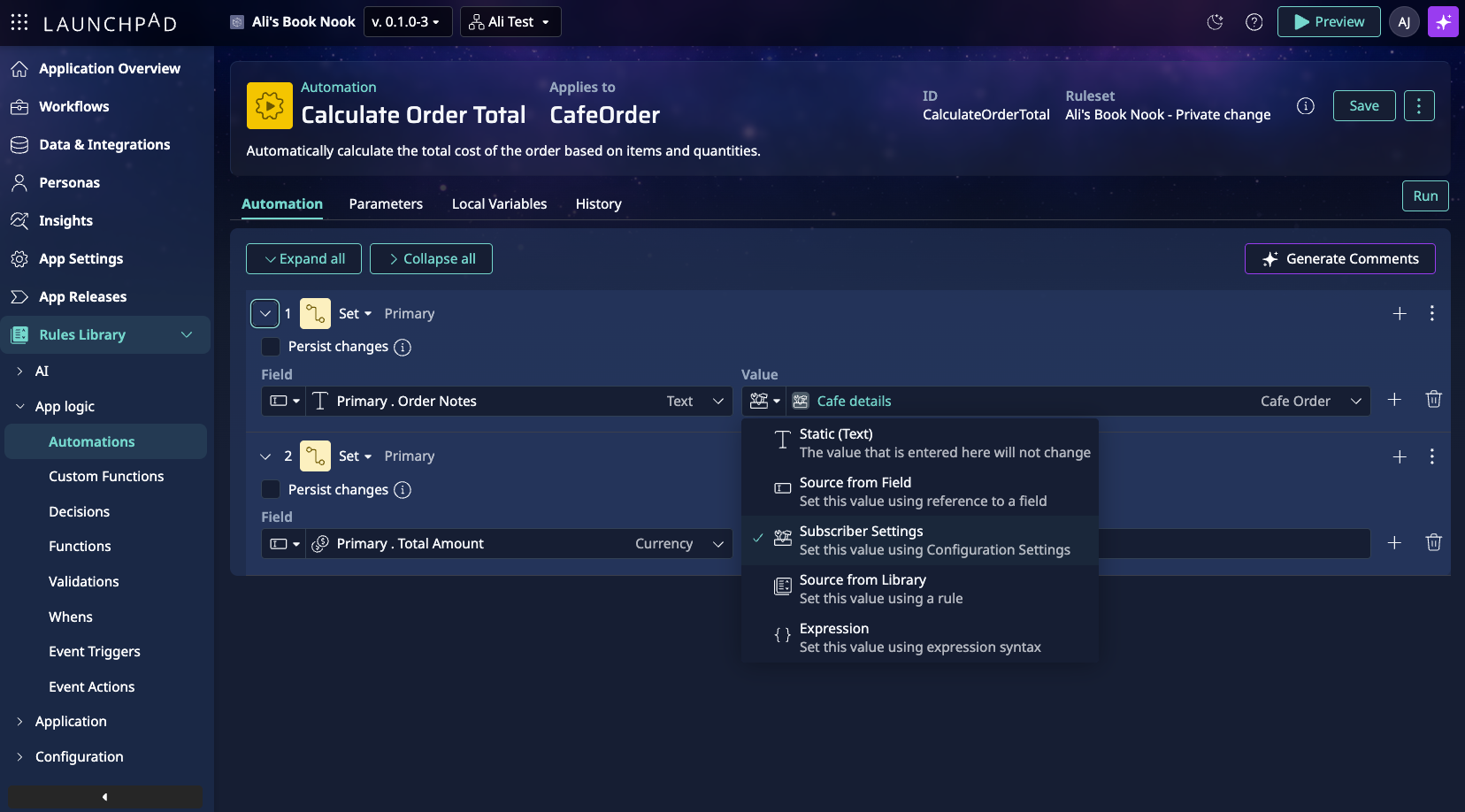
Subscriber settings are now easy to use in Automation, Correspondence, Integration System, Validation, and Decision rule types. This makes it easier to expose the right configuration options to your subscribers, exactly where they need them.
We’re not stopping there! In the near future, you can expect to be able to:
- Fill forms with test data in preview using “fill with AI”
- Disable automation steps for simpler debugging
- Experience a streamlined approach to Persona-based fields
... and much more!
My rotation reinforced something I already believed: the best products are built when engineers spend time living the client experience. Launchpad is evolving quickly, guided by real client needs, and we’re committed to continuing to build a product that helps developers move faster, and with more confidence, every day.
About the Author
Ali Jordahl is a Software Engineering Manager with a passion for understanding clients' needs and building products that enhance usability and maximize outcomes.