


Quick summary
Low-code platform security is the biggest concern stopping enterprises from scaling rapid development. So, you must know the top security risks, a platform-by-platform comparison, the OWASP Low-Code/No-Code Top 10, and the best practices before deploying on any low-code platform.
The security risk nobody talks about in low-code
Your team adopts a low-code platform to ship faster. But every citizen-built app introduces new attack points. Pre-built connectors introduce third-party dependencies, and shared credentials flow invisibly through visual workflows. Traditional security teams have never dealt with these threat patterns.
This guide explains the core security risks that come with low-code development and how to mitigate them. You’ll find a breakdown of the Open Worldwide Application Security Project (OWASP) Low-Code/No-Code Top 10 security risks and a comparison of security features across leading platforms. The guide also provides a step-by-step roadmap to help you secure your low-code environment.
Why listen to us
Launchpad is an AI-powered, enterprise-grade low-code platform from Pegasystems, a company with 40+ years of serving the world’s most security-sensitive organizations. That experience shapes how Launchpad approaches security, compliance, and enterprise software architecture.
Companies like Quavo, a fintech SaaS platform built on Pega’s core technology, have scaled to $50M+ ARR while handling highly sensitive financial dispute data for banks and credit unions. Launchpad also meets strict enterprise standards, including SOC 2 Type II, ISO 27001, GDPR, and HIPAA compliance. This gives teams the security foundation required to build and scale trusted software products.
We didn’t concern ourselves with full stack engineering from the beginning...We brought in Pega and AWS early, so our small team could focus on outcomes, not infrastructure.
-Joseph McLean, Co-founder & CEO, Quavo
What is low-code platform security?
Low-code platform security refers to the controls, policies, and architecture that protect applications built using visual, model-driven development tools. It covers everything from authentication and data encryption to governance frameworks and compliance certifications.
But there is a key distinction between traditional and low-code application security. In traditional development, your team writes every line of code, and you control every dependency and run your own scans and penetration tests.
But in low-code environments, the platform abstracts much of the code layer. Pre-built components handle authentication, data connections, and workflows. This introduces a shared-responsibility model in which both the platform vendor and your development team must address security.
Why enterprise low-code security is different
Enterprise environments operate under unique constraints. Regulations such as HIPAA, the Sarbanes–Oxley Act (SOX), the General Data Protection Regulation (GDPR), and the Payment Card Industry Data Security Standard (PCI DSS) require rigorous data handling and security controls. At the same time, multi-tenant architectures must ensure complete isolation of customer data.
Integration with legacy systems creates additional exposure points. Combined with large-scale deployments, this makes automated governance and strong security controls essential—capabilities that many generic low-code platforms lack.
|
Factor |
Generic Low-Code |
Enterprise Low-Code |
|
Data Isolation |
Shared database, basic separation |
Dedicated trust zones, patented isolation |
|
Compliance Certifications |
Often limited to SOC 2 |
SOC 2, ISO 27001, HIPAA, GDPR, PCI-DSS |
|
Access Control Model |
Basic role-based permissions |
Zero-trust, least-privilege, MFA enforcement |
|
Audit Logging |
Limited or opt-in |
Comprehensive, always-on audit trails |
|
Encryption |
In transit only (sometimes) |
At rest and in transit, unique keys per tenant |
|
Vulnerability Testing |
Vendor-managed, infrequent |
Regular third-party pen testing + internal scans |
|
Governance |
Manual oversight required |
Automated policies and enforcement playbooks |
OWASP low-code/no-code top 10 at a glance
The OWASP Low-Code/No-Code Security Project maintains a dedicated risk framework for visual development platforms. If you build on low-code tools, this is your baseline threat model.
Each risk maps directly to real enterprise attack patterns that your security team should assess against your current environment:
|
Rank |
Risk |
Enterprise Impact |
|
LCNC-SEC-01 |
Account Impersonation |
Shared credentials across apps expose regulated data |
|
LCNC-SEC-02 |
Authorization Misuse |
Over-permissioned apps create lateral movement paths |
|
LCNC-SEC-03 |
Data Leakage |
Sensitive data flows to non-compliant third parties |
|
LCNC-SEC-04 |
Authentication Failures |
Weak MFA enforcement enables unauthorized access |
|
LCNC-SEC-05 |
Security Misconfiguration |
Default settings leave apps vulnerable at deployment |
|
LCNC-SEC-06 |
Injection Handling Failures |
SQL injection and XSS in visual workflow components |
|
LCNC-SEC-07 |
Vulnerable Components |
Marketplace plugins introduce supply chain risk |
|
LCNC-SEC-08 |
Data/Secret Handling Failures |
API keys stored in plaintext or hardcoded in apps |
|
LCNC-SEC-09 |
Asset Management Failures |
Orphaned apps remain running without oversight |
|
LCNC-SEC-10 |
Logging and Monitoring Gaps |
Cannot detect breaches or prove compliance |
7 critical low-code platform security risks in enterprise contexts
Here are 7 critical low-code platform security risks that most enterprises face:
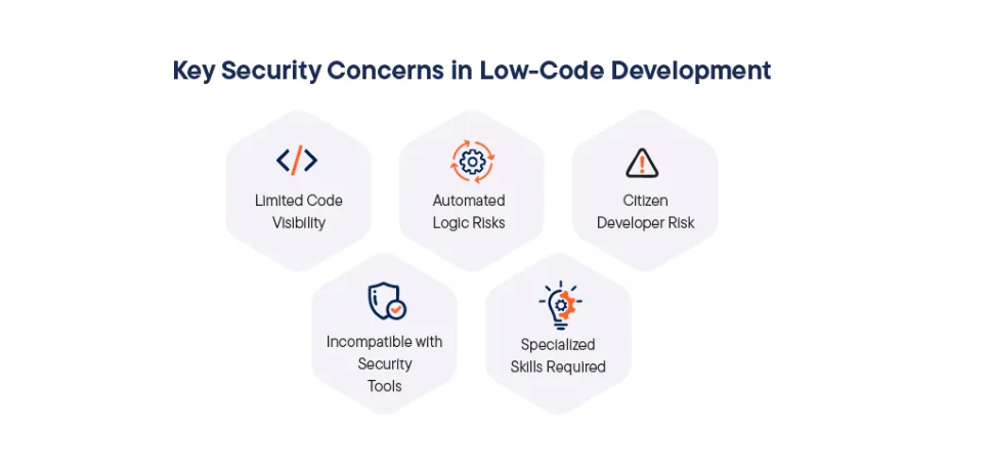
1. Shadow IT and app sprawl
Low-code platforms make building apps easy. But ease of creation without governance creates serious problems. Every team spins up its own app outside IT oversight, without security reviews or compliance checks.
Gartner found that 75% of large enterprises use at least four low-code development tools. Each tool adds a new governance surface, and each ungoverned app becomes a potential vector for breaches. Shadow IT in low code differs from traditional shadow IT in that the apps often connect to core enterprise systems that house sensitive customer data and automate critical workflows.
But Launchpad’s Command Center centralizes app governance. IT administrators maintain full visibility and control over all deployed apps, versions, and user access through a single management dashboard.
2. Data leakage and API misconfiguration
Low-code platforms connect to multiple systems through APIs. Every integration point is a potential source of data exposure. Misconfigurations, even minor ones like leaving default API permissions unchanged, can expose sensitive data to unauthorized users.
The OWASP Low-Code/No-Code Security Project explicitly calls this out. One workflow processes sensitive data, while another, not designed for security, shares it with a broader system. Visual interfaces hide these complex security implications from non-technical users.
But Launchpad’s least-privilege model means that services access only the data they need. All data is encrypted in transit and at rest, with unique keys for each customer.
3. Citizen developer knowledge gaps
Low code democratizes development. This is powerful but dangerous when those same users lack security training. Citizen developers bypass standard SDLC processes. An app can go live with critical vulnerabilities that a security-trained developer would catch immediately.
Security experts warn that citizen developers are more likely to make inadvertent mistakes, like hardcoded credentials, missing authentication checks, PII disclosure, and exposed implementation details. Without proper guardrails, every citizen-built app is a potential vector for breaches.
However, Launchpad’s secure-by-default architecture embeds security at the platform level rather than relying on individual developer choices. Authentication, encryption, and access controls activate automatically. Thus, your developers can build on a secure foundation without having to configure it themselves.
4. Unauthorized access and RBAC failures
Many low-code platforms assign broad permissions by default. Over-permissioning is one of the most common and costly low-code risks. In 2021, Microsoft’s Detection and Response Team documented an APT group that used a low-code tool to hide inside a multinational organization for six months, exfiltrating secrets through automated workflows.
For instance, Launchpad’s zero-trust architecture enforces least-privilege access at every layer. Every user, service, and integration accesses only the exact data or service required for their specific task.
5. Inconsistent security across teams
When development is distributed across teams with varying skill levels, security standards fragment. One team implements MFA while another does not, and one app enforces strong session management, while another relies on defaults. This creates exploitable gaps across your entire environment.
In organizations using multiple low-code tools, this problem multiplies. Each platform has its own security model, and unified governance becomes nearly impossible without a centralized approach.
But security standards in Launchpad apply platform-wide, not per app. Every application built on Launchpad automatically inherits the same baseline: zero-trust, encryption, RBAC, and audit trails.
6. Third-party dependency vulnerabilities
Pre-built connectors, marketplace components, and API libraries accelerate development but introduce third-party risk. Unvetted marketplace modules may contain hard-coded credentials, insecure defaults, or malicious code.
Most citizen developers have no way to audit them. However, Launchpad conducts regular third-party pen testing and applies SAST/DAST to all code, including open-source libraries.
7. Compliance and regulatory exposure
Generic low-code platforms lack certifications for regulated industries. A platform without HIPAA, SOC 2, or ISO 27001 certifications forces you to bolt compliance on later.
That means custom development, increased risk, and slower sales cycles with enterprise clients who require compliance documentation. IBM’s research shows that data breaches involving compliance violations cost an average of $4.45M before regulatory fines are factored in.
But Launchpad holds SOC 2 Type II, ISO 27001, GDPR, and HIPAA certifications, audited by Prescient Assurance.
Platform security comparison
The gap between consumer-friendly builders and enterprise-grade platforms is massive in terms of security. Here is a detailed comparison of security capabilities across the leading platforms:
|
Security Feature |
Bubble |
Retool |
OutSystems |
Launchpad |
|
SOC 2 Certification |
Type II |
Type II |
Type II |
Type II |
|
ISO 27001 |
No |
No |
Yes |
Yes |
|
HIPAA Compliance |
No (Enterprise only) |
Enterprise only |
Yes |
Yes |
|
GDPR Compliance |
Yes |
Yes |
Yes |
Yes |
|
Zero-Trust Architecture |
No |
Partial |
Yes |
Yes |
|
Multi-Tenant Data Isolation |
Shared infrastructure |
Shared infrastructure |
Dedicated environments |
Patented isolation with dedicated trust zones |
|
Built-in Encryption (rest + transit) |
Transit only by default |
Yes |
Yes |
Yes, unique keys per tenant |
|
Role-Based Access Control |
Basic |
Granular |
Granular |
Least-privilege, zero-trust enforced |
|
Audit Logging |
Basic activity logs |
Audit logs on Enterprise |
Comprehensive |
Always-on, comprehensive audit trails |
|
Third-Party Pen Testing |
Annual |
Annual |
Regular |
Regular + internal security engineering |
|
OWASP-Aligned Development |
Not documented |
Not documented |
Yes |
Yes, follows OWASP Top 10 recommendations |
|
Managed Runtime Security |
Partial |
Self-hosted option |
Cloud + self-hosted |
Fully managed, defense-in-depth |
|
Secure by Default |
Requires configuration |
Requires configuration |
Partially |
Yes, security enabled with no user intervention |
What most low-code platforms still lack
Most low-code platforms lack several capabilities enterprises consider non-negotiable, such as:
- Data isolation: Patented data isolation per tenant in multi-tenant SaaS environments.
- Secure-by-default UX: Security enabled automatically in UX flows, not manually configured per app.
- Regulated industry compliance: HIPAA, SOX, PCI-DSS, and FedRAMP alignment built into the platform.
- Defense-in-depth: Security at both the infrastructure level and the application level.
- Data classification: Automated classification of data into sensitivity tiers.
- Institutional security experience: Deep expertise from serving regulated industries over decades, not years.
Launchpad covers all of these. These are battle-tested security practices that many other platforms have not accumulated.
10 low-code security best practices
1. Enforce zero-trust from day one
Every access request must be verified. Implement MFA across all accounts, use RBAC with least-privilege principles, and restrict which data each app and user can access.
2. Use dedicated service accounts
OWASP recommends dedicated application or service accounts rather than personal user accounts for data connections. This eliminates the risk of account impersonation, in which every end user inherits the creator’s permissions.
3. Establish a governance framework
Create clear policies for who can build apps, what data they can access, and how apps move from development to production. The Zenity security governance framework recommends a crawl/walk/run model: start with basic inventory and monitoring, then layer in automated policy enforcement as your program matures.
4. Maintain a complete app inventory
You cannot secure what you cannot see. Maintain a cross-platform inventory of every low-code app, connector, and integration. Include business criticality, data sources, creator, and last-updated date. Furthermore, remove orphaned apps immediately.
5. Limit external connectors
Every external connector is a potential attack vector. So, connect only to data sources and APIs the app genuinely requires. Also, vet third-party components for known vulnerabilities and untrusted sources before deployment.
6. Enable comprehensive logging
Activate audit logs for all user activity, data access, configuration changes, and deployment events. Also, set up automated alerts for suspicious patterns, such as unusual exports or failed login attempts outside business hours.
7. Encrypt everything
Data must be encrypted at rest and in transit. Use unique encryption keys per tenant where possible, and never store API keys, passwords, or secrets in plaintext within application code or configuration files.
8. Run regular security assessments
Conduct regular penetration testing, vulnerability scanning, and code reviews using both internal teams and external firms. In addition, apply SAST/DAST to all code, including open-source libraries, and factor in estimated costs for AI and security features early in planning.
9. Implement secure CI/CD pipelines
Separate development, staging, and production environments. Apply security gates at each stage, and ensure every deployment passes automated security checks. Many low-code platforms lack mature CI/CD pipelines, so that you may need governance layers around them.
10. Train your citizen developers
Citizen developers are often highly technical business users who lack training in secure coding. Thus, provide mandatory security awareness training that covers the OWASP Low-Code Top 10, data-handling policies, and your organization’s governance requirements.
Low-code platform security evaluation checklist
When evaluating low-code platforms for enterprise use, security capabilities should carry as much weight as development speed. Here is your evaluation checklist:
|
Evaluation Criteria |
Questions to Ask |
Red Flags |
|
Compliance Certifications |
Does the platform hold SOC 2, ISO 27001, HIPAA, and GDPR? |
Missing certifications for your industry's requirements |
|
Architecture Model |
Is it zero-trust? How is tenant data isolated? |
Shared infrastructure with no dedicated isolation |
|
Encryption Standards |
Is data encrypted at rest and in transit? Unique keys per tenant? |
Transit-only encryption or shared encryption keys |
|
Access Control Granularity |
Does it support least-privilege, RBAC, and MFA enforcement? |
Only basic role permissions with no MFA option |
|
Audit and Logging |
Are audit trails always on? Can you export logs to your SIEM? |
Limited logs or logs only available on enterprise plans |
|
Vulnerability Management |
Does the vendor conduct regular pen testing? Bug bounty program? |
No third-party pen testing or public security disclosures |
|
Secure Development Practices |
Does the vendor follow OWASP guidelines? SAST/DAST on code? |
No documented secure development lifecycle |
|
Managed Runtime |
Who manages patching, upgrades, and infrastructure security? |
Self-managed infrastructure with no vendor support |
|
Data Residency Options |
Can you control where data is stored geographically? |
No data residency options for regulated industries |
|
Incident Response |
Does the vendor have a documented incident response plan? |
No SLA for breach notification or incident handling |
How Launchpad handles security by default
Most low-code platforms require you to configure security after the fact. But Launchpad takes a fundamentally different approach. Security is embedded into the platform architecture from the ground up. Here’s how:
Certified, secure, and compliant
Launchpad holds SOC 2 Type II certification (audited by Prescient Assurance) and ISO/IEC 27001:2022 certification, and is GDPR- and HIPAA-compliant. These certifications are not checkboxes. They represent continuous, audited adherence to the highest security standards.
Zero-trust architecture
The Launchpad platform is multi-tenant by design. All provider and subscriber data is isolated within dedicated trust zones. The approach is ‘least privilege’ throughout. Users and services access only the data or services required to complete their specific tasks.
Secure by default
Launchpad automatically enables security capabilities with little to no user intervention. UX flows incorporate security as a first-class citizen from the beginning. It is not bolted on afterward. This is a critical differentiator for teams that may not have dedicated security engineers.
With Launchpad, I created a product in about a month that would’ve taken six months to a year with a full stack team.
-Joseph Anderson, CEO, Connex
Defense-in-depth
Security operates at both the cloud infrastructure and platform levels. Launchpad uses a secure code development methodology aligned with OWASP Top 10 recommendations. Dedicated security experts continuously monitor the entire platform.
Encryption and data classification
All data is encrypted at rest and in transmission. Each customer environment uses separate, unique encryption keys. Moreover, Launchpad segments information into "Sensitive," "Confidential," and "Public" classifications, so data flows are controlled based on these sensitivity levels. Tooling for data disposal, recovery, and loss prevention is also built in.
Continuous security testing
Launchpad regularly deploys third-party penetration testing and vulnerability scanning across all production and internet-facing systems. All new systems are scanned before production deployment. Also, both internal security engineers and external penetration testing companies conduct tests to ensure comprehensive coverage.
Real-world security failures
Here are some examples of real-world security failures that many platforms faced:
The Snowflake Breach (2024)
A financially motivated threat actor (tracked as UNC5537 by Mandiant) compromised multiple Snowflake customer accounts. The attacker stole massive volumes of records and extorted affected organizations. The root cause was insufficient identity management, and accounts lacked MFA, and credentials were reused.
This directly parallels low-code risks. When citizen developers connect apps to cloud data stores using personal credentials without MFA, they create the same vulnerability pattern. So, enterprise platforms must enforce MFA and use dedicated service accounts.
The Midnight Blizzard Breach (2024)
State-backed hackers used password spraying to compromise a Microsoft test account with elevated access. The breach exposed emails from Microsoft’s leadership and cybersecurity teams.
So, test environments and development accounts must carry the same security controls as production systems. Launchpad enforces this by design through its zero-trust architecture.
The Langflow RCE Vulnerability (2025)
Langflow, an open-source low-code AI platform, had a critical unauthenticated RCE vulnerability (CVE-2025-3248) that remained unfixed for nearly two years.
But enterprise platforms like Launchpad conduct regular scans, deploy third-party pen testing, and maintain dedicated security teams. In contrast, open-source tools depend on community contributions that may take years to address critical issues.
Low code vs. traditional security
A common argument against low code is that traditional development offers more security control. That is technically true. But control without execution creates a false sense of safety. Many organizations that build custom software never implement the security features they plan for. Here’s a short comparison between low-code and traditional development security:
|
Security Aspect |
Traditional Development |
Enterprise Low-Code (Launchpad) |
|
Infrastructure security |
Your DevOps team manages it |
Platform vendor with dedicated security experts |
|
Patching and updates |
Your team is often delayed |
Vendor applies patches across all tenants automatically |
|
Compliance maintenance |
Manual audits, custom builds |
Built-in compliance (SOC 2, ISO 27001, HIPAA, GDPR) |
|
MFA implementation |
Days to weeks of custom code |
Enabled by default at the platform level |
|
Data encryption |
Manual per application |
Automatic at rest and in transit per tenant |
|
Vulnerability detection |
Depends on tooling and expertise |
Continuous scanning + third-party pen testing |
|
Security cost |
Significant engineering budget |
Included in the platform |
|
Time to security baseline |
Weeks to months |
Immediately upon deployment |
Step-by-step: mitigating low-code security risks
Here is a practical roadmap for getting security right. This timeline assumes a mid-size enterprise with existing low-code deployments:
Step 1 (Week 1–2)
Audit all existing low-code apps and create a complete inventory. Document who built each app, what it does, what data it touches, and what systems it connects to. This inventory becomes the foundation for everything that follows.
Step 2 (Week 2–3)
Flag every app that handles sensitive or regulated data, as not every app carries the same risk. This sets your priority order and tells your team where to focus remediation efforts first.
Step 3 (Week 3–4)
Replace personal credentials with dedicated service accounts for all data connections. Personal credentials are a liability. If an employee leaves or gets compromised, every app tied to their account is at risk.
Step 4 (Week 4)
Multi-factor authentication is non-negotiable for enterprise environments. So, enforce MFA across all platform accounts without exception.
Step 5 (Week 4–6)
Review and restrict permissions on all apps to least privilege. No user or system should access anything beyond what their role requires. Also, work through every app in the inventory and trim permissions to the minimum.
Step 6 (Week 5–6)
Enable comprehensive audit logging on all platforms. Without logging, you investigate blind; no timestamps, no user actions, and no way to reconstruct what happened.
Step 7 (Week 6–8)
Establish governance policies for creating and deploying new apps. Define who can build apps, what approvals are required, and what standards every new deployment must meet before going live.
Step 8 (Week 8–10)
Remove orphaned or unused applications. Dead apps are an attack surface you maintain for no reason. If no one owns it, decommission it.
Step 9 (Ongoing)
Your threat landscape changes constantly, and your testing cadence must keep pace. So, schedule quarterly security assessments and penetration testing.
Step 10 (Quarter 2)
Roll out security training for all citizen developers. Your non-technical builders are often your highest-risk users. Therefore, offer training that is practical and specific to the platforms your teams actually use.
Why should you take this seriously?
Low-code platform security is the foundation that determines whether your rapid development strategy becomes a competitive advantage or a liability. For B2B software companies building products for enterprise customers, security is a market differentiator that directly impacts sales cycles, customer trust, and regulatory compliance.
The risks are real and growing. But the OWASP Low-Code/No-Code Top 10 provides a clear framework for understanding these threats. It also confirms that broken access control, security misconfiguration, and supply chain failures remain the most dangerous vulnerabilities across all application types.
Therefore, choose platforms that treat security as a foundational principle, not an afterthought or an enterprise upsell. Platforms that offer zero-trust architecture, comprehensive compliance certifications, built-in encryption, automated governance, and secure-by-default design reduce your risk surface while accelerating your development velocity.
Launchpad delivers all of this out of the box. If you are building enterprise software that handles sensitive data, Launchpad provides the security foundation to build quickly without compromising safety.
Start for free with Launchpad Explore to see what secure low-code development looks like.
Frequently Asked Questions
Is low-code secure for enterprises?
Yes, but only with enterprise-grade platforms offering zero-trust architecture, SOC 2 and ISO 27001 certifications, encrypted data handling, and comprehensive audit logging.
Generic low-code tools designed for prototyping and small apps typically lack these protections, posing a risk when used for production enterprise workloads.
What are the biggest security risks?
Account impersonation, authorization misuse, data leakage through third-party connectors, shadow IT from ungoverned citizen development, and insecure default configurations are some of the biggest security risks.
How does Launchpad handle multi-tenant security?
Launchpad uses patented data isolation with dedicated trust zones per customer. All data is encrypted at rest and in transit, with unique keys for each environment.
What is the OWASP Low-Code Top 10?
A security awareness document maintained by OWASP identifies the ten most prominent risks for low-code and no-code applications. It covers threats from account impersonation to logging gaps and provides mitigation guidance.
How does low code compare to traditional security?
Low code introduces shared responsibility between the platform and the developer. Enterprise platforms handle infrastructure security, encryption, and compliance automatically. In contrast, traditional development offers greater control but requires manual implementation of every security layer, a task many teams never complete.
About the Author
Kat Austin works in product marketing for Launchpad, helping companies understand how AI-powered software can automate work, deliver measurable outcomes, and bring new solutions to market faster.