

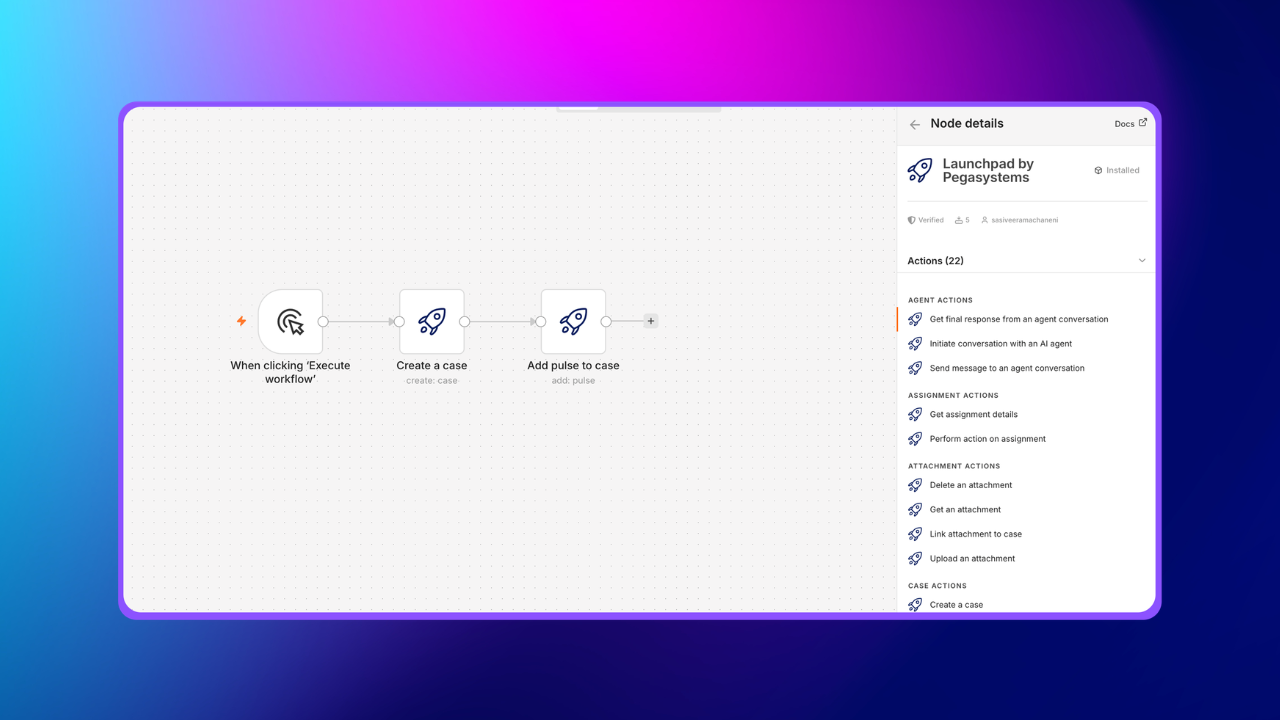
Great platforms don't win just by being powerful. They win by how seamlessly they integrate with the rest of the world. That's why we're excited to announce that Launchpad is now available as a community node on n8n — bringing Launchpad's enterprise capabilities into one of the most widely adopted open-source automation ecosystems.
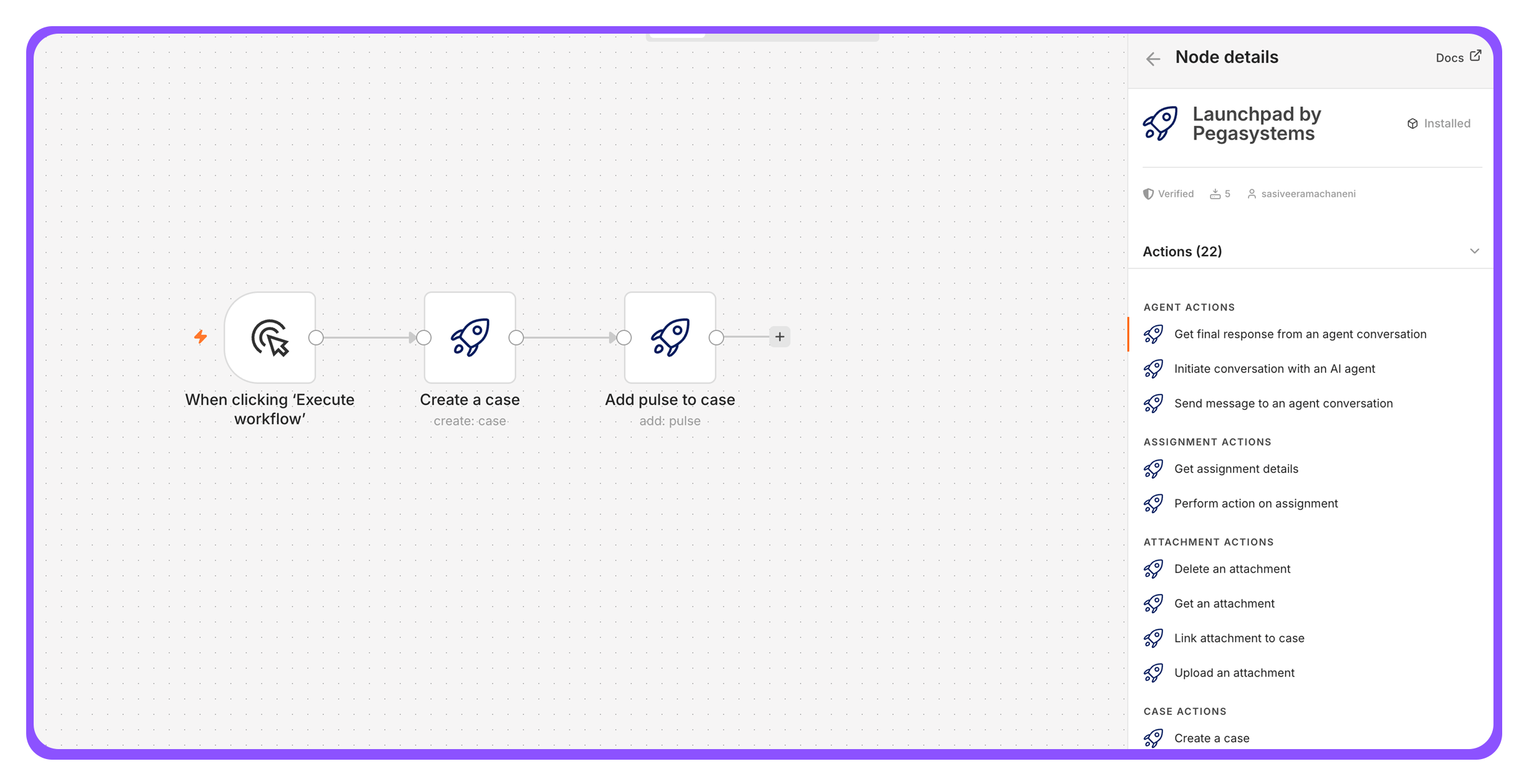
Built to connect
Launchpad has always been designed with integration at its core. Our DX APIs provide a clean, intuitive, and consistent interface that makes connecting external applications to Launchpad straightforward and reliable. Developers and automation teams have been using these APIs to interact with Launchpad, creating cases, retrieving data, and triggering workflows programmatically.
The n8n community node wraps the power of Launchpad into a visual, no-code experience, making those same capabilities accessible to a broader audience of automation builders without writing a single line of integration code.
What you can do
With the Launchpad node on n8n, your applications can now:
- Create and manage cases: Trigger case creation from external events or update case data as workflows progress
- Synchronize data: Keep Launchpad and your wider toolset in sync automatically
- React to lifecycle events: Update data/cases, or trigger downstream processes when cases reach key stages
Picture this: a team lead sets up a simple n8n workflow that runs every morning, fetches the count of open cases from their Launchpad application, and pushes a summary message to their Slack channel. Five minutes to build, zero code and instant daily visibility.
Opening new avenues
This release is about more than one integration. It signals where Launchpad is headed: an open, extensible platform that meets teams wherever they work. The applications you build on Launchpad shouldn't be islands; they should be connected participants in your broader tech ecosystem.
By publishing on n8n, an open-source platform used by thousands of teams, we're ensuring that Launchpad's case management, agentic workflows, and AI-powered automation can seamlessly participate in any automation pipeline, alongside any tool.
Getting started
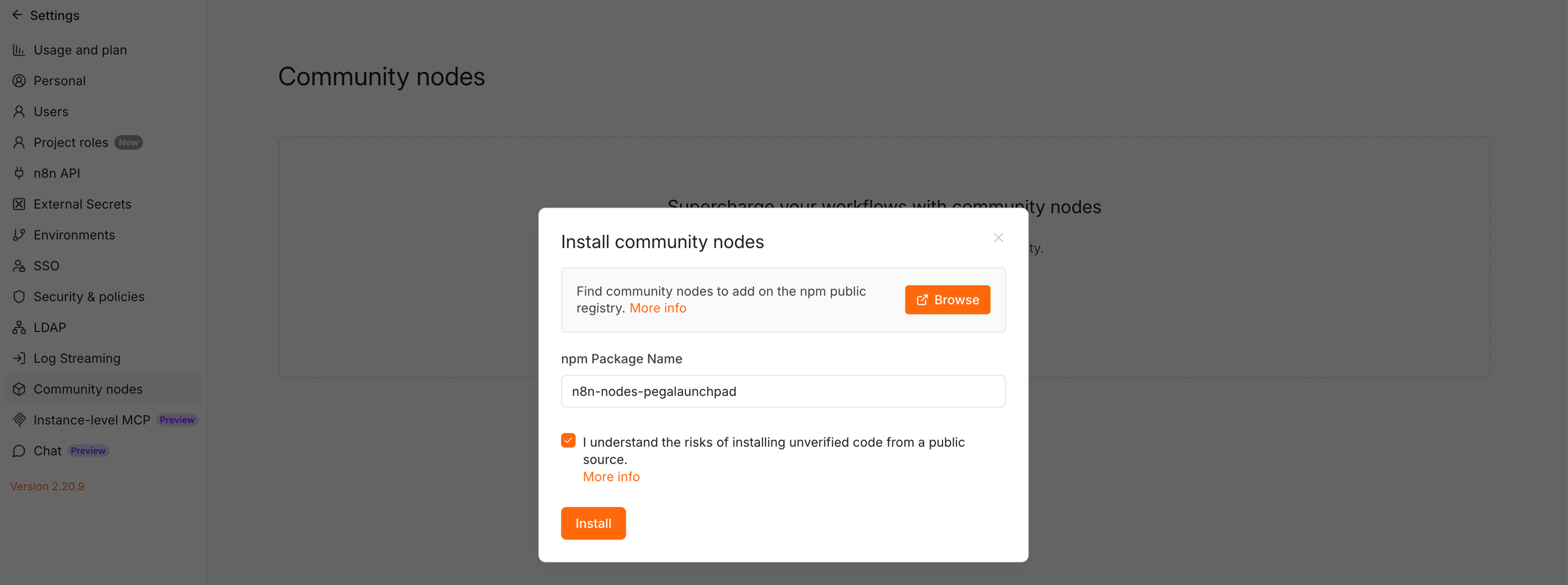
Installing the node takes under a minute:
1. Open your n8n instance → Settings → Community Nodes
2. Search for “n8n-nodes-pegalaunchpad” and click Install
3. Add your Launchpad API credentials
4. Drag the Launchpad node onto any workflow canvas…and you're connected
And this is just the beginning. As we continue expanding Launchpad's integration ecosystem, expect more ways to connect, automate, and extend. Start building today.
About the Author
Sasi Bhushan Veeramachaneni is a Senior Architect at Launchpad who is passionate about helping organizations build SaaS businesses by removing obstacles.