

AI promises to change how software gets built. But there’s a big difference between generating something quickly and building an application that can solve a real business problem.
So instead of just telling you what Launchpad can do, we decided to show you.
In our Build with Launchpad video series, we take one real-world challenge and build the solution step by step: helping a bank deliver mortgage pre-approvals faster. Along the way, you’ll see how Launchpad brings together GenAI-powered application design, AI-assisted development, workflow automation, intelligent document processing, and prebuilt integrations to take an idea all the way to an enterprise-ready application.
The journey looks like this:
Idea → Blueprint → Application → AI-powered automation → Integrations → Enterprise-ready solution
Let’s build it.
From Idea to Enterprise-Ready Application: See What You Can Build with Launchpad
The series starts with a simple question: What does building software with AI actually look like when you’re trying to solve a real business problem?
Our example is mortgage pre-approval. Imagine finding the perfect home, applying for a mortgage pre-approval, and losing the opportunity because the process took too long. What if software could help the bank move faster while still following the processes, rules, and checks required to make the decision?
That’s the outcome we set out to build.
1. Design an agentic application in minutes with Launchpad Blueprint
Every application starts with an idea. Launchpad Blueprint helps turn that idea into a structured application design.
Describe what you want to build, and Blueprint uses GenAI and Pega's industry knowledge to generate workflows, stages and steps, data models, and application experiences. In our mortgage pre-approval example, Blueprint creates the workflow required to move an application toward a pre-approval decision.
But the design isn't limited to a traditional back-office experience. You can preview what the application could look like for employees, on mobile, on the web, and through an agentic experience. The agent can collect information conversationally, create and update a case, and execute the workflow behind the scenes.
The result is more than an AI-generated mockup. It's a structured starting point for the application you're about to build.
Watch: Design an Agentic App in Minutes with Launchpad Blueprint
2. Turn the design into a working application with Launchpad Studio + AI Assistant
With the application designed, it's time to start building.
The Blueprint can be brought into Launchpad Studio, where the workflows, data model, UX, business logic, integrations, and other application components can be refined and expanded.
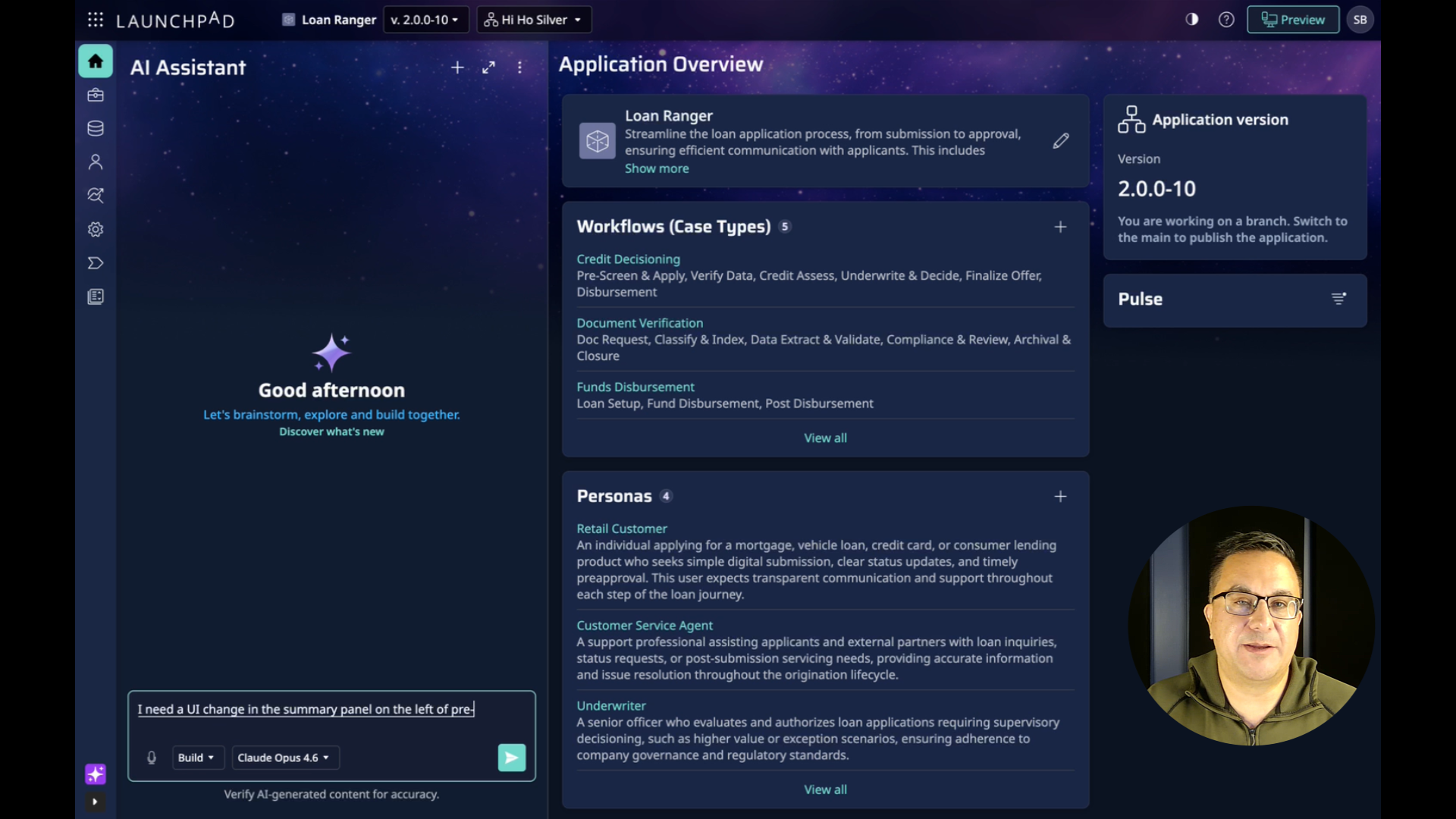
This is where Launchpad AI Assistant changes the development experience.
Instead of relying on AI to generate piles of source code, AI Assistant can help create and modify the visual rule models behind a Launchpad application. Developers can work with those models directly through Studio or conversationally with AI Assistant.
In the video, you'll see AI Assistant make a real change to the mortgage pre-approval experience: adding a calculated down-payment percentage to the application's summary panel. AI Assistant determines the changes required, including the decision logic, calculated field, and UI update, and helps implement them in the application.
It's a practical example of what AI-assisted, model-driven development can look like: describe what you need, understand how it will be implemented, and keep refining the application.
Watch: Build and Refine Apps with Launchpad Studio + AI Assistant
3. Put GenAI to work on real application data
Building faster is useful. But the bigger opportunity is using AI to make the application itself smarter and the customer experience easier.
A mortgage application requires information about an applicant's income and employment. Instead of asking someone to manually enter information already contained in a document, our application can use GenAI to help extract it.
In this part of the series, the applicant uploads a W-2 and the application uses Launchpad's GenAI capabilities to extract structured information from that document and incorporate it into the pre-approval workflow.
It's a simple example, but it illustrates an important principle: GenAI doesn't have to sit beside the workflow. It can become part of the workflow, helping automate the work required to move toward an outcome.
Watch: Extract W-2 Data with GenAI and Launchpad AI Assistant
4. Add integrations quickly with Launchpad Boosters + AI Assistant
Enterprise applications rarely operate alone. They need to connect with the services, data, and systems that businesses already depend on.
But every integration doesn't have to start from scratch.
Launchpad Boosters provide prebuilt, configurable components that can extend Launchpad applications and connect them to external services. They're designed to reduce repetitive development work and make reusable capabilities easier to add to an application.
For our mortgage pre-approval application, we need identity verification. Rather than building the integration from the ground up, we install a prebuilt Equifax Booster. The Booster adds the necessary integration components to the application, and AI Assistant then helps connect that capability to the existing pre-approval workflow.
In just a few steps, an existing workflow gains an entirely new enterprise capability.
That's an important part of building smarter: focus your development effort on what differentiates your application instead of repeatedly rebuilding capabilities that already exist.
Watch: Use Launchpad Boosters and AI Assistant for Quick Integrations
5. Bring it all together: From idea to enterprise-ready application
Step back and look at what we've built.
We started with an outcome: help a bank deliver mortgage pre-approvals faster.
From there, we:
Used Launchpad Blueprint to turn the idea into an application design, including workflows, data, and experiences.
Brought the design into Launchpad Studio and used AI Assistant to refine the application and add business logic.
Added GenAI-powered W-2 extraction to reduce manual data entry.
Installed a prebuilt Equifax Booster and used AI Assistant to incorporate identity verification into the workflow.
That progression captures what building with Launchpad is really about.
Start with an outcome. Design it. Build it. Add AI. Connect the services you need. Turn it into enterprise-ready software.
Watch: From Idea to Enterprise-Ready Application: Build Smarter with Launchpad
Build what comes next
The future of software development isn't simply about generating more code, faster. It's about making it easier to turn ideas into applications that can deliver real outcomes.
Launchpad combines AI-assisted development and low-code tools with workflow automation and enterprise-ready architecture, helping software companies spend less time on technical complexity and more time building differentiated products and delivering customer value.
And you don't have to start with a finished specification.
Start with the outcome you want to deliver.
Create a free Blueprint and see where your idea can go.
About the Author
Kat Austin works in product marketing for Launchpad, helping companies understand how AI-powered software can automate work, deliver measurable outcomes, and bring new solutions to market faster.