Build your first Launchpad Blueprint
Have an idea for an application? Launchpad Blueprint helps you turn it into a structured app design in minutes.
Start by describing what you want your application to accomplish, and Blueprint will design the workflows, data, personas, and experiences behind your application.

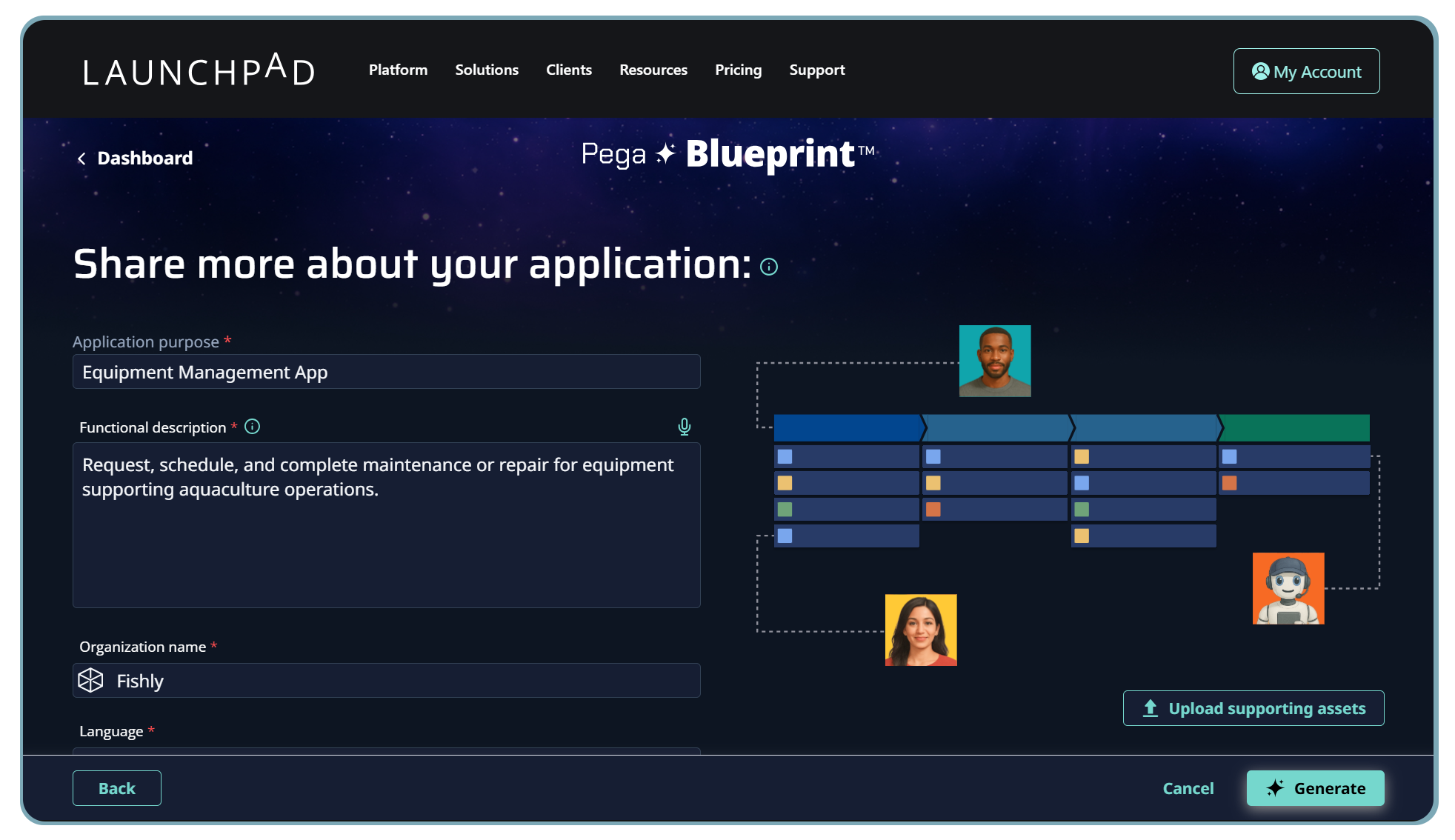
Step 1: Describe the application you want to build
You don't need to begin with perfectly documented requirements. Start by telling Blueprint about the application you want to create.
Start with the problem you want your application to solve and the outcome you want it to achieve.
Keep this focused on the why behind the application rather than individual features.
Example:
Mortgage preapproval application: Help banks accelerate the mortgage preapproval process by guiding employees through applicant assessment, automating eligibility decisions, and providing customers with faster, more consistent outcomes.
Next, describe what the application should do. Think about the major capabilities, processes, users, decisions, and information the application will need.
You don't have to account for every requirement at this stage. Give Blueprint enough context to understand how you envision the application working.
Example:
The application should allow bank employees to collect mortgage applicant information, verify employment and financial details, calculate affordability, evaluate applicants against lending criteria, request additional information when necessary, and approve or refer applications for further review. Customers should be able to provide information and track the status of their application.
You can also upload supporting assets that provide additional context about the application you want to build.
If you've already created requirements, process documentation, supporting materials, product videos, or other relevant assets, add them to your Blueprint. This gives Blueprint more information about your business problem and what you need your application to accomplish.
Why this is helpful: Instead of starting over and manually translating your existing thinking into a new design, you can use the work you've already done as additional context for your Blueprint.
Step 2: Explore your AI-generated workflows
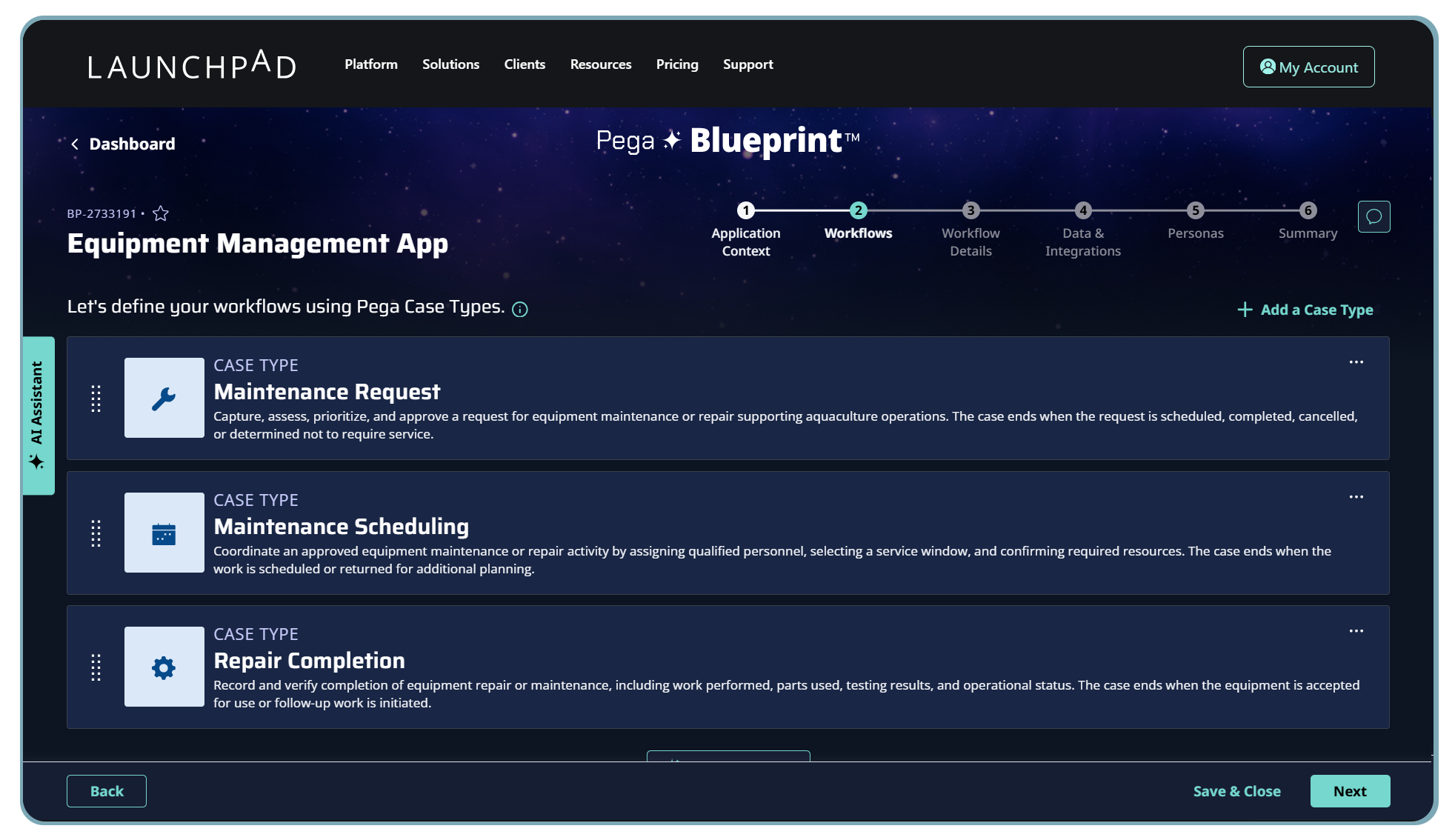
With your application requirements established, Blueprint begins turning your idea into processes.
Blueprint leverages AI combined with Pega's 40+ years of industry knowledge to help generate optimized agentic workflows for your application. These workflows are organized into case types, which represent the business process flows that make up your application.
Step 3: Explore and refine your processes
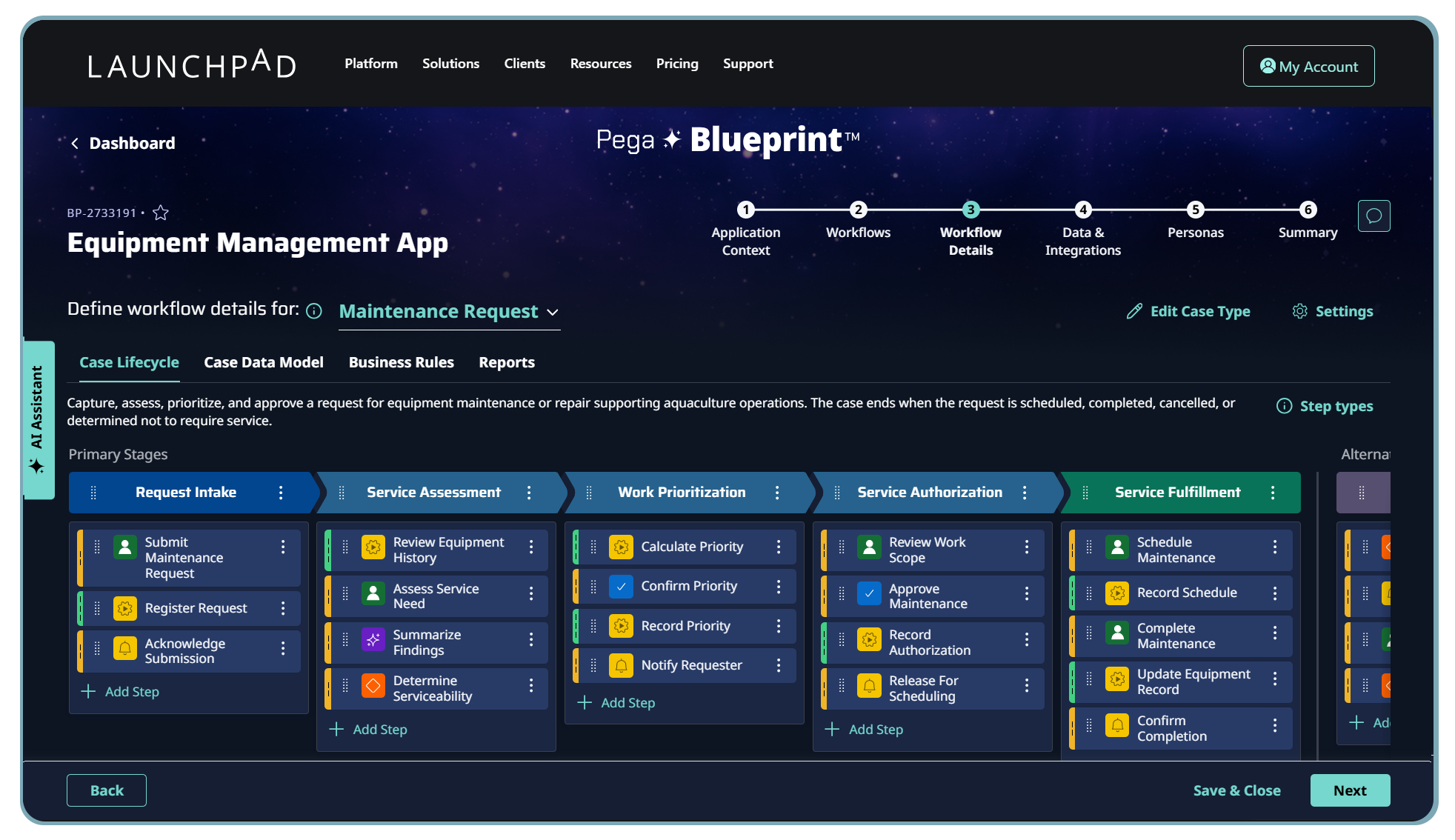
Now you can dig deeper into the processes Blueprint has created. Select a case type to explore the stages and individual steps involved in that process. This lets you understand not just what processes your application will support, but how the work within each process will actually get done.
Your process may include different types of steps, such as:
Human-centered steps, such as collecting information, reviewing a request, or completing a task.
Automated steps, where the app handles work without requiring manual intervention.
Decision logic, which determines what should happen next based on data or business rules.
AI-powered steps and AI Agents, which can participate in completing work.
Don't like something? Change it.
Your Blueprint is a starting point, not a finished specification.
Use the AI Assistant to adapt or enhance process flows using natural-language prompts. Describe what you'd like to change and let Blueprint help modify the design.
For example:
"Add a manager review when the requested loan amount is over $750,000."
If Blueprint has suggested case types you don't need, simply delete them to keep your application design focused and easy to understand.
Just exploring? You don't need to perfect everything now. Feel free to skip ahead and see what Blueprint creates next. You can always come back and refine your design later.
Looking inside your workflows helps you validate the actual mechanics of your application. You can see where people perform work, where automation takes over, where decisions happen, and where AI could contribute.

Step 4: Explore your data model
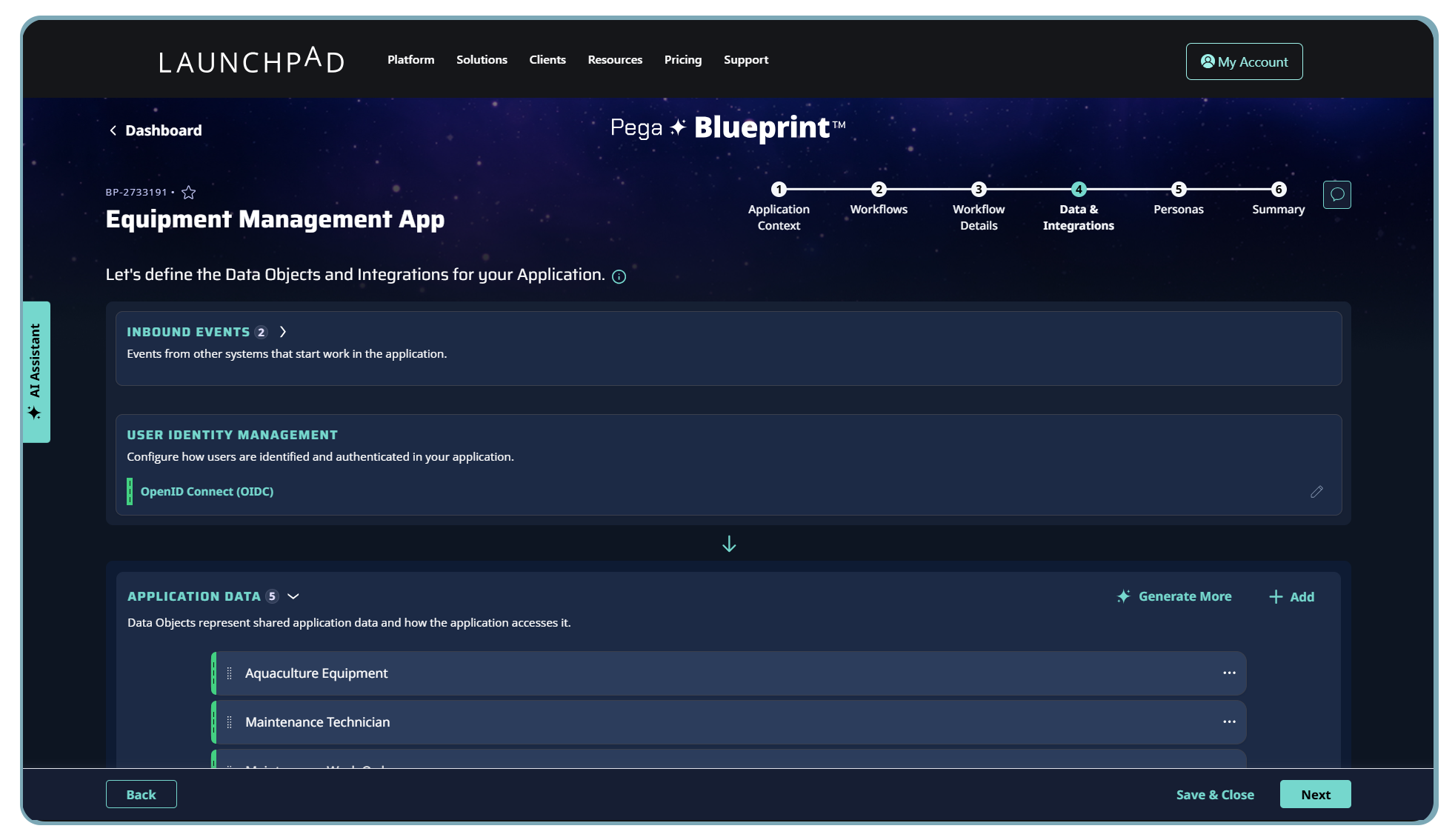
Processes need information to work. Next, Blueprint lets you explore the data model behind your application, including its data objects and integrations. Review the information Blueprint proposes and consider whether it accurately represents what your workflows need.