

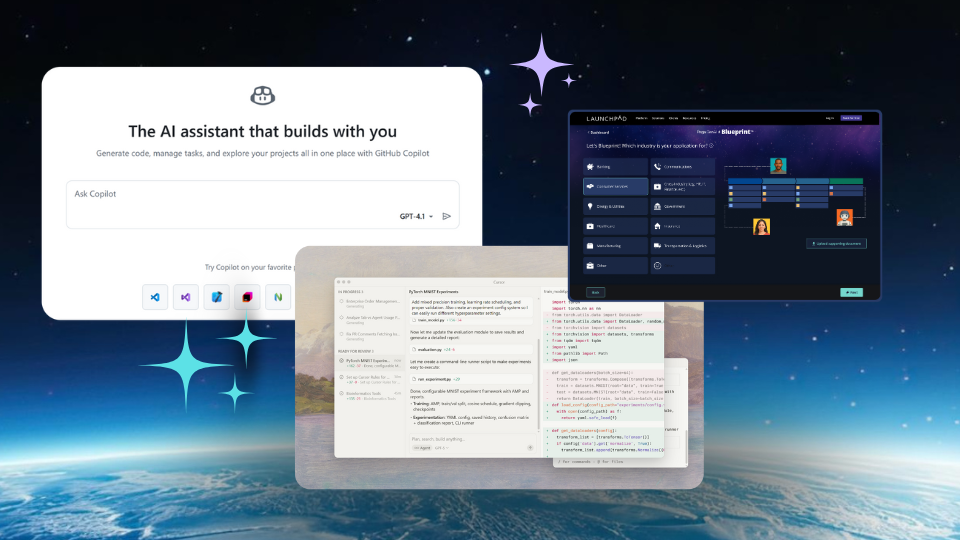
Quick summary
This article covers the 9 best Replit alternatives, which provide a solution to Replit's shortcomings. You'll get a good idea of each tool and also its AI features. You'll also learn what users like and dislike about each tool based on G2 reviews. Read till the very end to find the right platform for your needs.
Here’s our shortlist:
|
Tool |
Best For |
|
Launchpad.io |
Building and shipping production-ready B2B SaaS apps from natural language prompts and a visual drag-and-drop editor. |
|
GitHub Copilot |
Code completion, agent mode for multi-file editing, code reviews, pull request automation |
|
Cursor |
Full development with agentic AI |
Looking for the best Replit alternatives?
Replit made browser-based coding accessible, but it remains a lightweight coding environment.
It's not built for large-scale, long-term projects or production-ready deployments. While Replit works well for prototyping and personal learning, serious projects require more robust tools.
So, what should you use for building and deploying projects with enterprise security and complex integrations?
This article covers 9 Replit alternatives, each addressing Replit's limitations in different ways. You'll find low-code platforms, full-fledged IDEs, browser-based IDEs, and plugins.
Why look for Replit alternatives?
Unpredictable and expensive pricing
Replit uses a credit-based pricing model that burns through credits fast. Users report exhausting their credits within 24 hours after creating just two applications. You pay for bugs the AI introduces, then pay again to fix them.
The pricing for similar tasks keeps increasing. If you stop paying, all your websites go offline.
Poor code quality and reliability
Replit's AI agent breaks down on complex projects. It ignores instructions, introduces bugs, and makes changes to files it shouldn't touch.
One G2 reviewer notes it "gets sluggish and does not follow instructions for complex scenarios after 70% of development." The agent often deletes broken code instead of fixing it.
Not production-ready for B2B applications
Replit works for MVPs and prototypes but lacks enterprise infrastructure. There's no robust multi-tenant architecture, enterprise security certifications, or sophisticated workflow orchestration.
You hit a wall when you need to scale, integrate with other systems, or implement complex workflows for B2B SaaS applications.
Here's an overview of all these tools.
Top 9 Replit alternatives that you should try
|
Platform |
Category |
Exists as |
Language Support |
Free Plan |
Free Trial |
Starting price |
|
Launchpad.io |
Production-Ready |
Browser based low-code platform |
Not language-centric (low-code) |
Yes |
Yes |
$0-$900 per month |
|
GitHub Copilot |
Dev Tool |
IDE extension + GitHub integration |
All major languages |
Yes |
Yes |
$10 per month |
|
Cursor |
Dev Tool |
Standalone IDE + IDE plugin |
All major languages |
Yes |
Yes |
$20/month |
|
Windsurf |
Dev Tool |
Standalone IDE + IDE plugin |
All major languages |
Yes |
Yes |
$15/month |
|
CodeSandbox |
Prototype Builder |
Browser-based IDE + SDK |
JavaScript, TypeScript, Python, Ruby, Rust, PHP, HTML/CSS |
Yes |
No |
$170 per month per workspace |
|
Bolt.new |
Prototype Builder |
Browser-based IDE with AI |
JavaScript, TypeScript (primary) |
Yes |
No |
$25 per month |
|
Ona |
Dev Tool |
Cloud + local automation platform |
Not language-centric |
Yes |
No |
$20/month |
|
Amazon Q Developer |
Dev Tool |
IDE extension + CLI + AWS Console |
All major languages |
Yes |
No |
$19/mo/user |
|
GitHub Codespaces |
Dev Tool |
Cloud development environment |
Any language supported by the dev container |
monthly quota of free use for personal users |
No |
$0.18/2 core/hour for organizational user |
- Prototype Builder: Great for rapid prototyping and demos but not designed for production or enterprise requirements. You'll need to rebuild elsewhere for real customers.
- Dev Tool: Enhances traditional coding workflows but still requires you to build and maintain all infrastructure yourself. You're still doing full-stack development, just faster.
- Production-Ready: Built specifically for shipping enterprise-grade B2B applications with production infrastructure, multi-tenant architecture, and workflow orchestration included.
1. Launchpad
Launchpad is a low-code platform from Pegasystems for software companies that create workflow-heavy B2B SaaS applications. It helps you build the infrastructure of your app, so your time could be spent building features that make your product unique.

When you build with Launchpad, you don't have to worry about cloud operations, databases, security certifications, workflow capabilities, multitenancy, subscriber management, etc.
You describe your app's idea in plain English to the platform, and it generates a blueprint of it with all the infrastructure stuff baked in. Next, you build on top of that blueprint by dragging and dropping pre-built UI components and mapping workflows visually. You also get an AI assistant to ask questions that might arise while you're building.
The platform runs on AWS with MongoDB and includes things like auto-scaling, REST integrations, and serverless functions.
Key features
- AI-powered GenAI Blueprint turns natural language prompts into working app blueprints
- Enterprise-grade infrastructure built-in: multitenancy, security, scalability, subscriber management
- Visual workflow orchestration with drag-and-drop UI components
- Fully managed runtime on AWS with MongoDB
- REST integrations and serverless functions included
Pricing
Launchpad starts at $900/month with a usage-based pricing model that scales as you grow. Startups can access a 3-month free plan, and there's a free trial available.
Pros
- 50%+ faster development compared to traditional full-stack approaches
- Production-ready from day one with enterprise-grade infrastructure
- Reduces engineering dependency—non-developers can build UIs and automate workflows
- Backed by Pega's 40-year reputation in workflow automation
- Cuts development sprints significantly
Cons
- Limited customization for advanced UI and logic requirements
2. GitHub Copilot
GitHub Copilot started as a code completion IDE extension before ChatGPT launched. It has since evolved into a multi-model, multi-modal tool embedded across the entire development workflow.

You can assign issues to Copilot like assigning them to a team member. The coding agent works autonomously without requiring intervention.
It spins up a secure development environment using GitHub Actions, works asynchronously in the background, and pushes commits to a draft pull request. You can watch it work through session logs and give feedback through pull request reviews.
This agent supports a range of major AI models, and you can make it use any of them for a given task. If you're unsure which model is the best, you can set it to auto-select the best model for your task.
Key features
- Autonomous coding agent that works on assigned issues
- Multi-model support with auto-selection capability
- Integrates across the development workflow (IDE, pull requests, code reviews)
- Asynchronous background processing with GitHub Actions
- Real-time code completion and suggestions
Pricing
GitHub Copilot starts at $10/month and offers a free plan to get started.
Pros
- Deep GitHub integration across the entire workflow
- Works with major IDEs
- Context-aware and relevant code suggestions
- High code acceptance rates
Cons
- Suggestions can be inaccurate occasionally
3. Cursor

Cursor is a fork of VSCode and an AI IDE known for its feature density. There are numerous controls and options, most serving specific purposes.
Its agent model is called Composer. This agent makes changes across multiple files and codes multi-step tasks autonomously.
The agent can analyze code, propose edits, run tests, and validate results. You can also review and approve the blueprint suggested by the agent before it starts coding.
You can also feed it specific instructions for each project in an AGENTS.md file. Cursor also offers the option to choose third-party agents made for specific purposes.
Key features
- Composer agent for multi-file editing and multi-step tasks
- Code analysis, editing, testing, and validation capabilities
- Project-specific instructions via AGENTS.md files
- Third-party agent marketplace
- Built on VSCode foundation with enhanced AI features
Pricing
Cursor starts at $20/month with a free plan available.
Pros
- Precise control over context and edits
- Context-aware suggestions
- Fast performance
- Feature-rich IDE
Cons
- Can be overwhelming with too many features
- Occasional crashes reported
4. Windsurf
Windsurf and Cursor are direct competitors. Both are AI code editors and VSCode forks. Windsurf differentiates itself with a simpler UI.

Windsurf's coding agent is called Cascade. During use, this agent appears next to your code and provides access to agentic AI for multistep tasks.
There are two modes inside Cascade: code and chat. You use the code mode when you want Cascade to generate code. On the other hand, chat mode is for asking Cascade questions about your codebase.
Cascade also has a memories feature, which allows it to save details about the user across chats within a project to provide better context for answers.
You can also install Windsurf as an extension on other IDEs.
Key features
- Cascade agent with code and chat modes
- Memory feature for context retention across sessions
- Simpler UI compared to Cursor
- Available as standalone IDE or extension
- Multi-step task automation
Pricing
Windsurf starts at $15/month with a free plan available.
Pros
- Fast and context-aware suggestions
- Intuitive, cleaner UI
- Cross-project memory for better context
Cons
- Occasional irrelevant suggestions
- Users report numerous bugs
5. CodeSandbox
CodeSandbox is a browser-based IDE designed for executing tests. It doesn't position itself as a competitor to full-featured IDEs.

Developers use it to test or prototype UI components. They can create sandboxes instantly without any local setup and start testing.
AI integration happens through CodeSandbox SDK. The SDK provides AI agents with infrastructure to execute code in an isolated environment.
An AI agent can install dependencies, modify files, run tests, and validate outputs without breaking out of the sandbox.
Each sandbox runs in its own VM with package managers and filesystem access. Each VM also has full Node.js support.
Key features
- Browser-based sandboxes for instant testing
- CodeSandbox SDK for AI agent code execution
- Isolated VM environments with full Node.js support
- Built-in package management and filesystem access
- No local setup required
Pricing
CodeSandbox starts at $170/month per workspace and offers a free plan.
Pros
- Instant setup with no configuration
- Built-in package management
- Supports multiple languages and frameworks
- Good for rapid prototyping
Cons
- Limited to frontend and small full-stack projects
- Less feature-rich than full IDEs
- Not suitable for large-scale production applications
6. Bolt.new
Bolt.new is a browser-based AI-first development platform launched recently. The platform supports full-stack development from scaffolding a project to live previews of working applications.

Bolt's AI operates through natural language prompts and has complete control over the filesystem, node server, package manager, terminal, and browser console. When you prompt it to build an app, it manages the full application lifecycle: scaffolding, installing dependencies, writing code, and launching the dev server.
You can also make quick UI adjustments using the drag-and-drop visual editor.
Key features
- Natural language prompts for full-stack development
- Complete control over filesystem, node server, and terminal
- Full application lifecycle management (scaffolding to deployment)
- Live preview functionality
- Drag-and-drop visual editor for UI adjustments
Pricing
Bolt.new starts at $25/month with a free plan available.
Pros
- Extremely fast prototyping
- No local setup required
- Full-stack development support
- Manual code editing option available
Cons
- Token consumption is confusing and unpredictable
- Limited customization for advanced logic
- Not production-ready for enterprise applications
7. Ona
Ona was rebranded from Gitpod in September 2025. The platform is a cloud IDE that positions itself around AI software engineering agents.

These agents work across the entire software development lifecycle. Using plain English prompts, you can instruct them to write code, review pull requests, run tests, refactor logic, and manage deployments.
These agents can execute tasks in parallel, like a coding assistant, or they can operate autonomously in the background with the full context of your environments.
These agents also work in separate sandboxes, each configured with source code, dependencies, tools, and access policies. And they can run in Ona's managed cloud or in your own cloud infrastructure.
Key features
- AI agents covering full software development lifecycle
- Parallel task execution and autonomous background operation
- Sandboxed agent environments with custom configurations
- Deploy in managed cloud or your own infrastructure
- Natural language prompt interface
Pricing
Ona starts at $20/month with a free plan available.
Pros
- Full lifecycle coverage (coding, testing, deployment)
- Flexible deployment options (managed or self-hosted)
- Autonomous operation with full context
Cons
- Recently rebranded—limited user reviews for Ona specifically
- Unproven track record under new brand
8. Amazon Q Developer

Amazon Q Developer is an AI-powered assistant that works with any codebase, whether AWS-based or not. It works inside VS Code, JetBrains, Visual Studio, Eclipse, and directly in the AWS Console. CLI support is available for terminal workflows.
The AI operates through natural language prompts. Based on your prompt, the AI creates an implementation plan across multiple files and requests approval. After approval, the agent incorporates your feedback in real time.
During this process, it can:
- Read files
- Write files
- Generate code diffs
- Run shell commands
The tool also performs security scanning, which is said to outperform leading publicly benchmarkable tools.
Key features
- Cross-IDE compatibility (VS Code, JetBrains, Visual Studio, Eclipse)
- Works with any codebase (AWS or non-AWS)
- Multi-file implementation planning with approval workflow
- Built-in security scanning
- CLI support for terminal workflows
Pricing
Amazon Q Developer starts at $19/month per user and offers a free plan.
Pros
- Easy integrations across tools and services
- High code acceptance rates
- Real-time suggestions while coding
- Strong security scanning capabilities
Cons
- Latency issues in large codebases
- Generic suggestions for complex logic
9. GitHub Codespaces
GitHub Codespaces is a cloud-based full development environment.
It provides a preconfigured, containerized workspace for any GitHub repository with all dependencies installed.
The environment runs on GitHub's VMs with configurations from 2 cores up to 32 cores. You control the machine size based on your needs.
GitHub Codespaces relies on extensions for AI features, similar to VSCode. You can open a Codespace with GitHub Copilot agent mode directly from a GitHub issue. The agent suggests file changes to implement the issue and allows collaborative code refinement.
The tool integrates best when your code, issues, and pull requests already live on GitHub.
Key features
- Preconfigured containerized workspaces for any GitHub repository
- Scalable VMs from 2 to 32 cores
- GitHub Copilot agent integration
- Seamless GitHub ecosystem integration
- All dependencies installed automatically
Pricing
GitHub Codespaces costs $0.18 per 2-core hour for organizational users. Personal users receive a monthly free quota.
Pros
- Perfect integration with GitHub workflow
- Preconfigured environments save setup time
- Scalable compute resources
- Works directly from GitHub issues
Cons
- Best suited for GitHub-based projects
- Usage costs can add up for heavy users
- Limited benefit if not using GitHub ecosystem
The best of Replit alternatives
You now understand the major Replit alternatives and their strengths. Most are designed for individual developers or small teams working on frontend projects.
That approach works for certain use cases. However, if you're building B2B SaaS with heavy workflow requirements for enterprise customers, most of these tools will create significant setup overhead.
The exception is using a tool built specifically for enterprise-grade B2B applications.
In this list, only Launchpad fits that description. It handles the entire infrastructure layer, so you don't start from zero.
You create app blueprints from natural language prompts. These blueprints come with enterprise infrastructure, multi-tenant architecture, and AI-powered workflows built in.
Try Launchpad's Explore package for free and see how fast you can ship.
About the Author
Kat Austin works in product marketing for Launchpad, helping companies understand how AI-powered software can automate work, deliver measurable outcomes, and bring new solutions to market faster.