

Quick summary
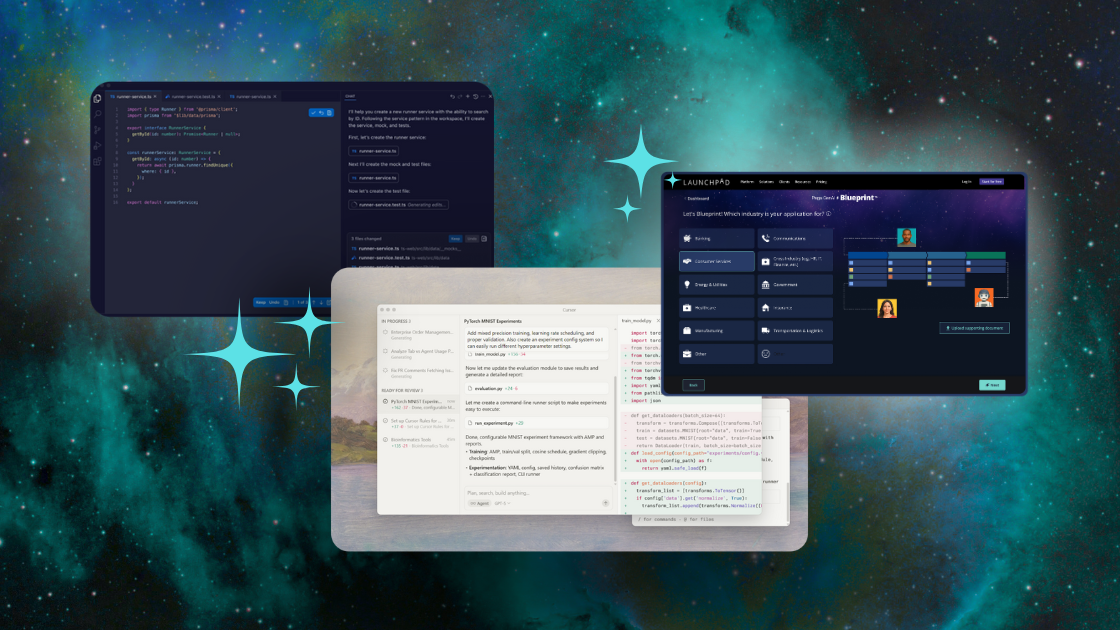
This article explores AI coding tools and development platforms for modern software teams. You'll see 12 platforms in detail, plus 10 additional notable tools. Each entry covers core features, pricing, and honest pros/cons.
Here's our shortlist:
|
Tool |
Best For |
Type |
|
Launchpad |
B2B SaaS companies eliminating infrastructure work to focus on differentiation |
Low-code platform |
|
GitHub Copilot |
VSCode and Microsoft ecosystem users needing AI coding assistance |
Coding tool |
|
Cursor |
Experienced developers wanting fast, controlled agentic workflows |
Coding tool |
Comparing AI coding tools?
Your development team ships code every sprint. But your roadmap keeps growing while execution slows down.
The problem isn't your team's ability. It's what they're spending time on.
If your engineers are rebuilding authentication, multi-tenancy, billing logic, and deployment pipelines for every project, they won't have bandwidth for features that differentiate your product. Traditional full-stack development forces talented developers to solve the same infrastructure problems that thousands of other B2B SaaS companies have already solved.
AI coding tools help by autocompleting code, generating entire functions, and handling repetitive development tasks. Low-code platforms take a different approach. They eliminate the need to write that infrastructure code at all.
This Launchpad guide covers both approaches with honest assessments of what each does well and where it falls short.
12 AI Coding Tools
Before we get to the tools, it’s important to understand the two fundamentally different approaches:
- AI coding tools help developers write code faster. They autocomplete functions, generate boilerplate, and handle repetitive tasks. Your team still builds everything—authentication, multi-tenancy, billing logic, deployment pipelines. The tools just make writing that code more efficient.
- Low-code platforms eliminate entire categories of work. Instead of accelerating how you build infrastructure, they provide it pre-built. Your team focuses on differentiation and IP, not rebuilding what every B2B SaaS company needs.
|
Tool |
Type |
Key selling point |
Exists as |
Free plan |
Starting price |
|
Launchpad |
Platform |
Pre-built enterprise infrastructure for B2B SaaS |
Cloud platform |
Yes |
$900/mo |
|
GitHub Copilot |
Coding Tool |
Microsoft-backed with tight VSCode integration |
IDE extension |
Yes |
$10/mo |
|
Cursor |
Coding Tool |
Agent-first IDE supporting 8 simultaneous agents |
Standalone IDE |
Yes |
$20/mo |
|
Windsurf |
Coding Tool |
Clean UI with Cascade interface for agentic workflows |
Standalone IDE + Extensions |
Yes |
$15/mo |
|
Claude Code |
Coding Tool |
Terminal-based agentic coding with full autonomy |
Command-line tool |
No |
$20/mo |
|
Tabnine |
Coding Tool |
Privacy-first with local execution |
IDE extension |
Yes |
$59/user per month |
|
OpenAI Codex |
Coding Tool |
Strong at understanding complex prompts |
ChatGPT, API |
No |
$20/mo |
|
Google Gemini |
Coding Tool |
Embedded across Google tools |
Cloud API + IDE integrations |
Yes |
$22.80/user per mo |
|
Replit |
Platform |
Cloud IDE with autonomous agent |
Cloud IDE + Platform |
Yes |
$25/mo |
|
Cline |
Coding Tool |
Open-source VSCode extension |
IDE extension |
Yes |
$20/user per month |
|
Amazon Q Developer |
Coding Tool |
Deep AWS integration |
IDE extension + AWS Console |
Yes |
$19/user per month |
|
Zed |
Coding Tool |
Ultra-fast (120 fps) Rust-based editor |
Standalone IDE |
Yes |
$10/mo |
1. Launchpad

Launchpad is an AI-powered low-code platform built by Pegasystems for software companies building B2B SaaS applications.
Unlike AI coding assistants that help you write code faster; Launchpad eliminates most coding entirely. The platform comes with enterprise infrastructure already built: cloud hosting on AWS, MongoDB database, authentication, multi-tenancy, auto-scaling, and security certifications.
You describe what you want to build, and Launchpad's AI generates a complete application blueprint. Then you use visual workflow builders to customize business processes. You only write code for truly custom logic, and even then, you're writing serverless Lambda functions rather than managing infrastructure.
The platform integrates directly with Amazon Bedrock, letting you add AI capabilities to your applications without API configuration. Models like Claude plug in with a few clicks.
Key features
- Built-in AI assistant for app design and development
- AI workflow integration via Amazon Bedrock
- Models like Claude without manual API setups
- AI-generated application blueprints
- Pre-built cloud infrastructure on AWS and MongoDB database
- Native multi-tenancy support
- Integrated authentication and access control
- Built-in enterprise-grade security certifications
- Visual workflow and process builders
- Pre-built UI components
- Serverless function support (AWS Lambda) for custom logic
- Custom REST API integrations
Pricing
Launchpad uses usage-based pricing. Average contract value starts at $900/month currently. Launchpad also has a free tier called "Explore" for early-stage exploration and prototyping.
Pros
- Faster development speed for workflow applications
- Reduces time spent on infrastructure setup
- Usage-based pricing avoids expensive licenses
Cons
- Experienced developers may find abstractions limiting
2. GitHub Copilot

GitHub Copilot started as Microsoft's code autocomplete tool in 2021. It has evolved into a full agentic AI system.
The platform now offers agent mode, which can autonomously modify files, run commands, detect and fix errors, and search semantically across your entire workspace based on natural language prompts. It rolled out to VSCode users in April 2025, then expanded to JetBrains, Eclipse, and Xcode by May.
Copilot's code review agent automatically reviews pull requests on GitHub and suggests improvements. The system also predicts what changes you'll make next and suggests edits preemptively.
The tight VSCode integration means it feels like a native part of your editor rather than a bolted-on tool.
Key features
- Copilot Chat for conversational interaction across IDEs, GitHub.com, and terminal
- Agent mode writes full functionalities autonomously with GitHub Actions integration
- Coding agent that can be assigned GitHub issues and creates pull requests automatically
- Code review agent that reviews pull requests and suggests improvements
- Multi-file editing with symbol-aware refactoring
Pricing
Free plan available. Paid plans start from $10/month.
Pros
- Tight integration with VSCode
- Agents can self-correct
- Custom instructions for coding style preferences
Cons
- Agent mode consumes premium request quotas quickly
- Requires premium requests for advanced model usage
3. Cursor

Cursor is a code editor built specifically for AI-first development. It's a VSCode fork, so it feels familiar to VSCode users but with AI deeply integrated.
The standout feature is Composer, a custom AI model that Cursor claims generates code four times faster than comparable models. Composer operates in three modes: Ask (explains code), Edit (modifies specific files), and Agent (builds complete features autonomously).
You can run up to eight AI agents simultaneously, each using different models. This lets you compare how GPT-4, Claude, and other models approach the same problem, then pick the best solution.
Cursor maintains a checkpoint history of all AI-generated code, so you can roll back to any previous state. This is invaluable when an agent makes changes that break something.
Key features
- Composer model generates code 4x faster than comparable models
- Supports running up to eight AI agents simultaneously in isolated git worktrees
- Three AI modes: Ask (explains code), Edit (modifies files), Agent (builds complete features)
- Integrated browser with Chrome DevTools for live testing and debugging
- Plan mode lets you review and approve blueprints before code generation starts
Pricing
1-week free trial. Paid plans start from $20/month.
Pros
- High speed
- Include documentation via @-symbols to specify context
- Checkpoint history
Cons
- Cluttered interface
- Steep learning curve
4. Windsurf

Windsurf is another VSCode-based IDE focused on agentic AI workflows.
The defining feature is Cascade, an AI interface that handles multi-step tasks autonomously. Give it a complex request, and Cascade will scan your codebase, identify relevant files, make changes across multiple locations, suggest terminal commands, run them, monitor the output, and iterate until it works.
Beyond Cascade, you get standard AI features like inline editing, autocomplete, and conversational code explanations.
Windsurf works both as a standalone IDE and as an extension for JetBrains IDEs. The interface is notably cleaner than Cursor, making it easier to learn but offering less granular control.
Key features
- Cascade AI agent handles multi-step tasks autonomously across multiple files
- Automatic context indexing tracks edits, terminal commands, and clipboard activity in real time
- Integrated browser for live preview with element selection and DOM inspection
- Memories feature learns your coding style, patterns, and APIs over time
- Terminal command execution in natural language
Pricing
Free plan available. Paid plan starts from $15. 2-week free trial of Pro plan.
Pros
- Intuitive user interface
- Strong context awareness
Cons
- Sacrifices control and customization for simplicity
5. Claude Code

Claude Code is Anthropic's command-line tool for agentic coding. It lives entirely in your terminal with no separate IDE or GUI.
This design choice came from Anthropic's engineers wanting Claude integrated directly into their existing workflows rather than forcing them into a new application.
The agent can handle the complete development cycle: research a problem, plan implementation, write code across multiple files, run tests, analyze failures, iterate on fixes, and commit results. You can supervise each step or let it run fully autonomously.
The terminal-based approach gives Claude Code complete awareness of your codebase and development environment. This makes it especially effective for large-scale migrations or onboarding to unfamiliar codebases where you need to understand relationships between many files.
Key features
- Integrates Claude directly into the terminal environment
- AI agent performs the entire coding loop: research, plan, write, test, fix, and commit
- Complete codebase awareness from terminal-level access
- Reusable prompt templates for common development tasks
- Step-by-step supervision mode with approval gates
Pricing
$20/month starting price.
Pros
- Full codebase awareness and control due to operating inside the terminal
- Highly effective for migrations or onboarding to a new codebase
Cons
- Requires proficiency in terminal
- Steep learning curve
6. Tabnine

Tabnine is one of the original AI coding assistants, predating the current wave of LLM-powered tools.
The platform's defining characteristic is privacy. It can run entirely locally on your machine with zero data retention. For enterprises handling sensitive code, Tabnine offers VPC deployment, on-premises installation, and even fully air-gapped systems.
The AI suggests code completions based on surrounding context, with both local awareness (open files in your IDE) and global awareness (your entire organization's codebase). For enterprise customers, Tabnine trains custom models on private codebases.
It integrates with all major IDEs: VSCode, JetBrains products, Visual Studio, Sublime, and Eclipse. It supports over 600 programming languages.
Key features
- Privacy-first with local execution and zero data retention
- Supports over 600 programming languages and frameworks
- Deployment options include VPC, on-premises, and fully air-gapped systems
- Trains custom models on private enterprise codebases
- Local and global codebase awareness for context-sensitive suggestions
Pricing
$59/user/month.
Pros
- Best-in-class privacy
- High acceptance rates of inline code completions
- Flexible deployment options
Cons
- Less focused on conversational interaction
- Weaker at understanding complex multi-file dependencies
7. OpenAI Codex

OpenAI Codex launched the current wave of AI coding tools when it powered the first version of GitHub Copilot in 2021.
The model handles standard code completions and can generate entire functions or multi-file implementations from natural language prompts. It added agent mode in 2025, enabling autonomous multi-step coding tasks.
Codex's history is complicated. OpenAI retired it in March 2023 after facing lawsuits over training on public GitHub code. The model re-emerged in May 2025 for ChatGPT users, then became generally available in October.
The GitHub training is both strength and weakness. Codex has learned common patterns from real-world code, but it has also absorbed bad practices and security vulnerabilities from public repositories.
Key features
- Multi-file code editing and refactoring across projects
- Automated bug fixing and error detection
- Agent mode for autonomous multi-step coding tasks
- Runs multiple coding tasks in parallel
- Cloud-based execution with no local setup required
Pricing
Starts from $20/month.
Pros
- User-friendly setup
- Produces ready-to-review diffs and pull requests
- Runs fully in the cloud
Cons
- Not ideal for UI-heavy or design-driven work
- Code can be flawed due to training on public code
8. Google Gemini

Google Gemini isn't a standalone coding tool. It's an AI model embedded throughout Google's developer ecosystem.
You can access Gemini in Google Colab (where it generates code cells, debugs errors, and suggests optimizations), in IDX (Google's browser-based IDE with standard AI coding features), through its API (to embed in your own tools), or as an IDE integration for VSCode and JetBrains.
Gemini's standout feature is its enormous context window. You can feed it hundreds of files, and it understands relationships between them better than most alternatives. This makes it excellent for large codebases where understanding file dependencies is critical.
The agent system can execute tasks in isolated, sandboxed environments and run multiple agents in parallel.
Key features
- Extremely large context window handles hundreds of files
- Embedded across Google developer tools (Colab, IDX, API, IDEs)
- Agent-based task execution in isolated, sandboxed environments
- Multiple agents can work in parallel on different tasks
- Deep integration with Google Cloud Platform and services
Pricing
Starting from $22.80/user/month (+ additional checkpoint costs).
Pros
- Exceptional context awareness
- Beneficial for users of the Google Cloud ecosystem
Cons
- Less appeal outside of Google's existing ecosystem
9. Replit

Replit launched in 2016 as a browser-based IDE for building and deploying projects. AI came later.
Agent 3, released recently, runs for up to 200 minutes autonomously. Describe what you want to build, and the agent plans, codes, tests, finds bugs, fixes them, and iterates until everything works. It even opens your app in a browser preview, clicks through it like a user would, and fixes broken functionality.
Agent 3 can also build other agents. Describe a workflow, and it constructs specialized bots or scheduled tasks to handle it.
Key features
- Agent 3 runs autonomously for up to 200 minutes
- Simulates user interaction in browser preview to test applications
- Agent can build other specialized agents and scheduled tasks
- Complete project scaffolding from natural language descriptions
- Cloud-based IDE with instant deployment capabilities
Pricing
Starts from $25/month.
Pros
- Rapid prototyping and MVP creation
- Fast proprietary testing system
Cons
- Unpredictable usage-based billing based on checkpoints
- Agent-generated code might not follow best practices or scale well
10. Cline

Cline is an open-source extension for VSCode and JetBrains IDEs with a deliberately minimalist interface. It has just a chat window and a task pane.
You ask Cline to implement features in natural language, and it works autonomously step-by-step. You can approve each step individually or enable auto-approval for trusted tasks.
The open-source nature means you can run local models. Connect to Ollama, LM Studio, or any OpenAI-compatible API. The extension also supports web search through Brave's API, so Cline can look up documentation or recent library changes when needed.
Key features
- Open-source extension for VSCode and JetBrains IDEs
- Switch models mid-conversation between different AI providers
- Supports running local models (Ollama, LM Studio, OpenAI-compatible APIs)
- Web search integration through Brave API for documentation lookup
- Step-by-step autonomous development with approval gates
Pricing
Free for individual developers. Team plan is free through 2025, then $20/mo/user.
Pros
- Open source
- Ability to use local models
Cons
- Interface lacks the polish of commercial tools
- Agent modes are less aggressively autonomous
11. Amazon Q Developer

Amazon Q Developer is AWS's AI coding tool, embedded throughout the AWS ecosystem. It works in IDEs, AWS Console, command line, and AWS services.
The tool uses multiple foundational AI models under the hood, automatically routing requests to whichever model fits best. This routing is invisible to users.
Beyond standard AI coding features (chat, code completion, agents), Q Developer shines at AWS-specific tasks. It provides service-aware recommendations, integrates directly with your AWS accounts and resources, and can automate complex migrations (like Oracle SQL to PostgreSQL).
The built-in security scanning claims to outperform many leading tools for detecting vulnerabilities across popular programming languages, with context-aware remediations.
Key features
- Embedded throughout AWS ecosystem (IDEs, Console, CLI, AWS services)
- Agent mode handles complex migrations and upgrades
- Security scanning with context-aware vulnerability remediation
- AWS service-aware recommendations and best practices
- Direct integration with AWS accounts and resources
Pricing
Free tier available. Paid plan starts from $19/mo per user.
Pros
- Deep integration into the AWS ecosystem
- Robust security scanning
Cons
- Only AWS infrastructure users can extract maximum value
12. Zed

Zed comes from the creators of Atom (GitHub's text editor that shut down in 2022). It's written entirely in Rust, which is why it runs at 120 frames per second without stuttering on large files or project switches.
The AI features are powered by Claude and work through two interfaces: an assistant panel (called "text threads") for conversational prompts, and inline transformations where you select code and specify changes that appear as reviewable diffs.
Zed recently added its own agent mode and supports third-party agents like Claude Code or Gemini CLI, though third-party agents have limitations.
Key features
- Written entirely in Rust for 120 fps performance without stuttering
- AI powered by Claude with assistant panel and inline transformations
- Agent mode for multi-step autonomous tasks
- Native Git integration for version control
- Supports third-party agents (Claude Code, Gemini CLI)
Pricing
Free plan. Pricing starts from $10/month.
Pros
- Extreme speed and responsiveness
- Vim mode implementation
- Version control due to native Git integration
Cons
- AI features are a secondary focus
10 mention-worthy AI coding tools
|
# |
Tool |
Description |
|
1 |
Aider |
Command-line AI coding assistant that edits code in your local git repository |
|
2 |
Bolt.new |
Browser-based full-stack app builder |
|
3 |
Qodo |
AI-powered code review platform with 15+ agentic workflows |
|
4 |
JetBrains AI Assistant |
Native AI integration across JetBrains IDEs |
|
5 |
Codiga |
Static code analyzer and snippet manager powered by AI |
|
6 |
AskCodi |
AI coding assistant with task-specific agents |
|
7 |
CodeGPT |
Bring-your-own-API-key AI coding assistant for IDEs |
|
8 |
CodeRabbit |
AI code review tool |
|
9 |
Kiro |
Agentic AI-powered IDE |
|
10 |
Devin AI |
First fully autonomous AI software engineer |
Why build with Launchpad?
Most AI coding tools help you write code faster. Launchpad eliminates most coding entirely.
The difference matters when you're building B2B SaaS products. You need multi-tenancy, usage-based billing, environment isolation, audit logging, security certifications, and deployment pipelines. AI coding assistants make you write that code faster. Launchpad provides it pre-built.
Your team focuses on features customers pay for instead of rebuilding infrastructure every SaaS company needs.
Start building with Launchpad and ship production-ready B2B SaaS without rebuilding the foundation.
About the Author
The Launchpad Team empowers companies to build B2B SaaS apps fast and at minimal cost - enabling them to go from ideation to application at rocket speed.