

Quick summary
This guide covers ten of the best no-code SaaS builders for launching a real subscription product for your client without months of custom development. For every platform, we break down what it is best for, key features, pricing, integrations, production readiness, and clear pros and cons so you can shortlist fast.
Here’s our shortlist:
|
# |
Tool |
Best For |
Type |
|
1 |
Launchpad.io |
Enterprise-grade B2B SaaS with multi tenancy, workflows, and enterprise infrastructure built in |
SaaS-first low-code platform |
|
2 |
Bubble |
Customer-facing web SaaS apps with a flexible visual editor |
No code web app builder |
|
3 |
Softr |
Simple client portals and apps from Airtable/Google Sheets |
No code platform |
Looking for the best no-code SaaS builder?
No-code platforms have matured to the point that even multi-user applications can be launched with drag-and-drop tools. The global SaaS market is on track to grow from $266 billion in 2024 to around $315 billion by early 2026, and no-code SaaS builders are a key reason why.
Yet not all no-code SaaS builders are equal. Some target simple MVPs and prototypes, while others, like Launchpad, support enterprise-grade, scalable products from day one.
In this guide, we’ve researched and tested the 10 best no-code SaaS builders to understand their capabilities, pricing, and ideal use cases.
Why listen to us?
At Launchpad, we help B2B software teams that want to ship faster but keep getting dragged back into the same work every quarter.

Launchpad is built for workflow-heavy SaaS and backed by Pegasystems’ 40-year enterprise legacy. So, we evaluate builders through a production lens: multitenancy, security, orchestration, and whether the platform helps you focus on IP instead of infrastructure.
What is a no-code SaaS builder?
A no-code SaaS builder platform allows you to create a Software-as-a-Service application without writing traditional code.
Instead of programming languages, you use visual interfaces like dragging and dropping UI components, configuring workflows, and connecting data sources through pre-built modules.
So, non-developers can build fully functional web or mobile applications and offer them as a service to customers, all without needing to code.
Benefits of no-code SaaS platforms
If you’re in two minds regarding a no-code SaaS platform or coding from scratch using traditional development, these key benefits may help:
- Faster time to market - The right no-code tool cuts initial build time by roughly half, letting you launch new products or features in days or weeks.
- Lower development costs - No-code platforms drastically reduce the need for large dev teams, saving potentially tens of thousands of dollars in upfront costs and accelerating Saas growth.
- Focus on business & UX - You don’t have to worry about setting up servers, databases, or security frameworks. This lets you focus on your app’s unique logic, user experience, and business value.
- Empowerment of non-devs - Product managers, domain experts, or startup founders can iterate on the flow directly and turn their ideas into a working app.
- Continuous updates and integrations - Cloud-native no-code SaaS builders regularly push updates, integrations, and patches, so your product benefits from a growing ecosystem.
The 10 best no-code SaaS builders
|
# |
Best no-code platform |
Best for |
Key strength |
Free plan |
Deployment options |
Starting price |
|
1 |
Launchpad.io |
Enterprise-grade internal tools and workflows |
Governance, security, approvals, audit trails |
Yes |
Web apps, managed hosting |
$900/mo |
|
2 |
Bubble |
Full web SaaS MVPs |
Deep workflows, plugins, and database |
Yes |
Web app, hosted |
$59/mo |
|
3 |
Softr |
Portals and simple SaaS front-ends |
Fast build on top of Airtable-style data |
Yes |
Web app, hosted |
$59/mo |
|
4 |
Adalo |
Mobile-first SaaS |
Native iOS and Android, plus web from one build |
Yes |
Web, native app store builds |
$45/mo |
|
5 |
Glide |
Internal tools, data apps, quick MVPs |
Spreadsheet to app in minutes |
Yes |
PWA, optional app store publishing |
$25/mo/individual
$249/month/business |
|
6 |
Knack |
Database-driven business apps |
Relationships, roles, forms, reports |
No |
Web app, embed, API |
$19/mo |
|
7 |
FlutterFlow |
Production mobile apps with a real codebase |
Visual build with code download and app store deploy |
Yes |
iOS, Android, web, desktop |
$39/mo |
|
8 |
Lovable.dev |
AI-assisted app scaffolding |
Prompt-to-app plus GitHub workflow |
Yes |
Web app, deploy via your stack |
$25/mo |
|
9 |
Appy Pie |
Simple apps for small businesses |
Templates and feature modules |
Trial |
Web, PWA, native app builds |
£12/app/mo |
|
10 |
DrapCode |
Technical founders who want escape hatches |
Custom code, export, self-host option |
No |
Web app, self-host, code export |
$45/app/mo |
1. Launchpad
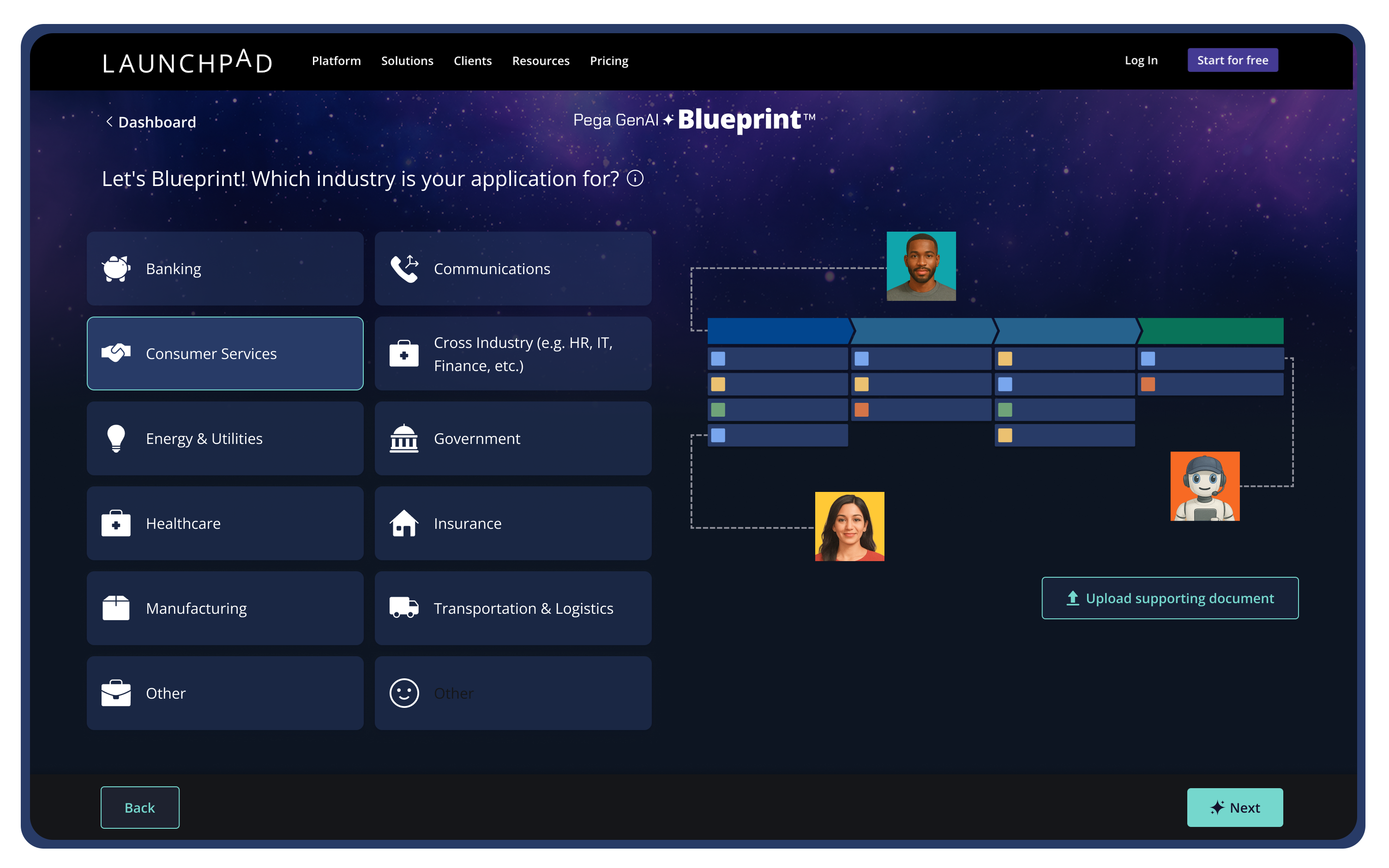
Launchpad was created by Pegasystems, leveraging 40+ years of enterprise software expertise. It is a no-code platform purpose-built for enterprise-grade B2B SaaS companies that need production-ready workflows from day one. It’s the only solution on this list that combines a visual app builder with a fully managed enterprise infrastructure.
Apps built on Launchpad come with built-in multitenant applications, robust workflow automation, and cloud scalability. The software collects data and works on the user’s behalf. For example, using Launchpad’s AI integrations, you can build an app that tracks tasks and automates them with AI agents.
Key features
- Smart app development: Blueprint AI turns simple text prompts into production-ready SaaS apps with workflow automation, UX design, integrations, reporting and insights.
- Built-in SaaS infrastructure: Get cloud hosting, multitenancy, database, security, and DevOps handled by the platform from day one.
- Native multi-tenancy management: Manage users, permissions, configurations, and usage reporting without building custom admin tools.
- Workflow orchestration engine: Robust business process automation coordinates human tasks and system actions across applications.
Integration
Launchpad connects to any REST API without vendor lock-in and provides native integration with AWS services. It also supports custom functions and scripts in isolated environments, so teams can safely extend workflow capabilities.
Pricing
Free Explore plan with full GenAI Blueprint access; paid plans start around $900/month. The Startup program includes 3 months free.
Pros
- Native multitenancy built in from day one
- Usage-based billing and subscription administration
- Cuts infrastructure work and shortens build cycles
- Production-ready SaaS foundation that reduces implementation risk
- Strong for workflow-heavy B2B products where time-to-first-customer matters
- Audit logging and compliance-friendly controls
Cons
- Built for B2B SaaS, so lightweight apps feel like overkill
2. Bubble
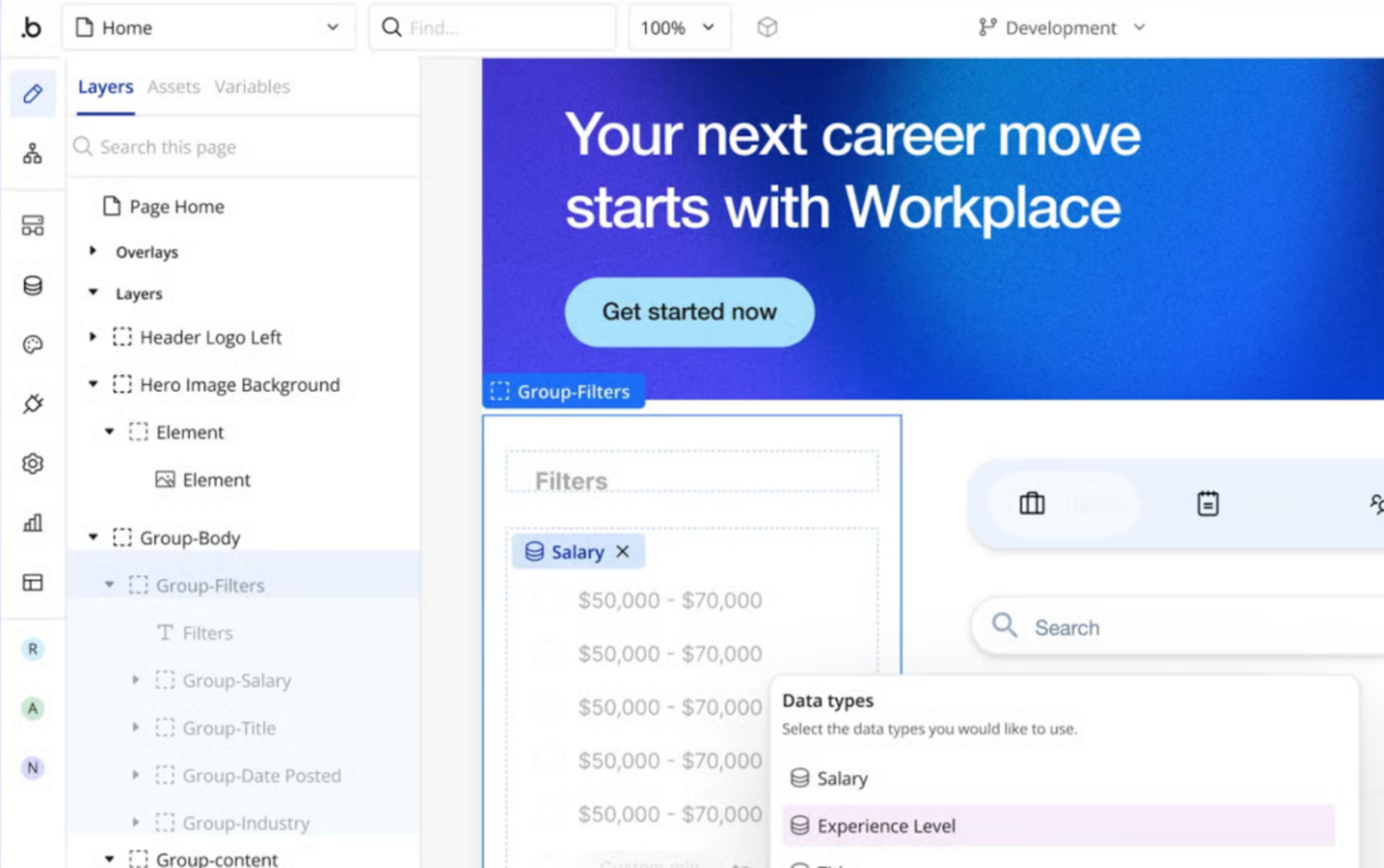
Bubble is a full-stack no-code platform for building web apps with complex logic and dynamic, data-driven pages. It’s been around since 2012 and can be used to power quick MVPs and real SaaS products without writing traditional code.
Bubble is best when you want maximum creative control in a web-first SaaS. But you need to think like a builder who understands data structure and permissions, especially if you’re aiming for true multi-tenant behavior.
Key features
- Visual App Builder: A visual IDE-style app builder where teams can design the UI, structure the database, and connect actions using event-based workflows and responsive layouts.
- Advanced Workflow Editor: Automate multi-step processes with triggers, conditions, loops, and API integrations, all connected to a built-in database.
Integration
Bubble offers an API Connector that connects to any service exposing a JSON‑based REST API; it can send GET, POST, PATCH or DELETE requests and works with thousands of services via the plugin marketplace
Pricing
Bubble has a free plan for learning. Paid plans start at $59/month on Starter, with higher tiers like $209/month on Growth and $549/month on Team.
Pros
- Strong plugin ecosystem and community
- All-in-one build and deploy flow speed iteration
- Built-in database with custom data types, fields, and data binding
- Secure user access controls
Cons
- Vendor lock-in, code export is limited
- Performance needs active optimization
- Multi-tenant setup takes careful planning
3. Softr
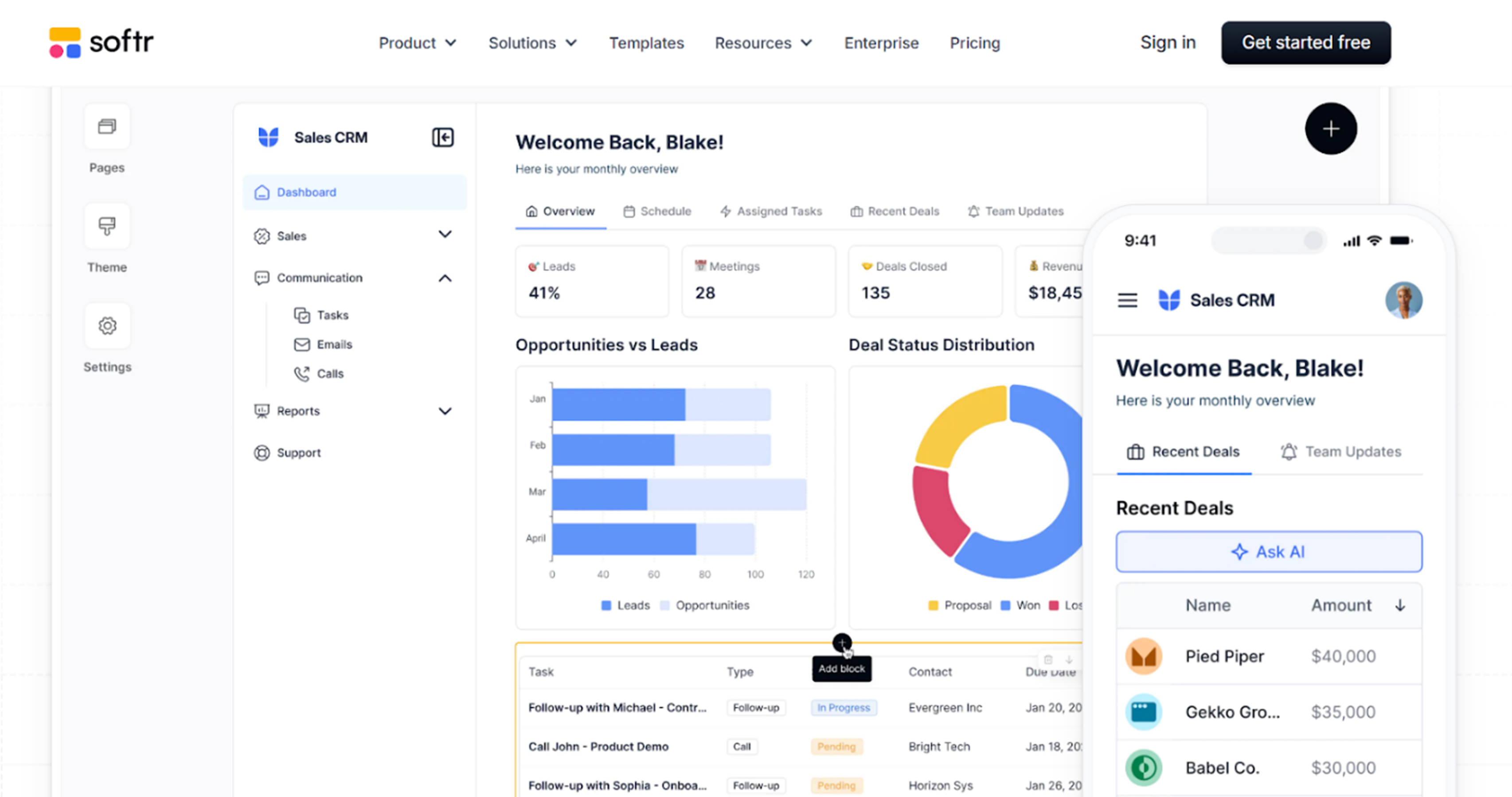
Softr turns Airtable, Google Sheets, or Softr Data into a clean web app with user login and permissions. Think of it as a front-end layer that makes your data usable for customers, partners, or internal teams. This platform works best when your product is data-first, like a customer portal where each client logs in to see their projects, reports, or requests.
Key features
- Block-Based Builder: Build apps using prebuilt blocks and ready-made templates for lists, forms, charts, portals, directories, and profiles.
- User accounts and permissions: Create user accounts with role-based access control to manage visibility, editing rights, and protected content.
Integration
Softr integrates directly with Airtable, Google Sheets, and SQL databases, allowing real‑time access to your existing data. It also connects smoothly to popular tools such as Zapier, Google Analytics, Stripe, Hotjar, and Mailchimp
Pricing
Softr offers a free plan with 1 published app and up to 10 users. Paid plans start at $59/month and scale up to $167/month and $323/month, based on limits such as records and roles. Enterprise pricing is available for larger needs.
Pros
- Lower maintenance overhead
- Rapid build speed with blocks
- Great for data and content-driven apps
- Built-in membership and permissions
Cons
- Limited custom logic for complex workflows
- Airtable dependency can add limits and latency
- Web-first output, mobile app needs workarounds
4. Adalo
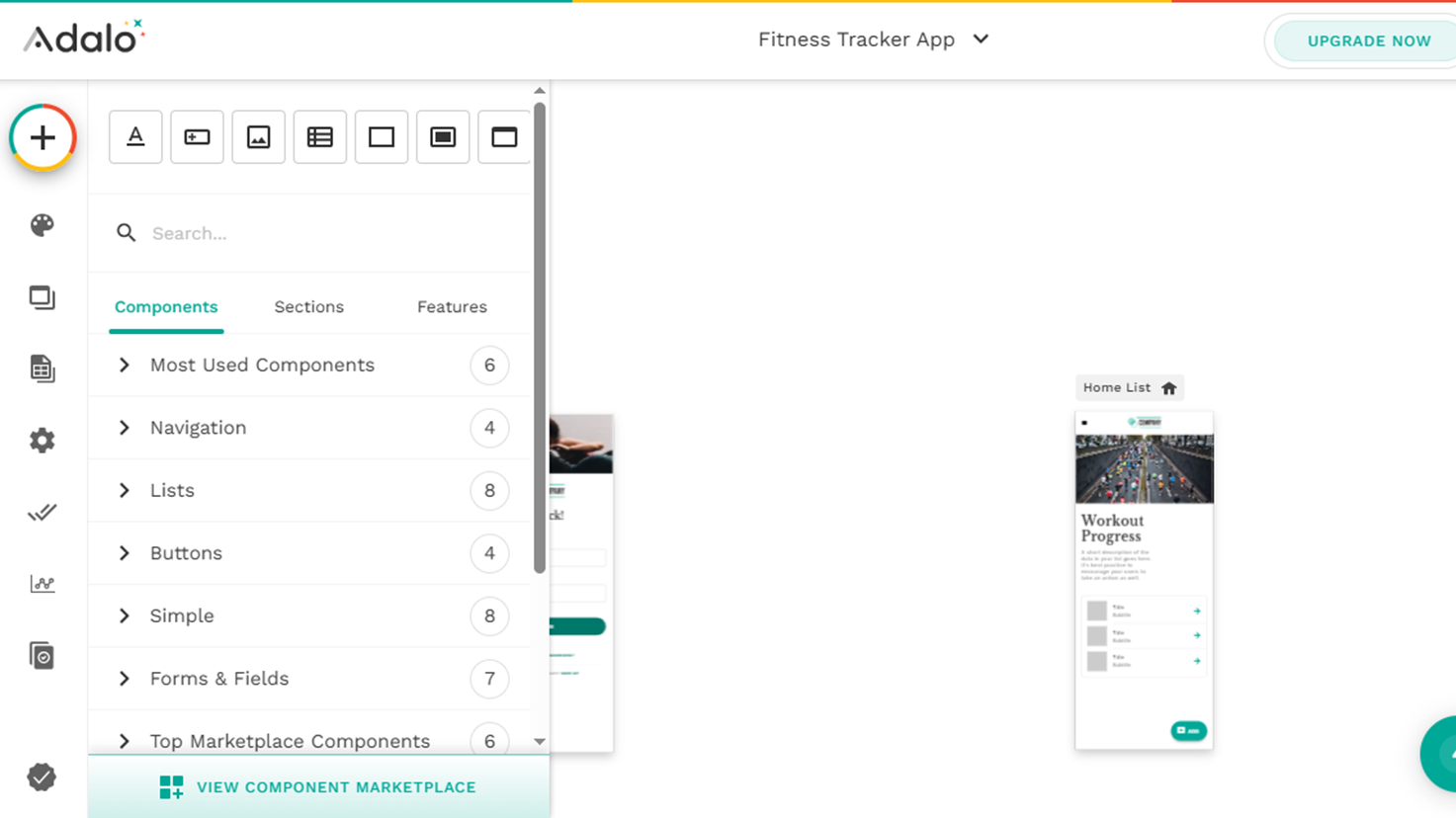
Adalo is a no-code builder for teams that need a real mobile presence. Users can build once, then publish to iOS and Android while still supporting a responsive web version from the same project.
Adalo fits best when mobile distribution and push notifications matter to your go-to-market plan. This lets you avoid managing a separate backend and two native codebases. That said, apps with heavy data, complex logic, or highly custom native behavior usually need more testing and sometimes an external backend.
Key features
- Visual screen builder: Build apps screen by screen using drag-and-drop components, connect them to data, and link screens with actions to create structured user flows.
- Cross-platform deployment: Launch apps on web, iOS, and Android with a built-in database, user authentication, and push notifications included.
Integration
The Adalo API allows other applications to read and write data in your collections and trigger push notifications. External Collections let you treat remote APIs as native data tables with full CRUD operations
Pricing
Free plan for building and testing. Paid plans start at $45 per month, with tiers around $65 per month and $200 per month depending on app count, bandwidth, and team needs. Publishing can add a one-time build fee per platform and developer account costs.
Pros
- App store publishing support
- Built-in backend and UI in one place
- Native mobile and web from one project
- Good for mobile-first MVPs and niche products
Cons
- Performance and scalability need real testing on data-heavy apps
- Desktop-first SaaS UI can feel limited compared to web-first builders
- Platform constraints on advanced native features and offline behavior
5. Glide
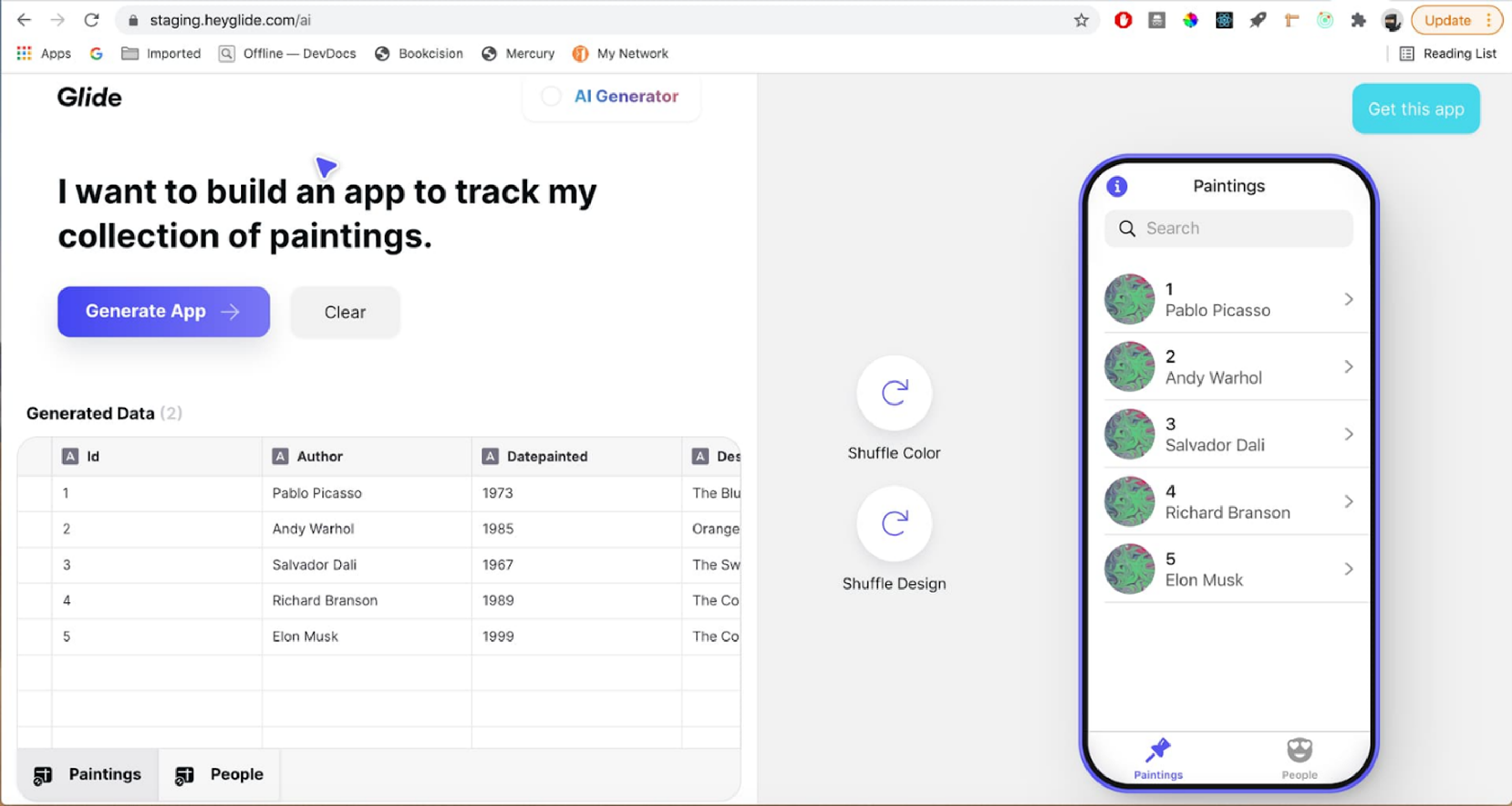
Glide quickly turns spreadsheets into mobile-friendly apps. It’s best known for internal tools and lightweight SaaS, where the product is basically data plus a usable interface.
The core workflow is simple. Connect Google Sheets, Excel, or Glide Tables, pick a template, and you get an app with lists, forms, and dashboards in minutes. Glide works best when logic is straightforward, and datasets stay within reasonable limits, making it a popular choice for directories, inventory trackers, field logs, and MVPs that must go live quickly.
Key features
- Drag-and-drop app builder: Create responsive apps using prebuilt components, simple action logic, user authentication, and role-based visibility controls.
- Live spreadsheet database: Use Google Sheets, Excel, or Glide Tables as a real-time app database with columns for formulas and derived values.
Integration
Glide supports Google Sheets, Excel, Airtable, BigQuery, Microsoft SQL Server, MySQL, PostgreSQL and Google Cloud SQL. Builders can call external APIs without writing code. Glide’s Zapier integration links your app to over 7 000 tools and services
Pricing
Free plan for testing and small apps. Public tiers start at $19/month for 1 app and 100 personal users, then scale to $49/month for 3 apps and unlimited personal users. Business plans start at $199/month for unlimited apps and 30 users.
Pros
- Very fast build speed
- Great for internal and niche tools
- Real-time sync with Sheets or Glide Tables enables quick data-driven workflows
- Integrations via Zapier, Make, and webhooks
Cons
- Row limits and performance constraints at scale
- Limited ceiling for complex logic and relationships
- Missing heavy UI customization behavior
6. Knack
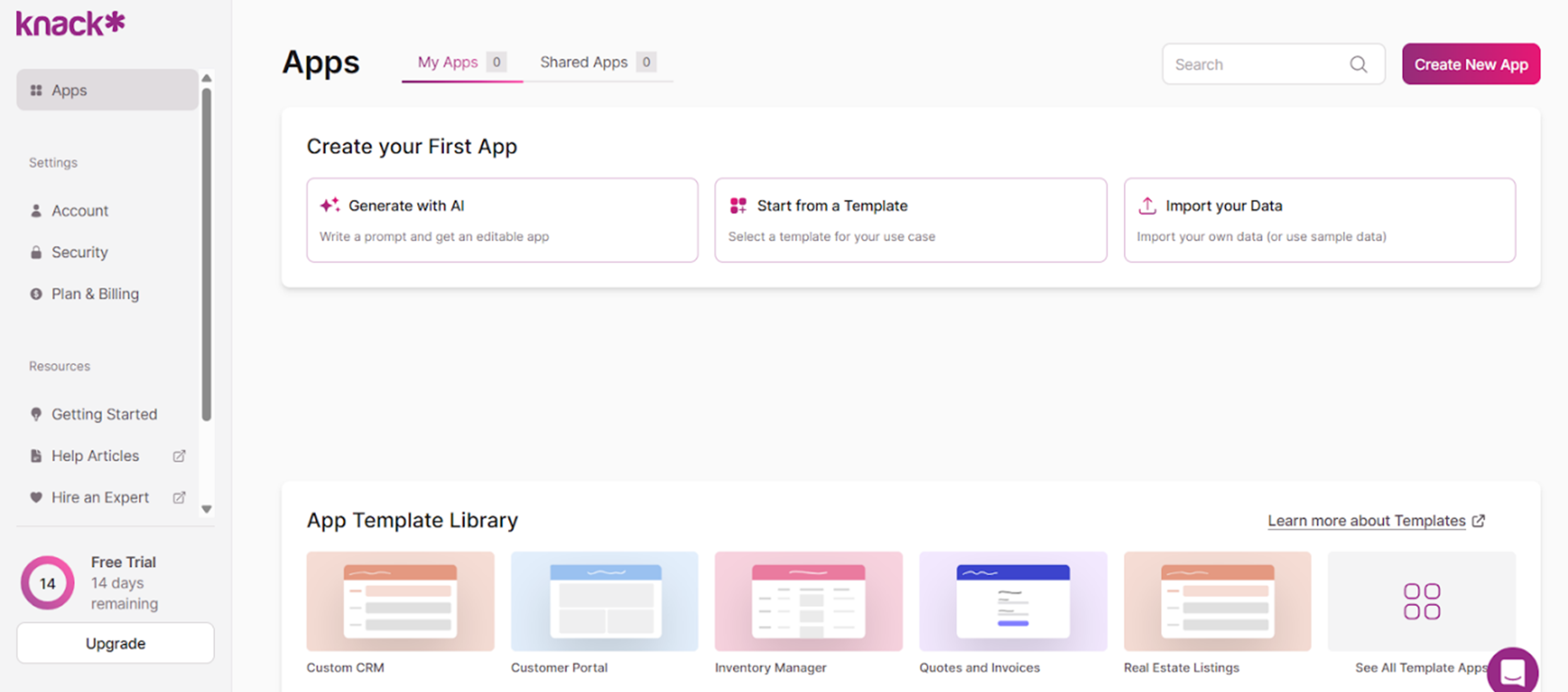
Knack is a no-code platform focused on database-driven web apps where the core experience is forms, records, dashboards, and role-based permissions with a clean UI layer on top of structured data.
Knack works well for CRUD-heavy SaaS and portals, especially when you need roles, data visibility rules, and predictable workflows. Integrations through Zapier and Make help connect notifications, approvals, and data sync without a custom backend.
Key features
- Online database builder: Model apps using customizable objects, fields, relationships, and auto-generated forms and views.
- Role-based access control: Set up user logins, roles, and permissions per page and view to keep data management and editing under control.
Integration
Knack’s system includes over 500 app connectors and AI‑powered data transformations, enabling seamless integration with tools like Mailchimp, Dropbox, Typeform, Trello, Salesforce, HubSpot, Zendesk, WordPress, and Xero
Pricing
Knack pricing is tiered by records, storage, and app usage. Starter is $19/month, Pro is $49/month, Corporate is $300/month, with higher tiers available.
Pros
- Granular roles and access control
- Strong for data, forms, and reporting
- Point-and-click logic for database workflows
- SSO support on enterprise plans
Cons
- Limited control for pixel-perfect layouts
- Costs rise with data volume and API usage
- Web-first, native mobile needs workarounds
7. FlutterFlow
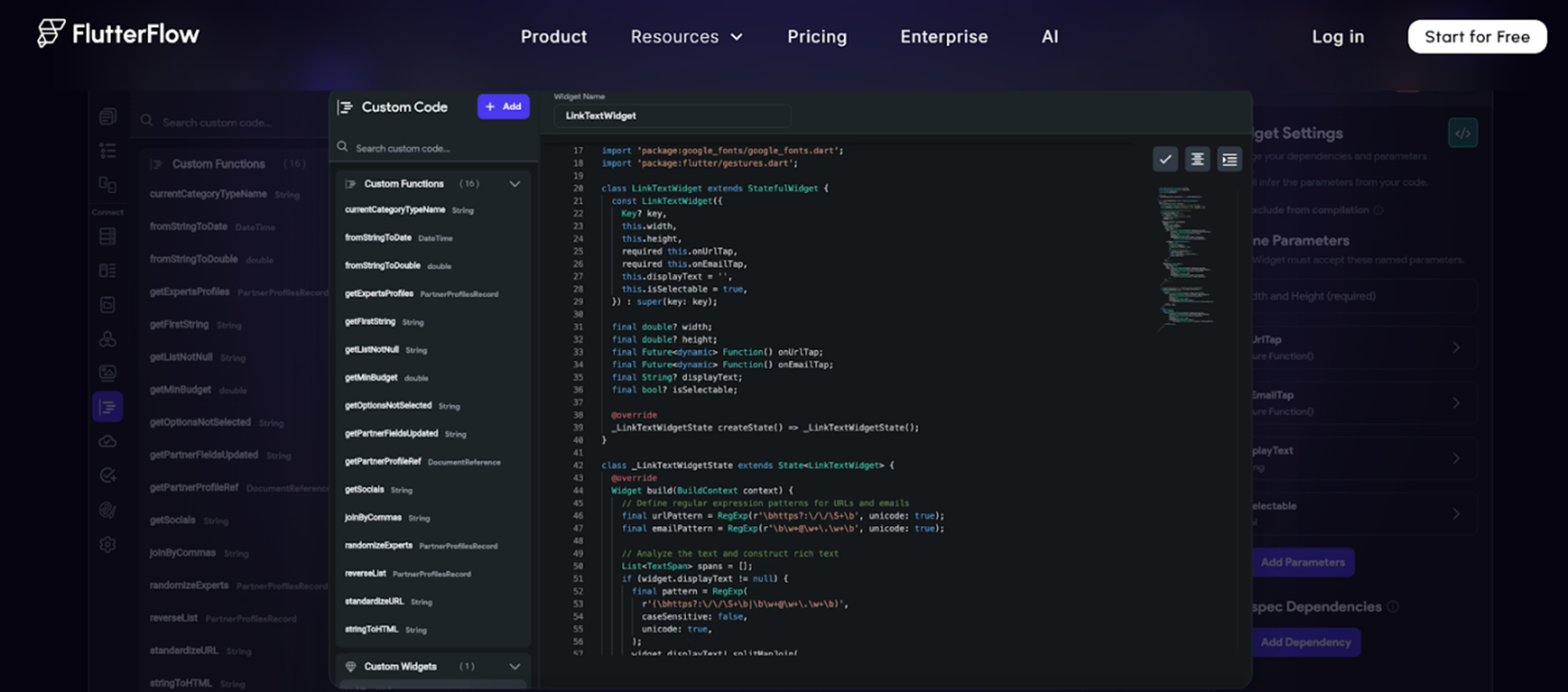
FlutterFlow is a visual development environment that lets you build apps for iOS, Android, web, and even desktop, without starting from a blank code repo. Instead of just arranging screens, you’re assembling a product that can be built, tested, and published to app stores with proper builds.
Where it stands out is the escape hatch. Teams can download project source code and APK, then push into a GitHub workflow depending on the plan. This changes the risk profile, allowing teams to start fast and transition to standard engineering practices without a full rebuild.
Key features
- Visual app builder: Create mobile, web, and desktop apps using a drag-and-drop interface without writing code.
- Intelligent code export: Export code, download APK files, and publish directly to Apple and Google Play with built-in deployment tools.
Integration
FlutterFlow’s API integrations let you fetch or send data to external services, including OpenAI and Gemini. Database integrations connect to Firebase, Supabase or SQLite for real‑time data storage
Pricing
A free plan for building and testing with up to 2 projects. The Basic plan is $39/month and includes code download and APK download. Growth and Business are priced per seat. First seat at Growth plan starts at $80/month and $150/month for Business starter seats.
Pros
- Code export reduces migration risk
- One-click store deployment removes a ton of ops friction
- Strong mobile story, you can actually ship to app stores fast
- GitHub’s integration and branching makes it friendlier for dev teams
Cons
- Advanced native features will still require native code support
- Visual builders can get messy on large apps unless you enforce structure early
- You will still need to think like a product builder, state, data models, and edge cases
8. Lovable
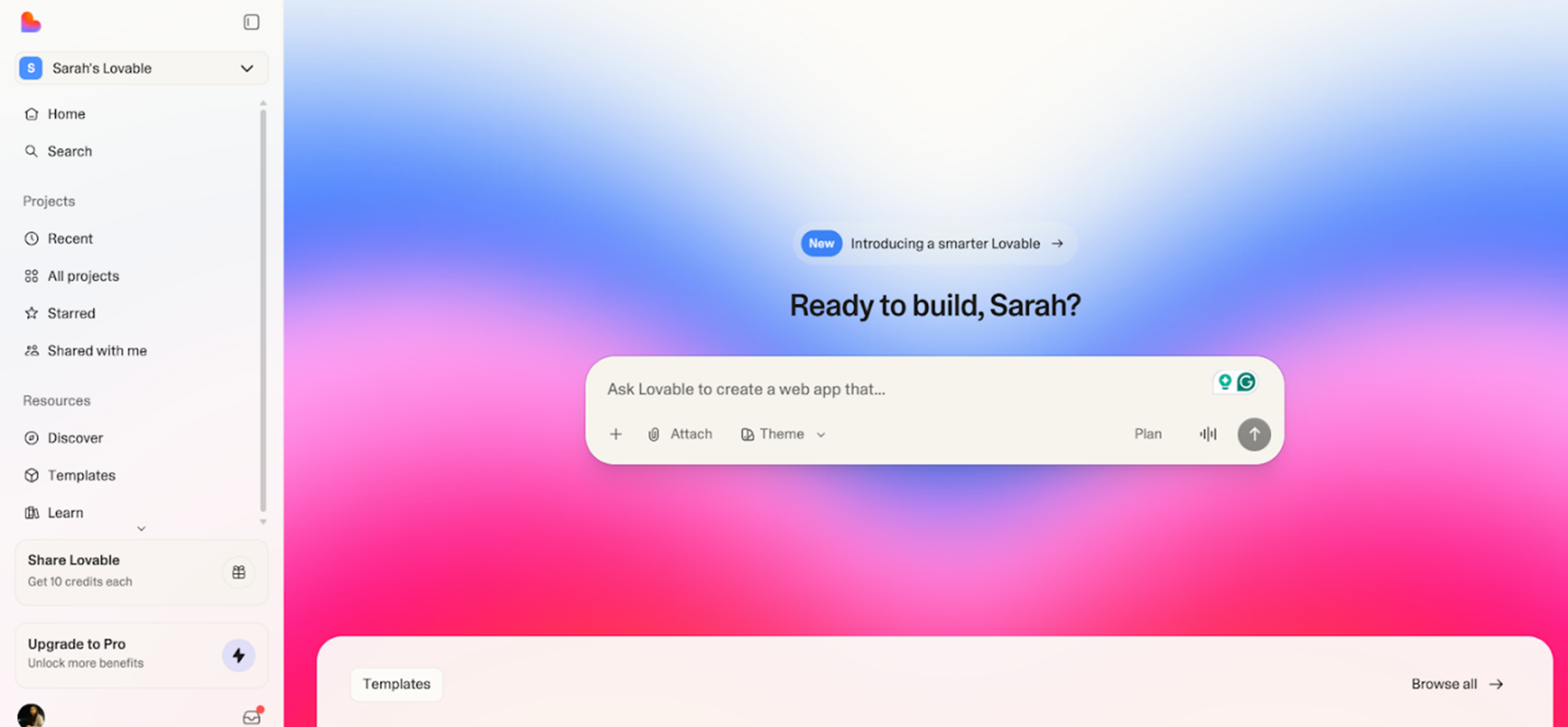
Lovable is a newer AI-first low code platform. You describe what you want in plain language, and it scaffolds the first version of the app for you, including pages, data structure, and basic logic.
Lovable fits best for startups that want to ship fast, iterate fast, and bake AI features into the product early. It’s less proven than older platforms, so risk tolerance matters.
Key features
- Instant app builder: Turn AI prompts into working pages, data models, and logic quickly.
- Two-way GitHub sync: Sync code directly with GitHub so technical teams can extend and customize the app in code as it matures.
Integration
Lovable has three types of integrations. Shared connectors add capabilities to deployed apps. Personal connectors are used during app creation to provide context and can link to any tool. Finally, Lovable handles unauthenticated APIs or sets up secure edge functions, thereby enabling virtually limitless integrations.
Pricing
Pricing starts at $20/month for its Pro tier and $50/month for business plans. There are enterprise plans as well, and you can choose credits based on your requirements on top of these plans.
Pros
- Useful for AI-first products
- GitHub sync reduces lock-in fear
- Rapid iteration loop during the MVP phase
- Works for mixed teams, no-coders plus devs
Cons
- AI output can need cleanup and debugging
- Fewer integrations compared to mature ecosystems
- Limited proof on large-scale production deployments
9. Appy Pie
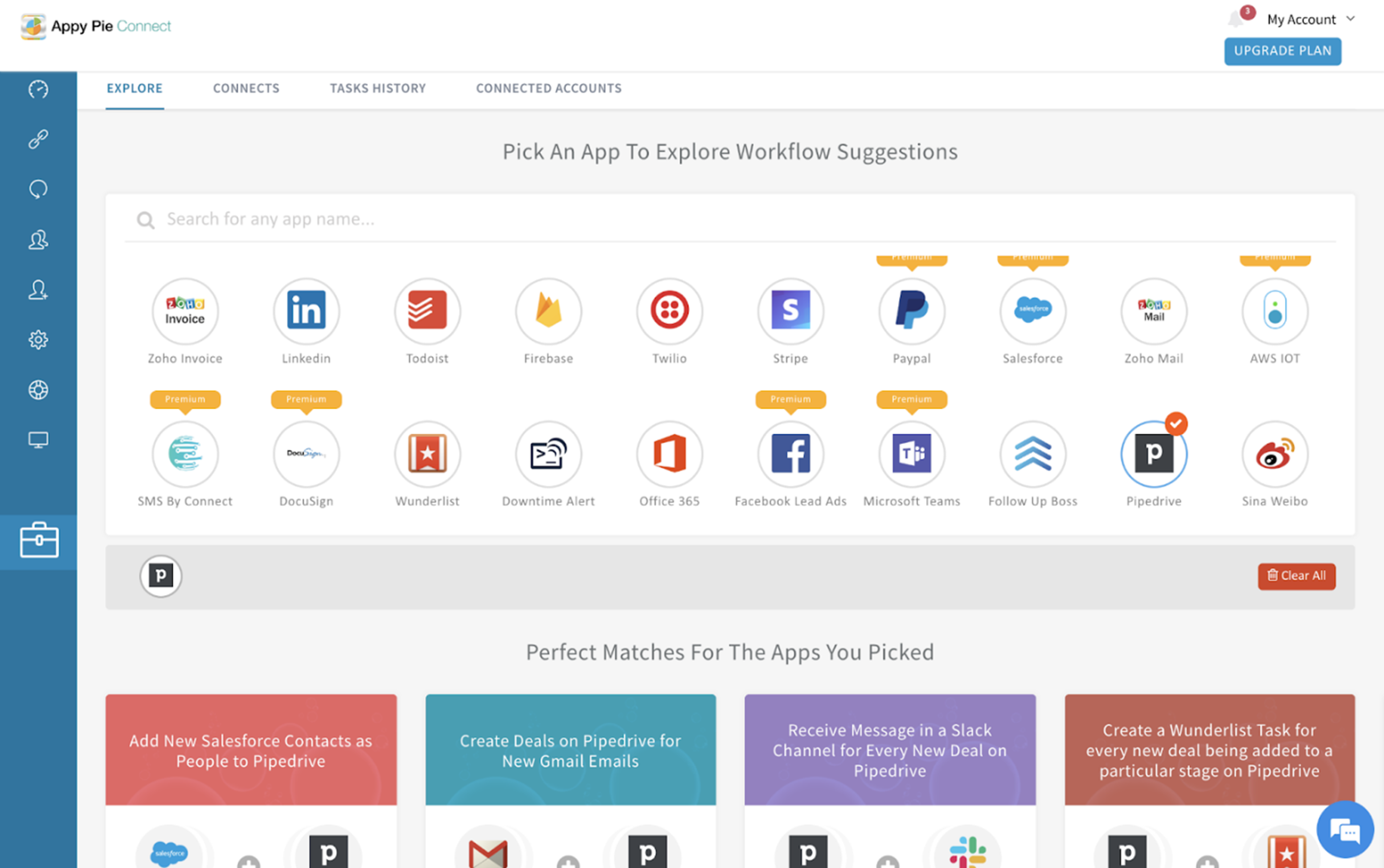
Appy Pie is a beginner-friendly no-code builder for people who want an app out fast without thinking like a developer. It works best for straightforward use cases like informational apps, basic e-commerce, appointment booking, and simple community-style apps.
The product is built around modules. You pick a template, stack modules like forms, menus, payments, push notifications, and publish. That structure makes it quick to ship, especially when you need a mobile plus a web version without building two separate products.
However, if your product needs custom logic, deep workflows, or a unique UI, you’ll likely hit limits earlier.
Key features
- Multi-platform publishing: Launch apps across iOS, Android, and web from a single build with built-in hosting and store deployment support.
- AI app generator: Create a working app draft from a simple prompt, then customize it using templates, themes, and branding controls.
Integration
Appy Pie supports both native and third‑party integrations. Popular integrations include Google Drive, Trello, Mailchimp, WhatsApp, WordPress, Asana, Google Sheets, and Google Meet
Pricing
A free trial is available. Plans usually start around $16/app/month for basic mobile and PWA builds. Mid tiers are around $36/app/month with more publishing and feature access. Higher tiers are $60+/ app/month with raised limits and support.
Pros
- Very low learning curve
- Fast to prototype and publish
- Works across mobile and web without extra build steps
- A large set of ready modules for common needs
Cons
- UI can feel template-like across apps
- Performance can dip if you stack too many modules
- Limited flexibility once you need custom workflows
10. DrapCode
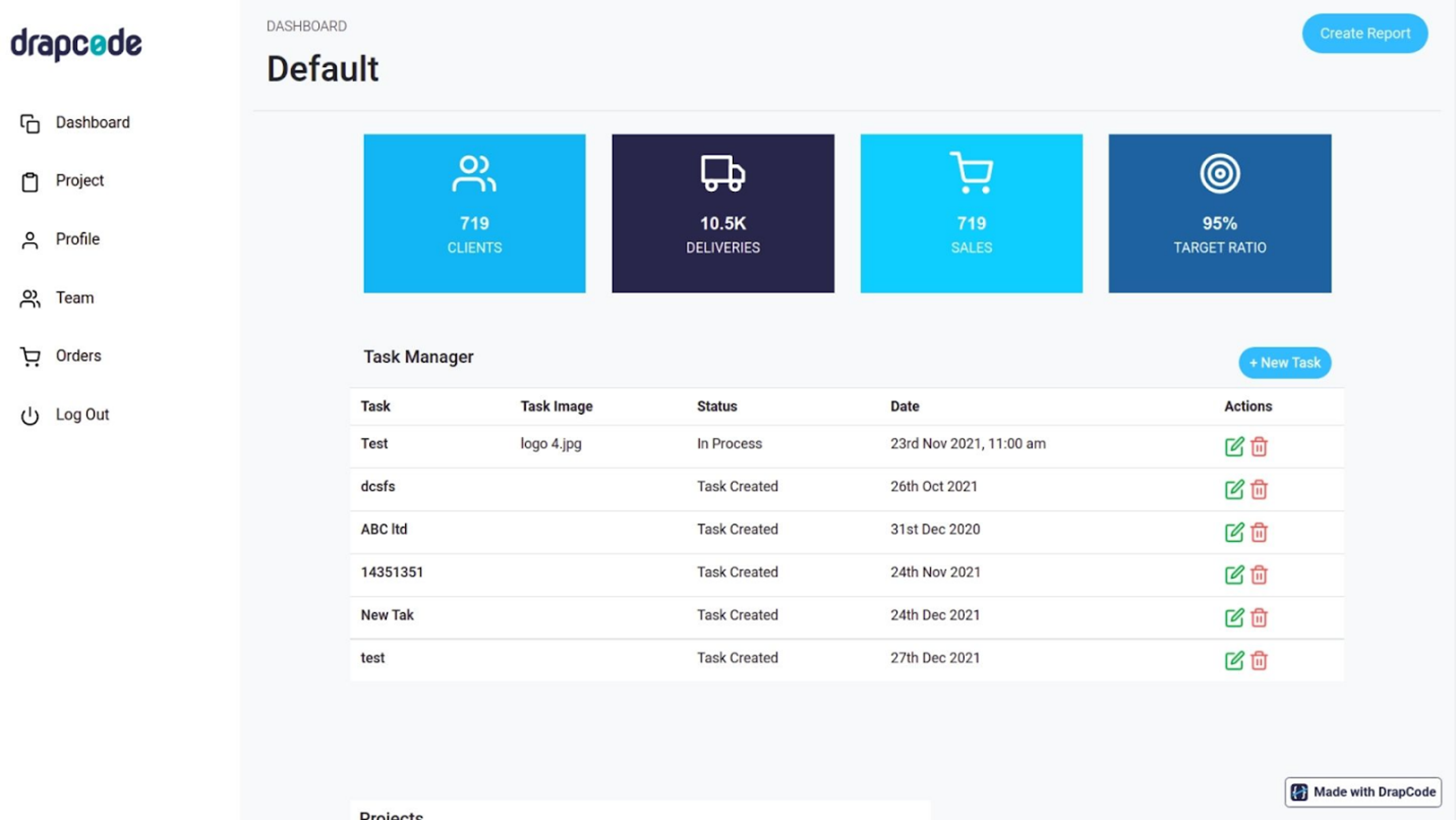
DrapCode is built for technical founders who want the speed of a visual builder without getting trapped inside a black box. You can design screens, model data, and wire workflows visually, but keep the ability to inject custom HTML/CSS/JS and export code when you need it.
That escape hatch makes DrapCode useful as a launch accelerator instead of a permanent cage. If you think in APIs, UI components, and data models, it’s a clean middle ground between full custom dev and typical drag-and-drop tools.
Key features
- Drag-and-drop page editor: Create responsive pages using a drag-and-drop editor with clean HTML and CSS output.
- Automated data modeling: Model data with collection, fields, relationships, and custom code injection for advanced UI and logic.
Integration
DrapCode offers a large library of ready-made integrations. It supports data-source sync (fetch/push), webhooks for automation, analytics tools, social logins, and notifications. There are also payment integrations enabling billing, subscriptions, invoicing, and multi-currency payments.
Pricing
Paid cloud plans typically start around $45/month and scale up to around $125/month for the Growth Tier. Scale Tier are $275/app/month with enterprise and on-prem options available.
Pros
- Scales more like a standard web app once exported
- Custom code support and export reduce vendor-lock fears
- Easier path to self-hosting and on-prem deployments for regulated clients
- Features authorization and role-based access for multi-user apps
Cons
- Smaller ecosystem
- Web-first, not true native mobile output
- Export is not a perfect two-way round trip for ongoing visual edits
Honorable mentions
|
# |
Tool |
Best For |
|
1 |
Webflow |
Designing marketing sites & landing pages with no code |
|
2 |
Xano |
No-code backend (BaaS) for powering your app’s database and APIs, pairs well with front-end builders |
|
3 |
Microsoft Power Apps |
Building internal business apps, especially for organizations in the Microsoft 365/Azure ecosystem |
|
4 |
Retool |
Quick internal admin tools and dashboards |
|
5 |
Thunkable |
Building native mobile apps visually |
Selection criteria for no-code SaaS builders
We used a combination of real-world testing, feature comparison, and consideration of different project needs. Here are the key criteria we looked at:
1. Ease of use vs. flexibility
We balanced beginner-friendly builders with platforms that offer deeper customization. The ideal no-code tool should be approachable without coding, yet not so rigid that you hit a wall as your app grows.
2. Features & integrations
We selected tools that provide robust built-in features or easy ways to connect to external services. The more you can do within the platform, the less external coding is required.
3. Scalability
We gave priority to platforms that offer cloud deployment, handle real user loads, and follow security best practices.
4. Community and support
For mid-market B2B buyers, vendor responsiveness and partner availability are first-order risks. We considered how easy it is to get help or find a workaround when you encounter an issue.
How to choose the right no-code SaaS builder for your needs
You should pick the builder based on what you’re actually selling, not what looks nice in a demo
- Start with your build type: Launchpad and Bubble are strong for web SaaS. Adalo is better if you truly need app store delivery.
- List your non-negotiables: Auth, roles, database, integrations, payments, admin, and workflow depth. If your product is workflow-heavy, the workflow engine matters more than the UI editor.
- Be honest about enterprise needs: If you sell B2B SaaS to serious customers, you will need multitenancy, environment isolation, audit logs, SSO, and compliance scope. Launchpad is the obvious pick because it starts with that foundation already in place.
- Match the tool to your team: Softr, Glide, Appy Pie work for non-technical teams. Bubble and DrapCode fit builders who can handle architecture and tenancy decisions.
- Prototype fast: Build signup and one core workflow in a day. If it feels heavy at prototype, it gets worse later.
Launch your SaaS faster with the right no-code tool
Most no-code tools don’t fail at building the app. They fail at everything around it. You end up stitching together infrastructure, security, billing, and ops after the fact, and that rebuild becomes the real project.
Launchpad is the exception. It’s built for enterprise-grade B2B SaaS from day one, with multi-tenant architecture, production infrastructure, and workflow automation out of the box. So, you spend your time building the features customers pay for, not rebuilding the foundation.
Try Launchpad’s Explore package for free and see how fast you can ship.
FAQs about no-code SaaS builders
1. What is the best no-code SaaS builder?
For an enterprise-grade SaaS with complex workflows, Launchpad is top-notch, offering production-ready infrastructure and robust automation.
2. Can I build a SaaS product without coding?
Yes, with no-code platforms, you can absolutely create a functional SaaS without writing traditional code.
3. What’s the best no-code SaaS builder with a free plan to start?
Several top platforms offer free plans ideal for testing an idea. However, Launchpad Explore stands out because it goes beyond simple prototyping. The free plan includes AI-powered Blueprint generation for full SaaS application design complete with workflows and data models, plus a Units Estimator so you can see delivery costs before you commit.
Is no-code development scalable for SaaS?
Yes, modern no-code platforms, like Launchpad, are quite scalable. They leverage cloud infrastructure to ensure your app can grow.
About the Author
Kat Austin works in product marketing for Launchpad, helping companies understand how AI-powered software can automate work, deliver measurable outcomes, and bring new solutions to market faster.