

This article is part of the Launchpad Agent Skills series.
Recently, I was working on a project where I needed to be able to load financial filing data for US companies in my workflow to apply generative AI and decisioning to it.
I looked around at the options, including scraping stock websites, parsing HTML, and none of those things sounded appealing to me. I want to spend my valuable time building my SaaS product, not writing a bunch of code to parse data.
I finally stumbled upon a very useful python library: yfinance
But how could I use this timesaving python library in my Launchpad application?
Turns out this was as easy as installing the new launchpad-agent-public-skills into my VSCode workspace with this command:

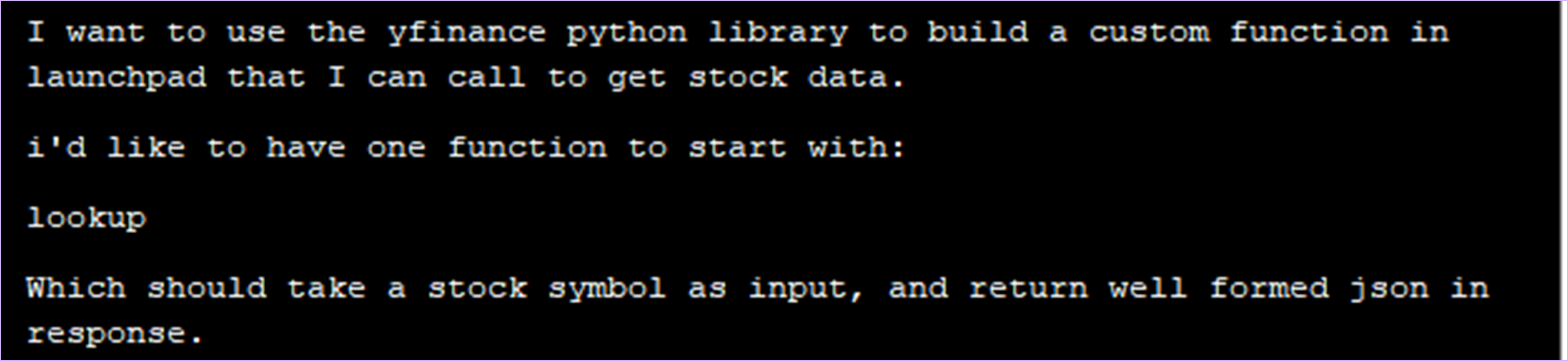
Once they were installed, I just gave github copilot a simple request:
Within a few seconds, I had a new python module and instructions on how to create a Function rule in my Launchpad application to take advantage of it:
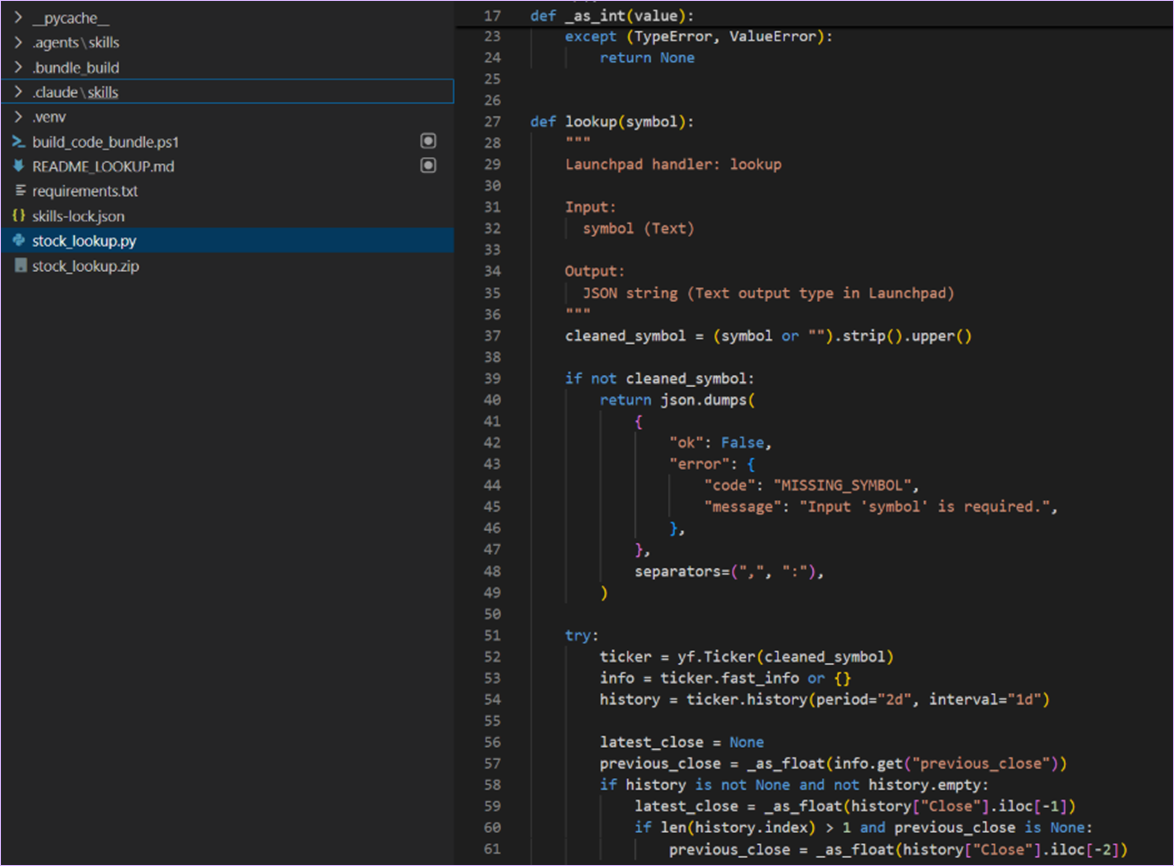
What did my coding agent generate based on the launchpad-custom-function skill? Everything I need:
- A stock_lookup.py module with a lookup method
- A python requirements file describing the other python libraries needed
- A build script (in powershell because I’m on windows) for installing the dependencies and generating the zip file needed to create a Function rule in Launchpad.
After running it locally just to double check, I was good to go! But first, I wanted to make sure I understood the next steps, so I asked my coding agent:

The response used the skill to guide me through the next steps, including the fact that I really wanted to have two function rules, one for each method, by telling me to:
- Create a new Function rule
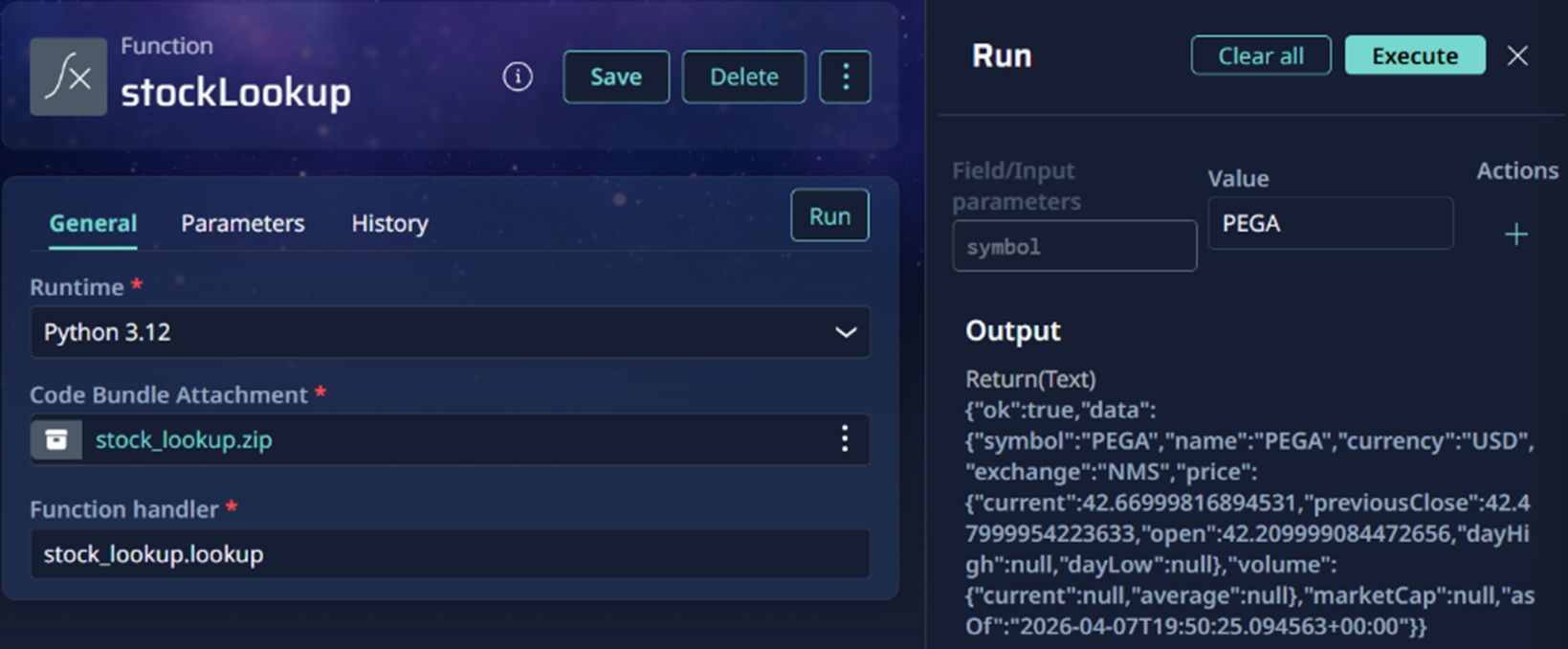
- Choose the Python 3.12 runtime
- Upload the generated zip file from my workspace
- Add one input parameter: symbol
- Set the output to text for testing
- Use the Run rule tool to try it out
So, I created the Function rule and tried it out on Launchpad. It works!
Next steps
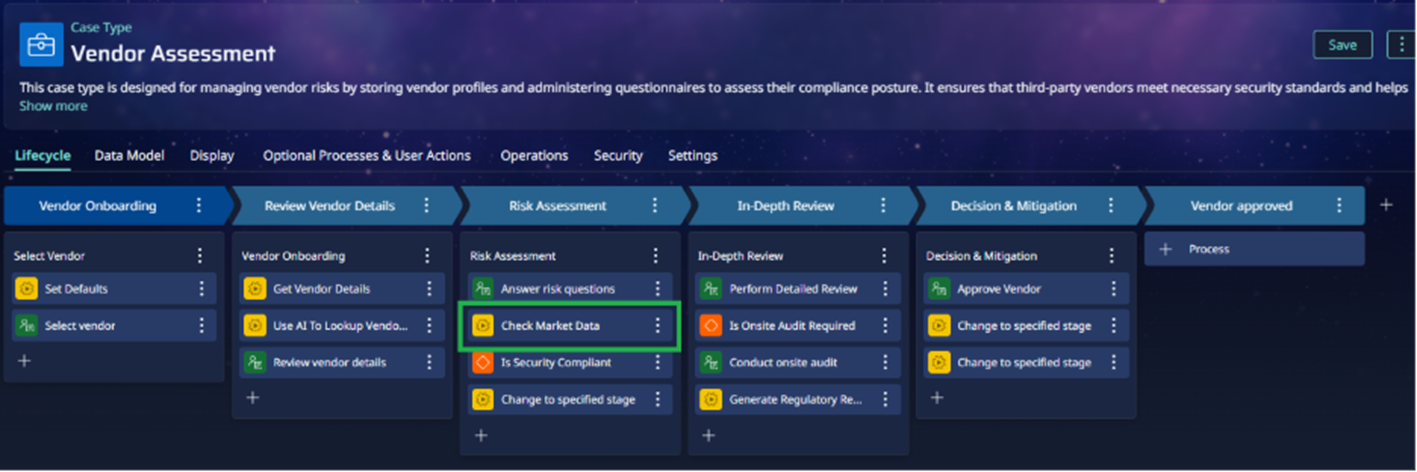
Now that I’ve built the python code I need, by taking advantage of open-source python libraries to access stock data, I can add a simple mapping in my Function rule, to map the json results to my application’s data model. I can then call this function from an automation in my workflow to load the data and use it in my processes or with my agents:
Want to build your own custom integrations faster?
- Install these skills today in your workspace.
- Build the custom functionality you need; let your coding agent handle the boilerplate so you can stay focused on your application outcomes.
- Import your function into your Launchpad application and use it anywhere: your workflows, application logic, and more.
About the Author
Working as a Launchpad Provider Success Architect at Launchpad, Tim Miranda's mission is to help Launchpad clients jumpstart their software journeys, collaborating with developers, product owners, and business leadership to maximize client success.