

Quick summary
In this guide, we compare the 12 best legacy modernization tools by deployment flexibility, automation capabilities, and proven migration results. You’ll find detailed breakdowns of Launchpad, AWS Application Migration Service, and Azure Migrate, plus honest limitations vendors don’t disclose.
What legacy modernization tools actually deliver results in 2026?
Many legacy modernization projects fail to meet their original objectives. In most cases, failure occurs from a misalignment between the tools and the actual modernization requirements.
Legacy systems contain decades of accumulated business logic that nobody fully understands anymore. The original developers retired, documentation disappeared, and the applications continue costing thousands because replacing them feels impossible.
Legacy modernization tools are used to automate these outdated systems into modern architectures while preserving business logic. This guide compares the 12 best legacy modernization tools across different modernization approaches so you can choose the right strategy for revolutionizing software built on legacy systems.
Why trust us?
Launchpad builds modern platforms backed by Pegasystems’ 40 years of enterprise software experience.

We work daily with B2B SaaS teams integrating their products into complex legacy systems, helping us understand which modernization approaches succeed when connecting to real-world legacy environments.
What is a legacy modernization tool?
Legacy modernization tools help organizations upgrade aging software systems while preserving the business’s logic, data integrity, and operational stability.
For example, a bank’s loan approval system, written in COBOL, contains thousands of business rules for credit scoring, regulatory compliance, and risk assessment that have gone through multiple regulatory changes. Simply rewriting that logic into Java or Python creates opportunities for translation errors that could approve fraudulent loans or reject qualified applicants.
So, instead of forcing organizations to replace fragile mainframe applications overnight, legacy modernization solutions analyze existing codebases, identify business logic patterns, and create modern equivalents with identical outputs.
Benefits of legacy modernization tools
Automated modernization tools deliver measurable improvements such as:
- Reduced maintenance costs: Legacy systems consume 60-80% of IT budgets through maintenance activities that add no business value. After modernization, companies typically reduce ongoing maintenance spending by 40-50% because modern platforms include automated tools for updates, monitoring, and scaling.
- Faster feature development: Modern architectures with clear separation of concerns let teams ship new features faster because changes don’t ripple through tightly coupled systems.
- Improved system reliability: Compared to legacy systems, modernized applications help teams in achieving better uptime and reducing costly downtime incidents.
- Risk mitigation: The talent pool for COBOL, AS/400, and other legacy technologies shrinks every year as experienced developers retire. Modernization tools reduce this dependency by moving business logic into technologies with broader talent availability.
- Improved security and compliance: Legacy systems often can’t meet modern security standards because vendors no longer patch vulnerabilities in decades-old software. Modernized applications run on platforms with built-in compliance frameworks that reduce audit burden and security exposure.
The 12 best legacy modernization tools for your migration projects
Below is a quick comparison of the top legacy modernization tools:
# | Tool | Best For | Starting Price | Free Tier | Deployment | AI Features |
1 | Launchpad | B2B SaaS workflow-centric applications | $1000 / month | Yes | Cloud (AWS) | Blueprint AI, GenAI |
2 | AWS Application Migration Service | Lift-and-shift cloud migration | Free, but AWS costs apply | Yes | Cloud (AWS) | Limited |
3 | Microsoft Azure Migrate | Microsoft ecosystem migration | Free, but Azure costs apply | Yes | Cloud (Azure) | Agentic AI, GitHub Copilot integration |
4 | IBM Watsonx Code Assistant | AI-powered COBOL modernization | $3000 / month | Yes | Cloud / On-prem | Advanced generative AI for code generation |
5 | Google Cloud Migrate | Cloud migration and modernization support | Free, but GCP costs apply | Yes | Cloud (Google) | Limited |
6 | Raincode | COBOL compiler and modernization support | Custom | Yes | On-prem / Cloud | Limited, but static analysis may offer AI in the tooling ecosystem |
7 | OpenLegacy | API enablement and phased modernization | Custom | Developer / community offerings apply | Cloud / hybrid / on-prem | AI automation for system analysis |
8 | Astadia | Mainframe modernization | Custom | N/A | Cloud / hybrid | AI-assisted automated code analysis |
9 | Avanade AMT | Application modernization toolkit within the Microsoft ecosystem | Custom | N/A | Cloud / hybrid | Copilot-like engines available |
10 | Heirloom | COBOL to Java cloud-native modernization | Custom | N/A | Cloud / hybrid | Limited |
11 | TSRI | Automated code transformation | Custom | N/A | On-prem / cloud | Composite AI, GenAI |
12 | Micro Focus Enterprise Suite | COBOL refactoring | Custom | N/A | On-prem / Cloud | Limited |
1. Launchpad
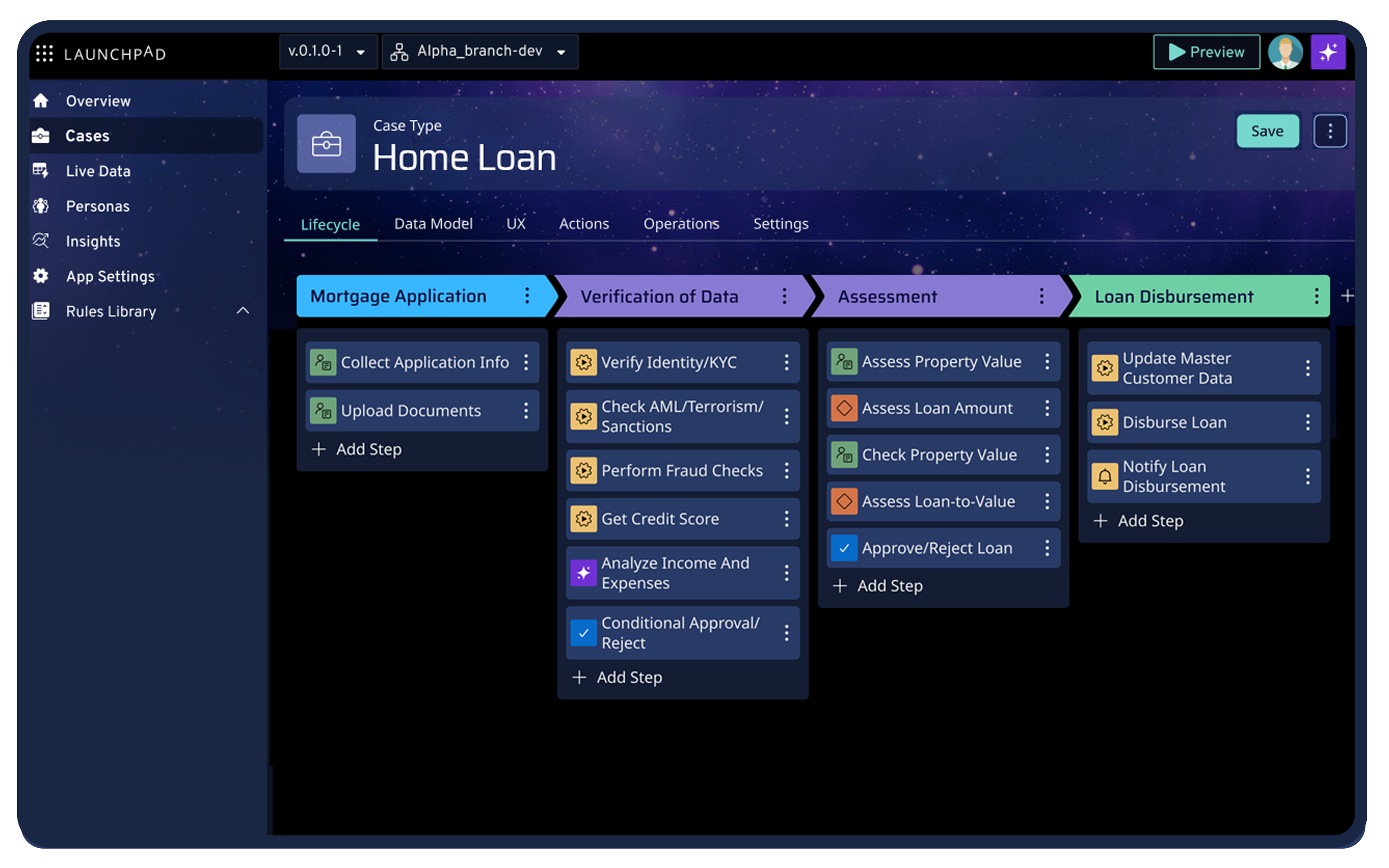
Launchpad is a modern application development platform that helps B2B SaaS companies turn their legacy workflow systems into production-ready cloud applications. It is an AI-powered, no-code platform that features built-in infrastructure and robust automation capabilities.
Unlike cloud migration tools that simply move old systems to new infrastructure, Launchpad transforms legacy workflow-heavy applications into modern multi-tenant SaaS products. This makes it ideal for businesses whose customers expect outcomes, not features.
Key features
- Guided workflow orchestration: Automates complex B2B business processes and guides workflow design across modern and existing legacy software.
- Low-code development: Uses GenAI Blueprint to turn ideas into working software with built-in workflows, integrations, reporting, and UX design.
- Multi-tenant infrastructure: Provides built-in tenant isolation through separate AWS accounts, identity management, and auto-scaling without required dedicated DevOps teams.
- Flexible API connectivity: Connects to any REST API, giving teams flexibility to integrate legacy systems, modern SaaS tools, and custom applications.
Pricing
- Explore/free tier: Start exploring and using the Blueprint design tool without an upfront cost. This plan provides more value than the trial periods offered by Micro Focus that limit evaluation to 30-90 days.
- Ignite Plan: $1000/month includes core development and production capabilities, unlimited apps and users, plus runtime support.
- Accelerate and Startup Plans: Larger allocations with extended support available through custom sales quotes for teams with higher capacity requirements.
Integration breakdown
Launchpad connects to any REST API without requiring pre-built connectors, providing more flexibility than platforms with fixed integration catalogs. Native AWS services include S3, DynamoDB, and other cloud-native capabilities.
Pros
- Consolidates user management, permissions, and reporting in one simple system
- Usage-based pricing ensures you only pay for actual consumption
- Handles complex orchestration scenarios
- Seamless API and system integrations
- Delivers enterprise-grade security without extra engineering
- Minimal training is required to use
- Built-in AI assistance accelerates blueprint creation
Con
- The visual layer may feel a bit constraining
2. AWS Application Migration Service
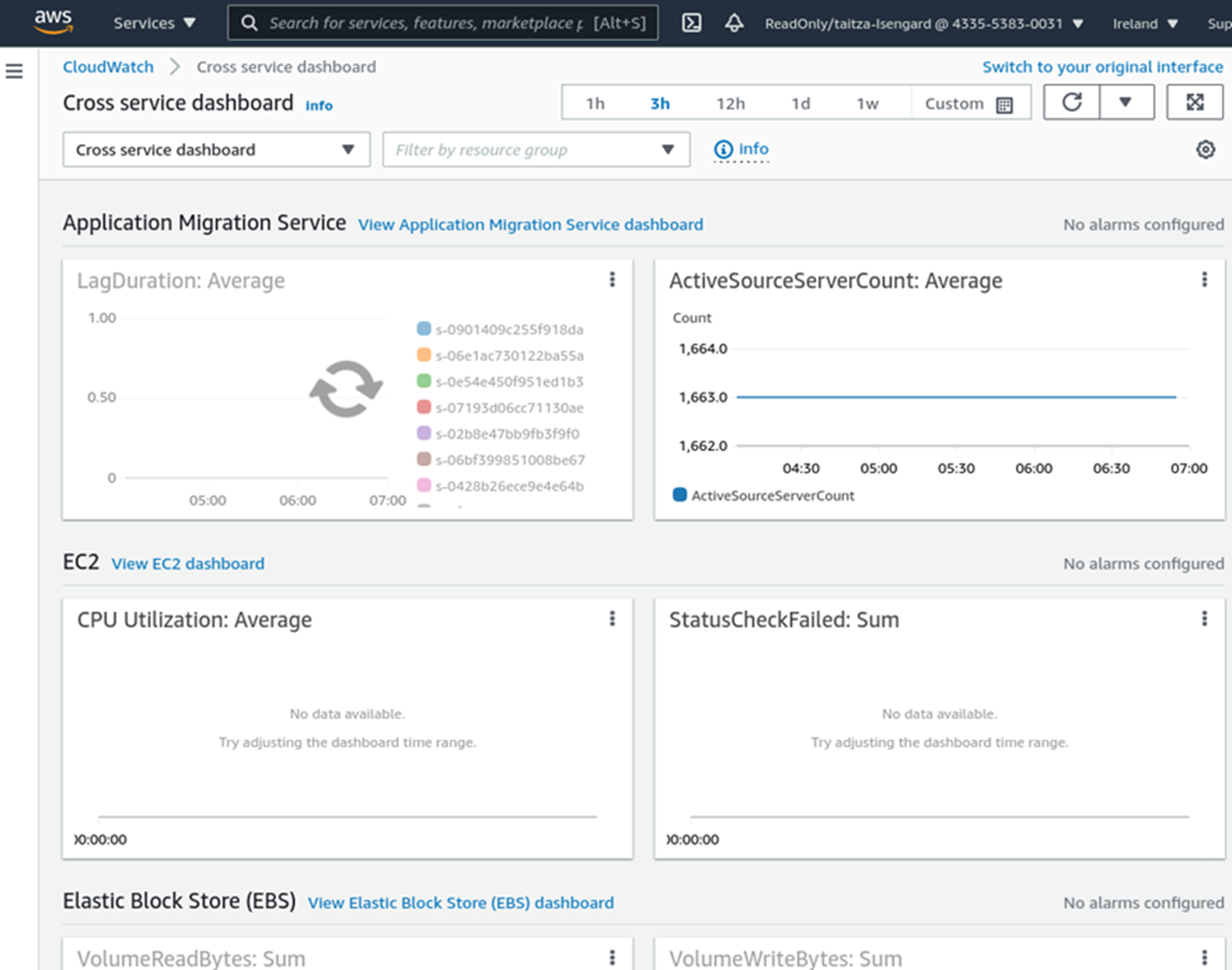
AWS Application Migration Service automates lift-and-shift migrations that move physical, virtual, or cloud-based servers to AWS infrastructure with minimal downtime. It works best when you want to copy your existing systems to AWS as they are, without immediately refactoring application code.
This lowers migration risk but also means you won’t get the full benefits of cloud-native app development
Key features
- Grouped migrations: Organizes migrations into logical groups so you can migrate related applications together while maintaining dependencies.
- Automatic server conversion: Transforms source server formats into AWS-native EC2 instances automatically.
Pricing
AWS Application Migration Service itself is free. You only pay for the underlying AWS resources consumed during migration and after cutover.
Integration breakdown
AWS Application Migration Service integrates tightly with AWS services, including CloudWatch for monitoring, CloudFormation for infrastructure as code, and AWS Backup for data protection. It also supports migrations from physical infrastructure, Azure, and other cloud platforms.
Pros
- Continuous replication and testing capabilities reduce cutover risk
- Minimal application changes required
- Works with physical, virtual, and cloud servers
Cons
- Requires AWS cloud expertise for proper architecture design
- Lift-and-shift migrations don’t modernize application architecture
3. Microsoft Azure Migrate
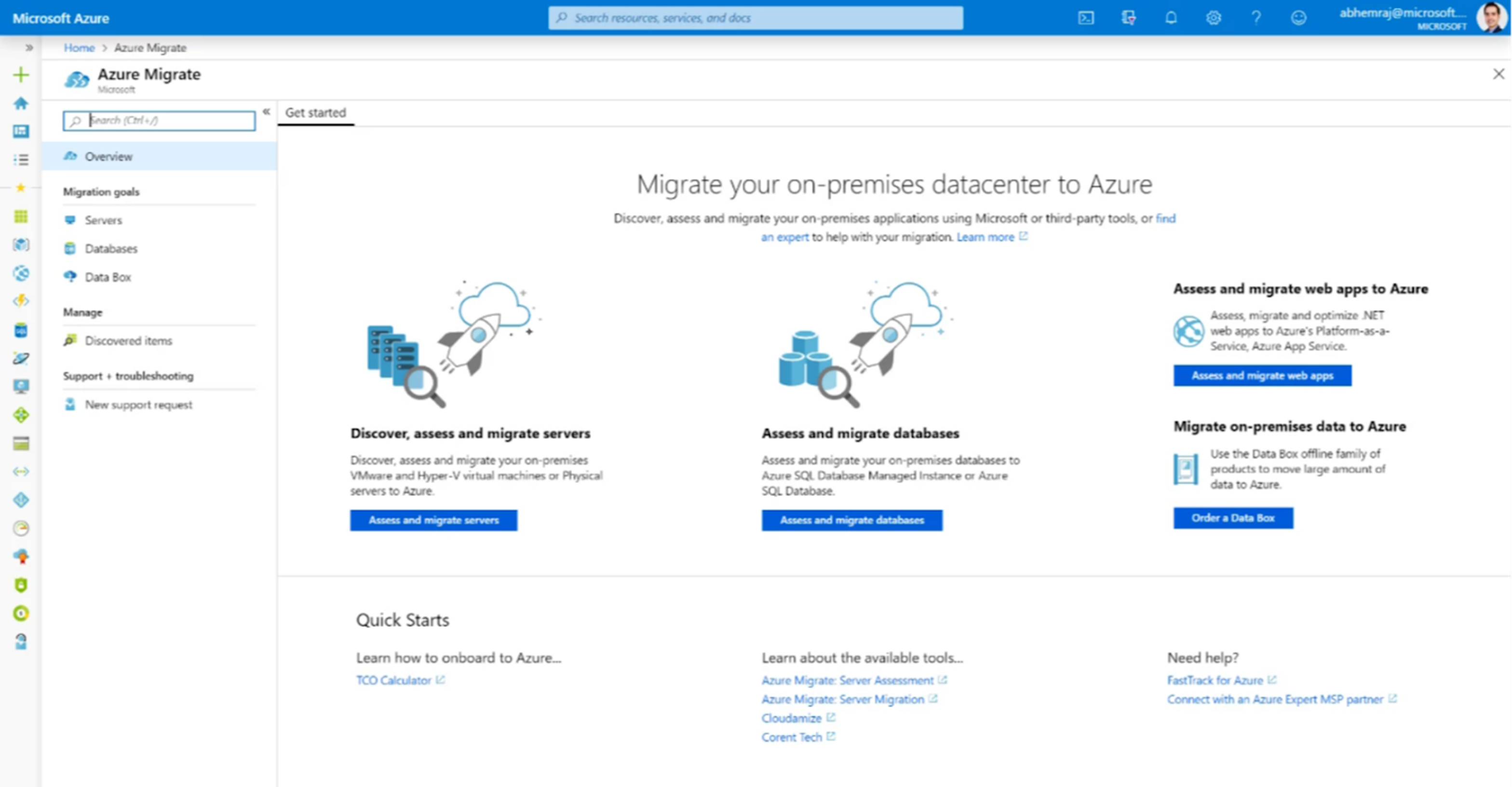
Microsoft Azure Migrate provides a centralized hub for discovering, assessing, and migrating on-premise infrastructure, applications, and data to the Azure cloud. Organizations that already use Microsoft tools often prefer Azure Migrate because it works smoothly with Windows Server, SQL Server, Active Directory, and other Microsoft systems.
Key features
- Built-in migration tools: Includes specialized tools for migrating SQL Server, MySQL, PostgreSQL, and MongoDB databases with minimal downtime.
- Automatic dependency mapping: Analyzes application communication patterns and infrastructure dependencies automatically.
Pricing
Azure Migrate tools are also free. Organizations pay only for the underlying Azure resources consumed during and after migration.
Integration breakdown
Azure Migrate integrates with the Azure ecosystem. It also supports migrations from vSphere, Microsoft Hyper-V, physical servers, and Google Cloud.
However, upgrading applications after migration requires purchasing additional Azure services or tools with workflow orchestration and API integration features.
Pros
- Free migration tooling eliminates upfront licensing costs
- Automatically identifies app relationships with dependency mapping
- Strong integration with Microsoft Products
Cons
- Azure ecosystem lock-in complicates future multi-cloud strategies or platform migrations
- Subsequent refactoring is required to gain cloud-native benefits
4. IBM Watsonx Code Assistant
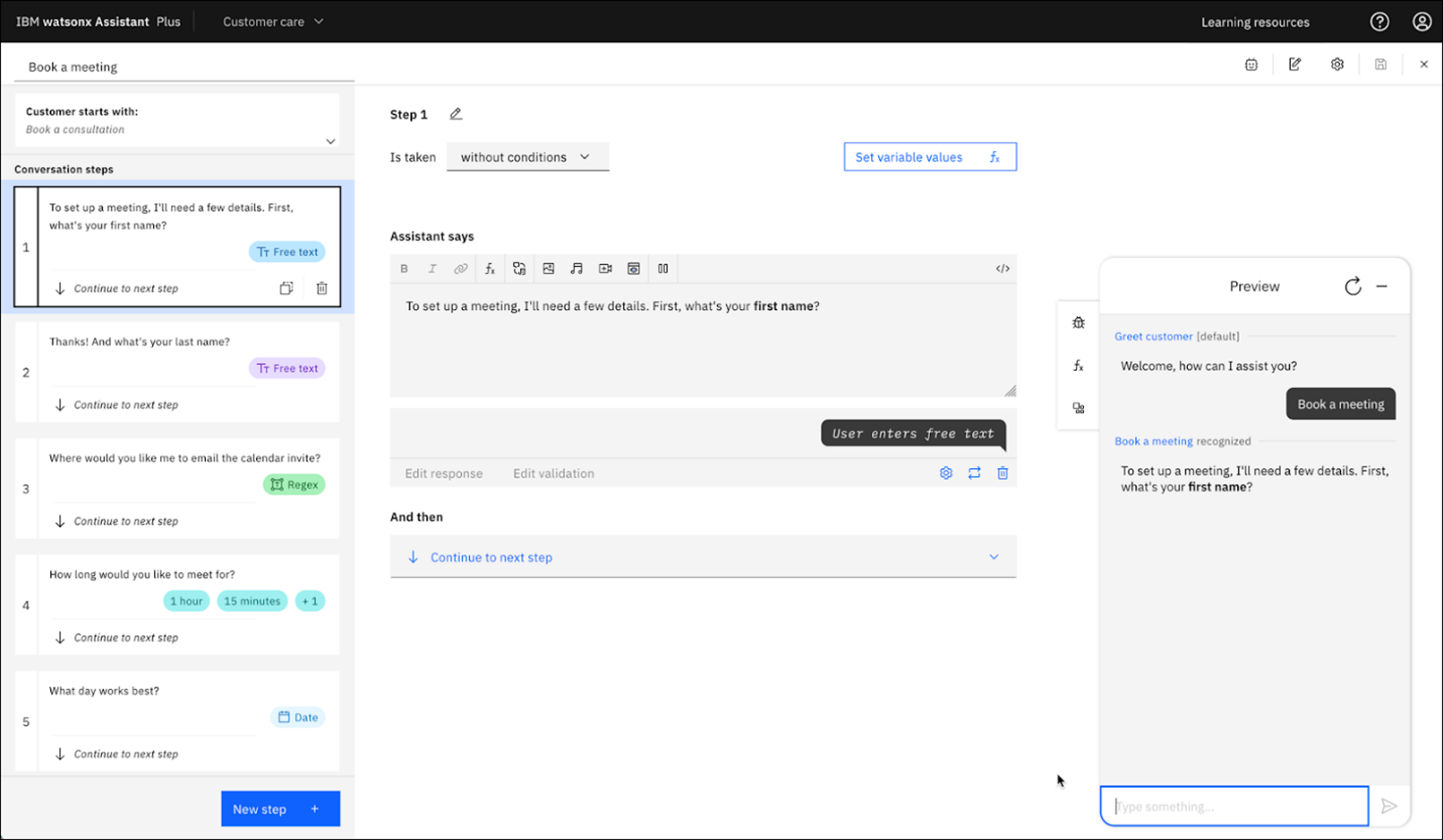
IBM Watsonx Code Assistant applies generative AI specifically to mainframe application modernization. This tool has a particular focus on transforming COBOL code into modern Java applications.
IBM built Watsonx Code Assistant on large language models trained specifically on mainframe code patterns, business logic structures, and successful transformation examples. While this allows for more accurate transformations compared to general-purpose generation tools, it still requires heavy human review and validation, which specialists like Raincode or TSRI typically manage.
Key features
- Mainframe pattern training: Trains on patterns specific to mainframe environments, including CICS transactions, DB2 database access, batch processing frameworks, and JCL job control
- Native IBM integrations: Works with IBM’s broader mainframe and application development ecosystem, including z/OS, Rational Developer, and other IBM platforms.
Pricing
IBM typically doesn’t publish standard pricing for mainframe modernization tools because projects vary in complexity and scale. Trial programs allow organizations to test capabilities on sample codebases before committing to full modernization projects.
Integration breakdown
IBM Watsonx Code Assistant integrates with IBM Z mainframe environments, IBM Rational development tools, and IBM Cloud for the deployment of transformed applications. It also connects to source code repositories, including GitHub Enterprise and GitLab, for version control.
Pros
- Reduces dependency on scarce COBOL developer talent
- Handles complex COBOL patterns and edge cases better than rigid rule-based converters
- Integrates directly with IBM Z, z/OS, and Rational ecosystems
Cons
- AI-generated code requires extensive validation and testing
- Code transformation alone doesn’t address broader modernization needs
5. Google Cloud Migrate
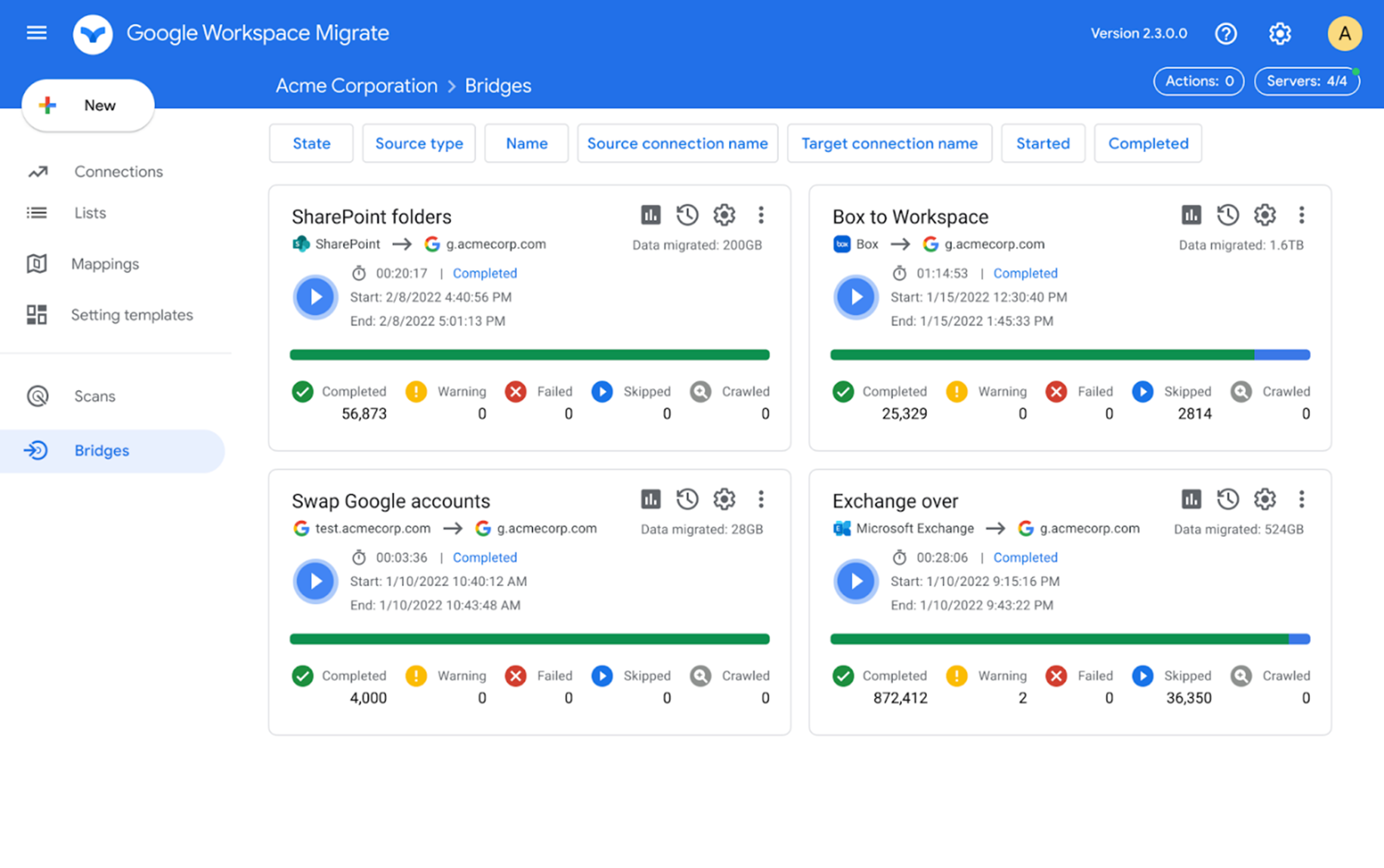
Formerly Migrate for Compute Engine, this tool helps to migrate virtual machines and physical servers to Google Cloud Platform with little to no changes to source workloads. Companies choose Google Cloud Migrate when targeting GCP infrastructure for its data analytics capabilities, machine learning services, and Kubernetes orchestration.
Google Cloud Migrate also features migration waves for organizing related applications and validation testing before production cutover.
Key features
- Live Data Conversion: Continuously replicates data from source systems to Google Cloud without needing downtime until final cutover.
- Automatic VM reformatting: Converts VM formats to Google Cloud-compatible instances automatically.
Pricing
The migration tool itself is free. However, post-migration expenses depend entirely on your GCP architecture choices.
Integration breakdown
Google Cloud Migrate integrates with GCP services, including Compute Engine for virtual machines, Cloud Storage for data persistence, and Cloud Logging for troubleshooting. It also supports database migrations through Database Migration Service for MySQL and SQL Server workloads.
Pros
- Access to GCP’s advanced data and ML services
- Multi-source compatibility
- Automatically adapts workloads to GCP’s infrastructure requirements
Cons
- Limited flexibility if business requirements change
- Infrastructure-only migration inhibits scalability
6. Raincode
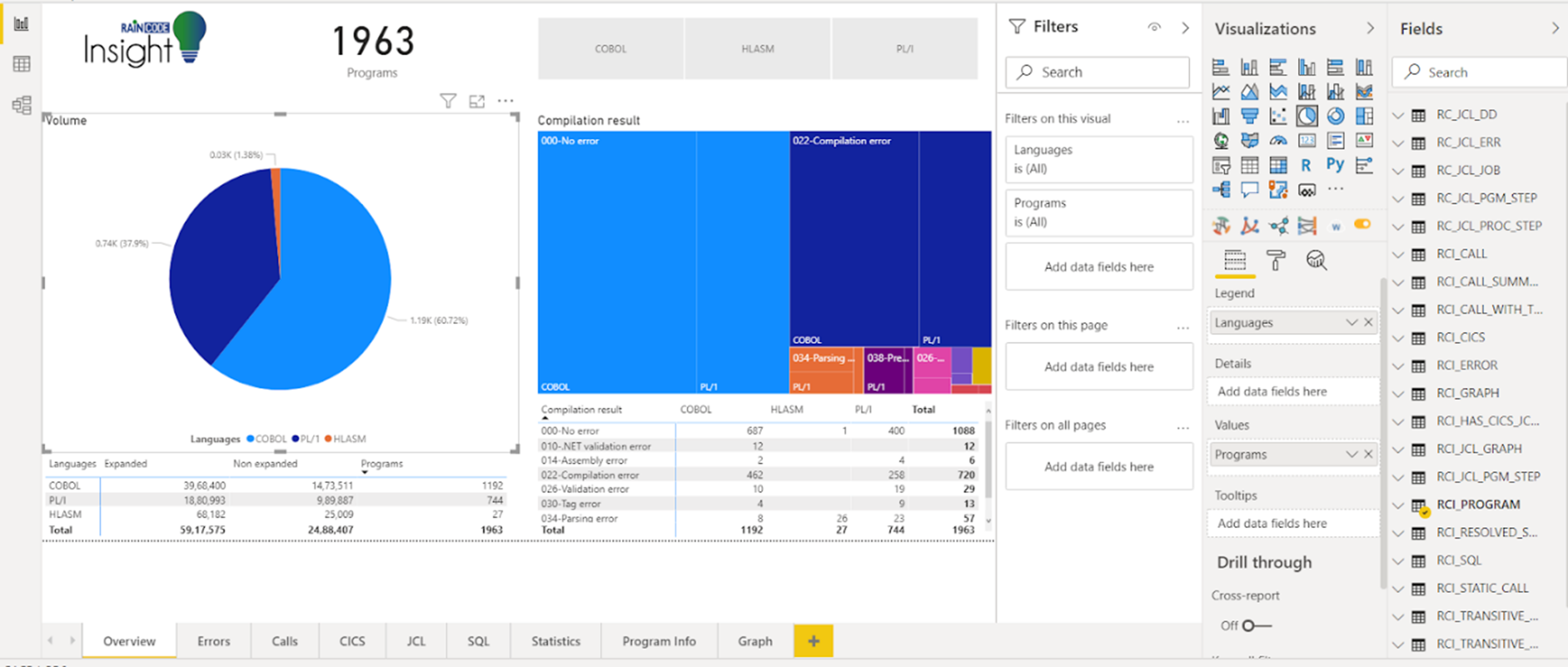
Raincode automatically converts COBOL, PL/I, Assembler code, and other legacy mainframe languages to modern platforms like Java, while maintaining exact functional behavior.
The platform also handles job control language (JCL), copybooks, and database access patterns. Raincode preserves application architecture rather than redesigning systems for cloud-native patterns.
Key features
- Auto-generated regression tests: Creates regression test suites from mainframe execution traces.
- Phased legacy transition: Modernized components run alongside legacy systems during the transition, so you can migrate in phases.
Pricing
Raincode pricing is project-based and negotiated individually based on code volume, modernization scope, and complexity.
Integration Breakdown
Raincode integrates with mainframe data sources, including DB2, IMS, VSAM, and sequential files. However, integration focuses on a functional equivalent of mainframe behavior rather than exposing modern APIs.
Pros
- Automated regression testing
- Supports multiple mainframe languages
- Includes professional services in projects, reducing implementation burden
Cons
- Converted code maintains legacy architectural patterns
- High project costs
7. OpenLegacy
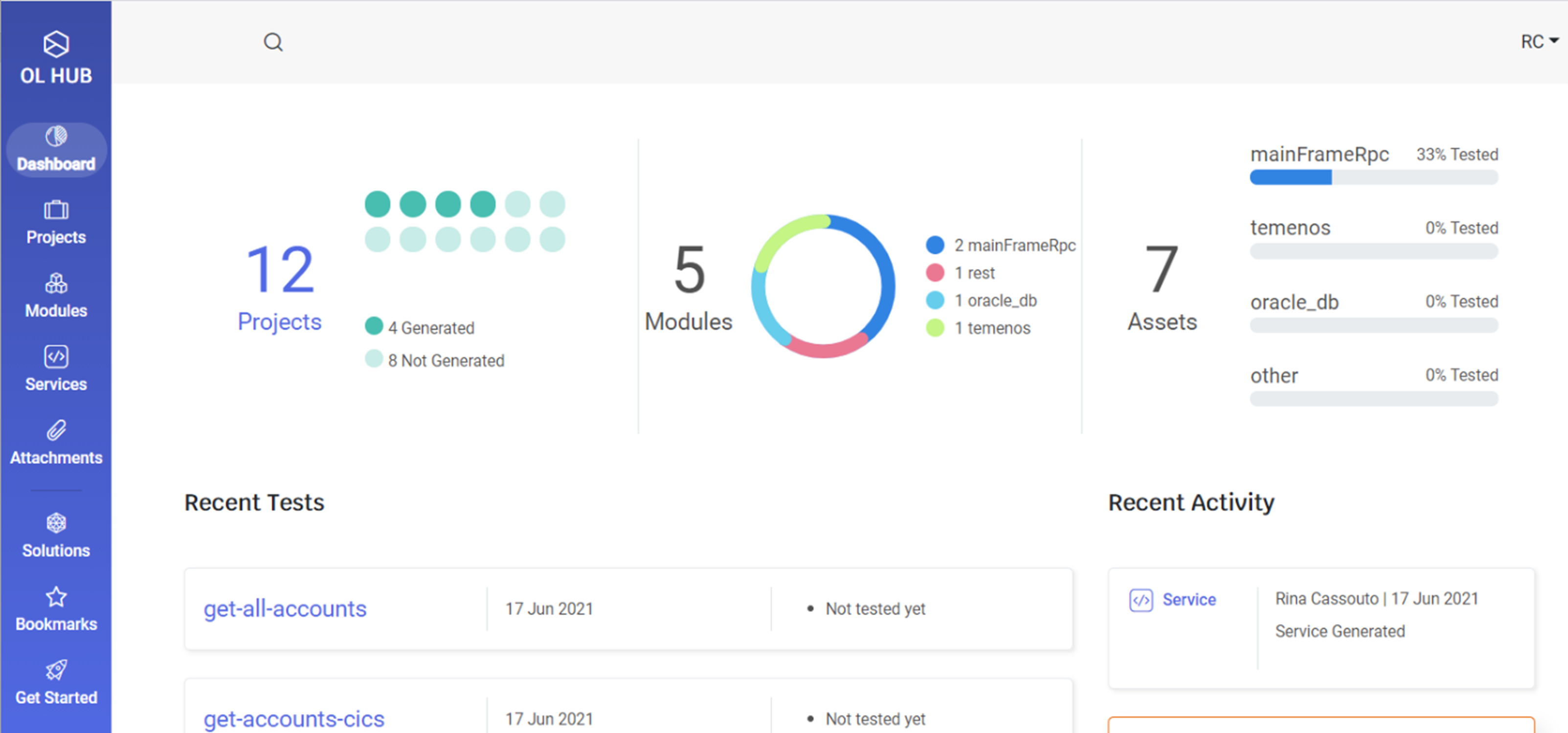
OpenLegacy takes a different approach to legacy modernization than code conversion or infrastructure migration tools. It wraps legacy systems with modern REST APIs and microservices that allow integration with contemporary applications, mobile apps, and cloud services.
Key features
- AI-powered insights: Uses machine learning to understand legacy application structure, data flows, and business logic patterns without needing complete documentation.
- Smart API controls: Includes API lifecycle management, security, throttling, and monitoring for published legacy integrations.
Pricing
OpenLegacy uses custom enterprise pricing based on the number of APIs, transaction volume, and deployment architecture.
Integration breakdown
OpenLegacy connects to mainframe CICS, IMS, MQ, and sequential files. Generated APIs deploy to Kubernetes, AWS, Azure, Google Cloud, or on-premise environments. While it serves different use cases than Launchpad’s focus on building modern B2B applications, it keeps legacy systems operating while exposing their functionality through modern interfaces.
Pros
- Rapid API development
- Zero changes to legacy systems, eliminating code transformation risk
- Uses AI to analyze legacy application screens and batch processes
Cons
- Creates an additional architectural layer between legacy systems and modern applications
- Ongoing API licensing costs
8. Astadia
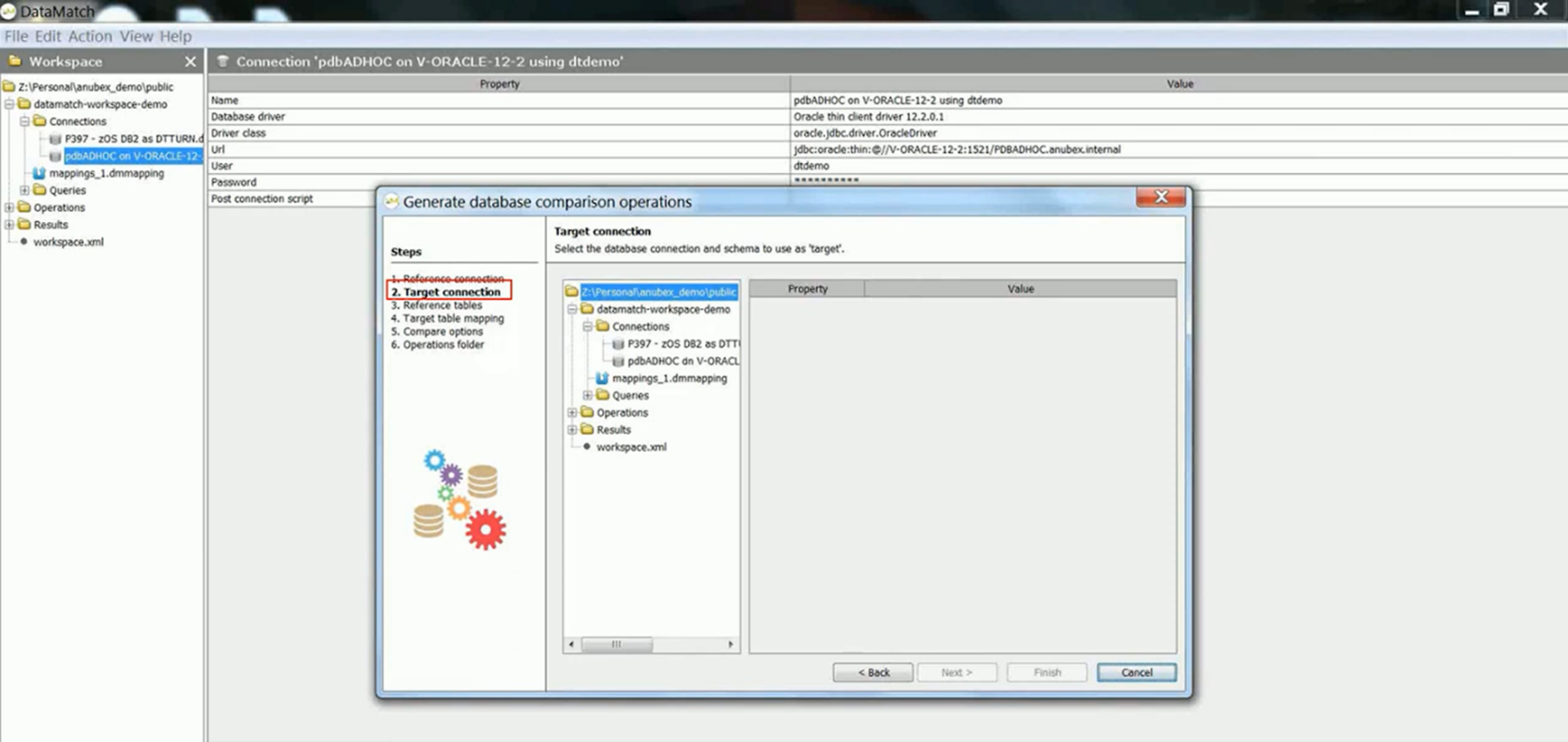
Astadia handles end-to-end migrations, including code transformation, data migration, testing, cutover, and post-migration support through a services-led engagement model. This full-service model takes pressure off internal IT teams, but often costs more and gives the organizations less control than if they were using the tools directly.
Key features
- End-to-end project management: Manages the complete project lifecycle from assessment through production cutover and stabilization.
- Multi-cloud modernization service: Migrates applications to AWS, Azure, or Google Cloud with infrastructure setup, containerization, and operational configuration included in service packages.
Pricing
Migrations with Astadia are enterprise-scale projects, with pricing based on application size, complexity, and timeline requirements.
Integration breakdown
Astadia converts mainframe data access from DB2, IMS, VSAM, and sequential files to SQL Server, Oracle, PostgreSQL, or cloud databases. Converted applications deploy to Linux, Windows Server, Docker containers, or cloud platforms with integration to AWS, Azure, and Google Cloud services.
Pros
- Fixed-price contracting options provide budget certainty for well-defined migrations
- Includes post-migration support and stabilization
- Offers full-service migration capabilities
Cons
- Less control over migration decisions
- Converted applications maintain legacy architectures, not cloud-native designs
9. Avanade AMT Application Modernization Toolkit
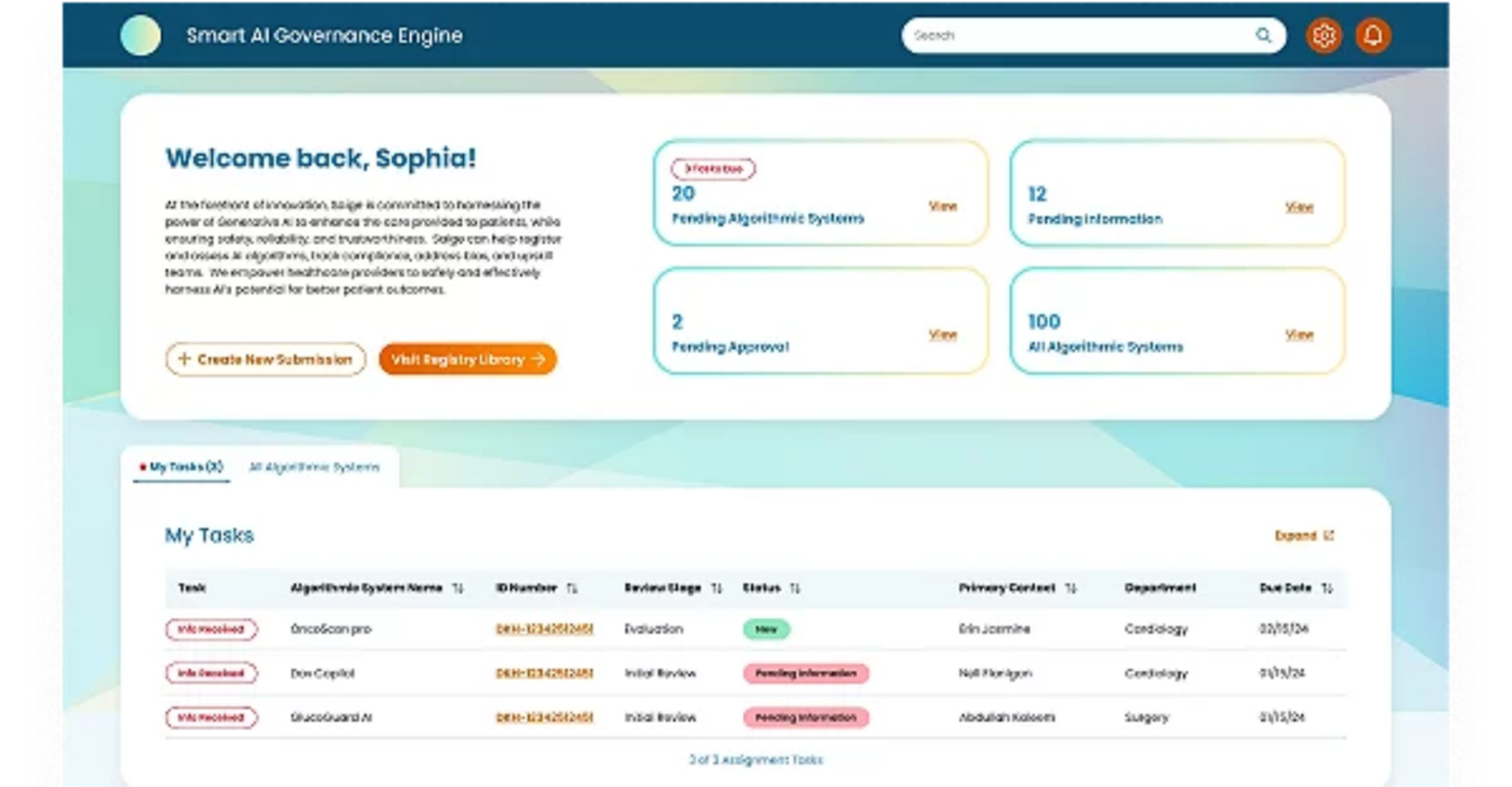
Avanade AMT provides application modernization services and tools specifically optimized for Microsoft technology stacks. It combines automated analysis tools with consulting services and focuses on transforming legacy applications to Azure cloud using .NET frameworks, with deep expertise in Microsoft ecosystem integration.
Key features
- Azure Transformation Hub: Deep expertise in .NET Framework to .NET Core migration, Azure cloud architecture, SQL Server modernization, and Microsoft toolchain integration.
- Smart Delivery Engine: Implements Azure DevOps pipelines, automated testing, and deployment automation as part of modernization projects.
Pricing
Avanade is usually used for enterprise modernization programs, with pricing including both tooling costs and professional services for assessment, implementation, and knowledge transfer.
Integration breakdown
Avanade AMT integrates deeply with the Microsoft ecosystem, including Azure cloud services, .NET development frameworks, SQL Server, and Azure DevOps. Unlike platforms like Launchpad that provide vendor-neutral REST API integration for broader ecosystem connectivity, this Microsoft-centric integration creates challenges when applications need connectivity to non-Microsoft systems.
Pros
- Provides holistic modernization support
- Combines strategic consulting services with a technical toolkit
- Accenture and Microsoft's backing provide enterprise credibility
Cons
- High consulting costs make Avanade accessible primarily to large enterprises
- Less valuable for organizations, non-Microsoft systems or heterogeneous technology stacks
10. Heirloom
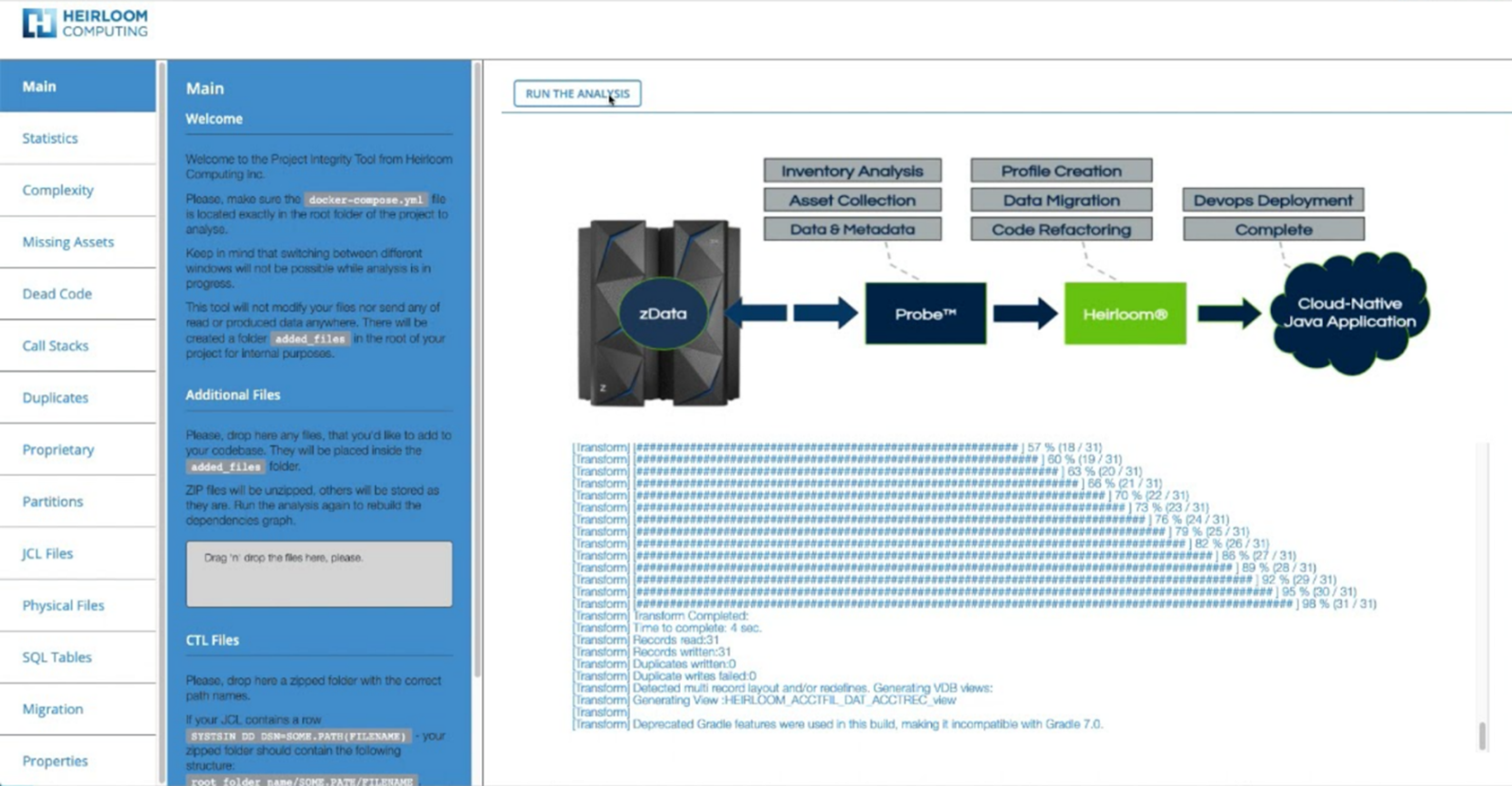
Heirloom transforms monolithic mainframe applications into Java microservices that run on Kubernetes. This approach allows organizations to gain cloud-native benefits while preserving business logic embedded in decades-old COBOL code.
Key features
- Smart Service Mapping: Analyzes legacy code to identify logical service divisions based on business functionality, data relationships, and transaction patterns.
- Microservice App Builder: Converts monolithic mainframe applications into multiple Java microservices rather than single large applications.
Pricing
Heirloom pricing is custom and project-based. It is negotiated based on application size, desired microservices architecture, and deployment requirements
Integration breakdown
Heirloom converts batch processing to containerized jobs on Kubernetes CronJobs or cloud-native batch services like AWS Batch. The platform also generates RESTful APIs using Spring Boot or similar frameworks, enabling integration with modern applications, mobile apps, and third-party services.
Pros
- Kubernetes-native deployment built for cloud environments
- Delivers production-ready cloud infrastructure from day one
- Modern operational visibility, improving troubleshooting capabilities
Cons
- Difficult to change service boundary decisions made during the transformation
- Complex microservice capabilities
11. The Software Revolution Inc (TSRI)
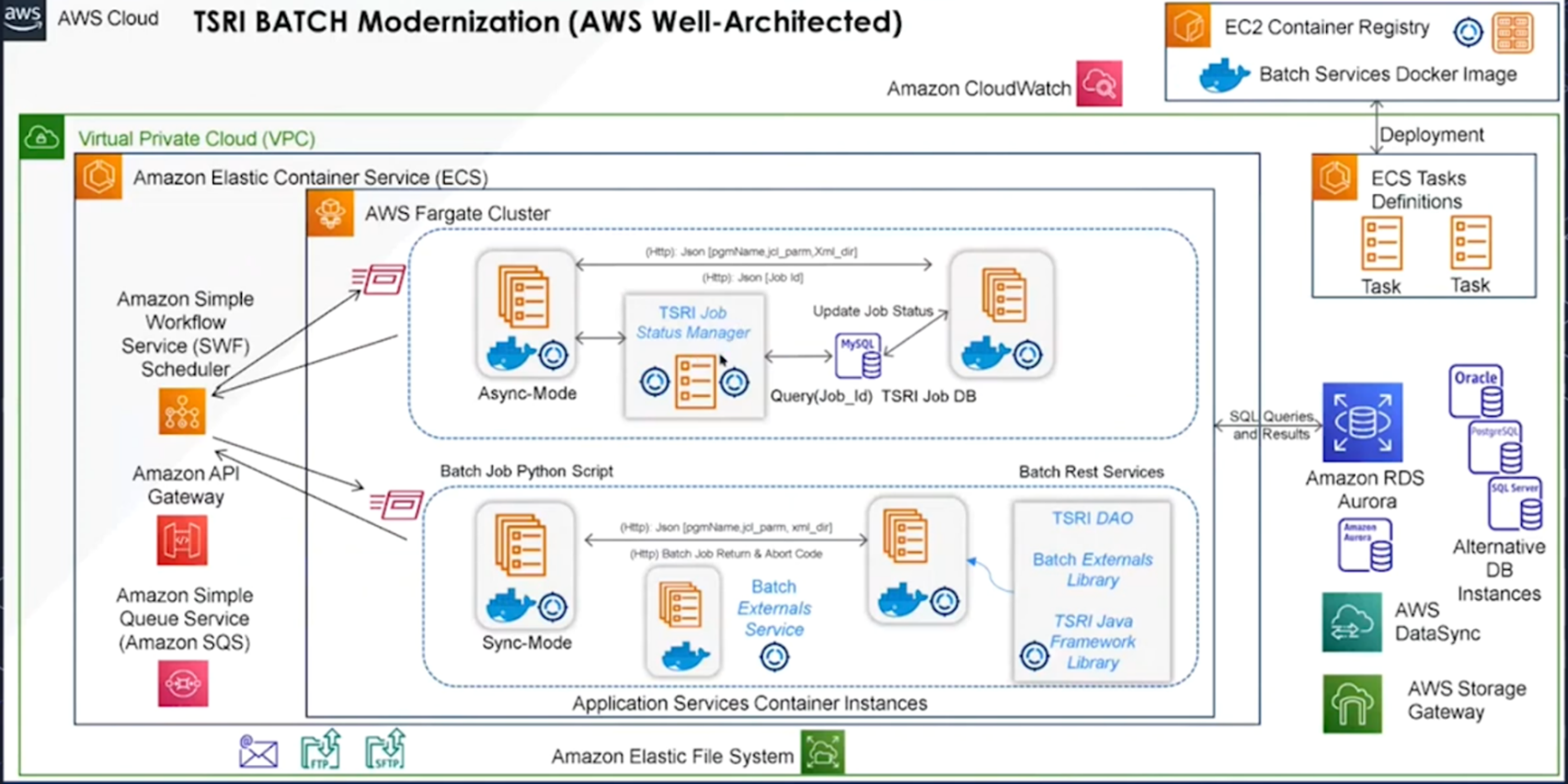
TSRI restructures legacy code into modern object-oriented design, helping transform procedural COBOL into maintainable Java classes that follow contemporary software engineering practices. TSRI typically handles projects as a service rather than selling software licenses, managing the complete transformation process from analysis through testing and deployment.
Key features
- Object-oriented restructuring: Restructures legacy code into object-oriented architectures rather than producing literal translations
- Cloud-native app deployment: Deploys transformed applications to AWS, Azure, or Google Cloud with containerization and cloud-native operational patterns.
Pricing
TSRI uses project-based pricing determined by the application’s size, complexity, and transformation requirements.
Integration breakdown
TSRI transforms mainframe data access from DB2, IMS, and VSAM to SQL Server, Oracle, PostgreSQL, or cloud databases using standard JDBC or ADO.NET patterns. It converts CICS transactions and batch processing to equivalent Java or C# application logic.
Pros
- Full-service delivery model handles the complete project lifecycle
- Reduces the burden on internal teams
- Maintains exact functional behavior while improving code quality
Cons
- Organizations have less control over tools
- May be expensive for smaller enterprises
12. Micro Focus Enterprise Suite by Opentext
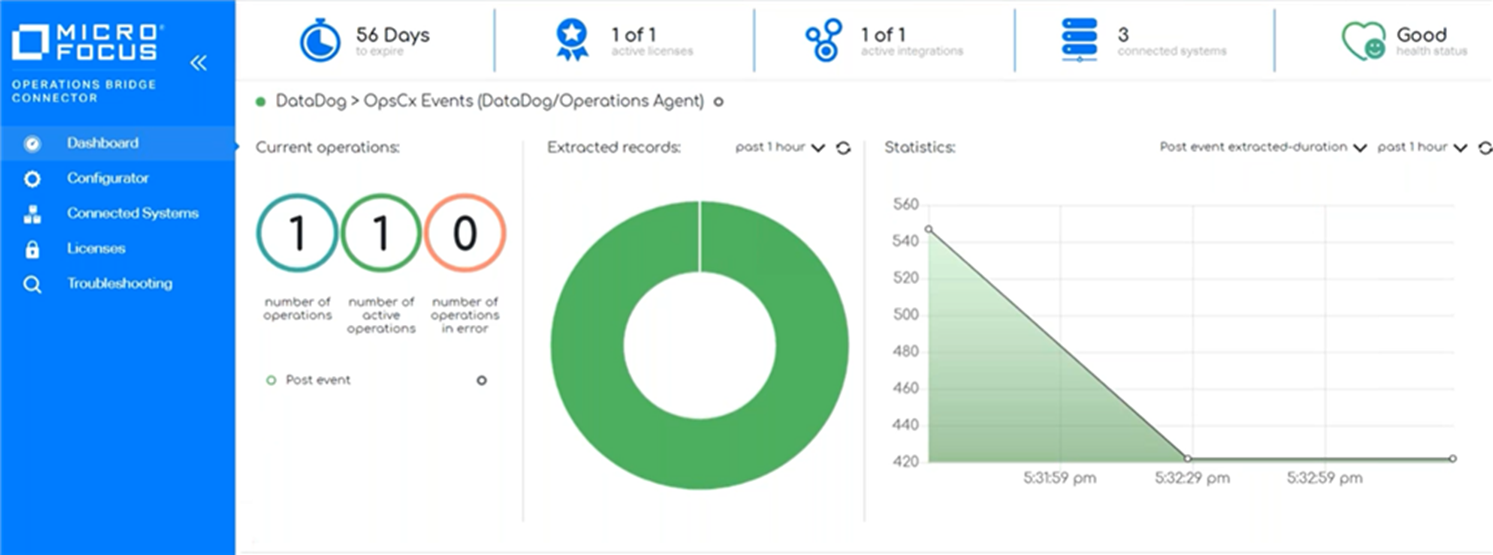
With Micro Focus Enterprise Suite, teams can keep applications on the mainframe while improving development processes, refactoring code, or completely rewriting applications using modern frameworks. A COBOL program compiled with Micro Focus produces identical results whether running on a z/OS mainframe, Linux server, or containerized cloud environment.
Key features
- Cross-platform execution: Runs mainframe applications on Linux, Windows, or cloud infrastructure without code changes
- Replay-based testing: Provides record-and-playback testing, which reduces the manual QA burden that makes legacy modernization projects risky
Pricing
Micro Focus uses custom enterprise licensing based on CPU capacity, number of users, and specific products deployed from the suite.
Integration breakdown
Micro Focus integrates with mainframe data sources, including DB2, IMS, VSAM, and sequential files. It connects to modern development tools like Visual Studio, Eclipse, Git, Jenkins, and Azure DevOps for CI/CD pipelines
Pros
- Flexible modernization pathways support multiple strategies
- Comprehensive tooling covers testing, deployment, and operations rather than requiring integration of multiple vendor products to complete modernization initiatives
Cons
- Complex product suite with steep learning curve demands
- Requires continued COBOL and mainframe expertise even after modernization
Our selection criteria for these 12 legacy modernization tools
After reviewing several legacy modernization platforms through vendor documentation and technical specifications, we selected these 12 based on:
- Modernization approach flexibility: We prioritized tools that support rehosting, refactoring, API integration, or complete transformation.
- Compliance and security certifications: Organizations in regulated industries need platforms with documented compliance, not vague security promises. And so, we verified that each platform adheres to industry compliance standards, including SOC 2, ISO 27001, GDPR, and HIPAA, where applicable.
- Time to value and business continuity: We assessed how quickly each platform delivers ROI without disrupting ongoing business operations.
- Post-modernization capabilities: We considered whether modernized applications support AI/ML workflows, modern DevOps practices, and cloud-native scaling.
How to choose the best legacy modernization tools for your migration needs
Selecting the right legacy modernization tool determines whether your project delivers value or becomes another failed IT initiative. Before investing, we suggest you evaluate platforms based on these five criteria:
- Assess your system complexity: Determine whether your legacy applications require complete refactoring or if simpler rehosting suffices.
- Define your modernization strategy: Choose platforms that only support your specific approach, whether rehosting to cloud infrastructure, refactoring code to modern languages, or completely rebuilding applications.
- Evaluate time-to-value: Platforms that support incremental modernization, automated testing, and phased cutovers reduce business risk.
- Confirm compliance needs: CYour platforms should meet your industry's regulatory standards, including GDPR, HIPAA, or ISO 27001 certifications.
- Adopt modular architecture: Support iterative deployment and testing during modernization to reduce downtime and rollback risk.
Choose Launchpad for your legacy modernization needs today
Most legacy modernization tools only solve part of the modernization challenge. Cloud migration services like Azure Migrate move workloads but leave you managing complex infrastructure, while API integration platforms like OpenLegacy expose legacy functionality but increase dependency on aging systems.
Launchpad does things differently. It rebuilds workflow-centric applications on modern cloud-native architecture while preserving the business logic, eliminating the need for fragmented tools. Sign up for free today to explore how Launchpad can support your legacy modernization project.
Frequently asked questions about legacy modernization tools
1. How did legacy modernization become important?
70% of the software operated by Fortune 500 businesses was created in the early 2000s. Growing challenges, like rising technical debt and cybersecurity risks, and market disruption, make modernization necessary for operational growth and continuity.
2. How long does modernization take?
The timeline varies dramatically based on modernization approach and application complexity. With Launchpad’s pre-built infrastructure, automated workflow generation, and ready-to-deploy multi-tenant architecture, you can eliminate the three to six months of setup work that cloud platforms require before application development even begins.
3. What is the difference between legacy modernization and cloud migration?
Cloud migrations move existing applications to cloud infrastructure without changing application code or architecture. Legacy modernization, on the other hand, handles how applications are built, which often involves code transformation, architectural designs, or complete rebuilding on modern platforms.
About the Author
The Launchpad Team empowers companies to build enterprise-grade, AI-powered software that automates work and delivers measurable outcomes—helping them move from idea to market faster.