

Quick summary
AI app builders let software companies build and ship products in days instead of months. This guide explores the 24 best AI app builders for 2026, comparing their capabilities for workflow automation, enterprise features, pricing models, and production readiness for teams building B2B SaaS products.
Shortlist: top AI app builders
|
# |
Tool |
Best For |
Starting Price |
|
1 |
Launchpad |
B2B SaaS products with enterprise infrastructure |
$900/month |
|
2 |
Bolt.new |
Rapid full-stack prototyping |
$25/month |
|
3 |
Lovable |
Fast MVP development |
$25/month |
Looking for the best AI app builder for commercial software?
AI app builders have matured to the point that even complex B2B applications with workflow automation can be launched without traditional full-stack development teams. The software development market is shifting rapidly as AI-powered platforms reduce time-to-market from months to weeks.
Yet not all AI app builders are equal. Some generate quick prototypes that introduce technical debt, while others support enterprise-grade, production-ready commercial software from day one.
In this guide, we've researched and tested 24 AI app builders to understand their capabilities, pricing, and suitability for software companies building commercial B2B SaaS products.
Why listen to us?
At Launchpad, we're built by Pegasystems, which has 40 years of experience building enterprise workflow software for the world's largest companies. We've analyzed every major AI app builder in terms of production readiness, workflow capabilities, infrastructure maturity, and pricing transparency for commercial software development.
It was love at first sight - the idea of a low-code platform that's got a lot of what we need already built in and that enables faster development cycles and takes care of all the heavy lifting.
-Sanjay Agarwal, Founder & CEO, Fielo
This guide reflects real-world experience helping software companies like Rules Cube build enterprise applications 4× faster using only one-third of the typical development team.
15 Best AI app builders for product teams and agencies in 2026
|
# |
Platform |
Type |
Deployment |
AI Features |
Production Ready |
Starting Price |
|
1 |
Launchpad |
Enterprise platform |
Cloud (AWS) |
Blueprint generation, workflow AI |
Yes |
$900/mo |
|
2 |
Bolt.new |
Full-stack generator |
Cloud |
Complete app generation |
Prototype |
$25/mo |
|
3 |
Lovable |
Frontend builder |
Cloud |
UI generation |
MVP |
$25/mo |
|
4 |
Cursor |
Code assistant |
Local |
Context-aware completion |
Yes |
$20/mo |
|
5 |
Replit Agent |
Conversational builder |
Cloud |
Natural language coding |
MVP |
$20/mo |
|
6 |
v0 by Vercel |
Component generator |
Cloud |
React generation |
Components only |
$20/mo |
|
7 |
GitHub Copilot |
Code assistant |
Local |
Code completion |
Yes |
$4/mo |
|
8 |
Builder.ai |
Full-stack platform |
Cloud |
Assembly-based building |
Yes |
$30/mo |
|
9 |
FlutterFlow |
Mobile builder |
Cloud |
Screen generation |
Mobile apps |
$15.60/mo |
|
10 |
Bubble |
Visual builder |
Cloud |
AI-assisted building |
Yes |
$59/mo |
|
11 |
Mendix |
Enterprise ISV platform |
Cloud/On-prem |
Visual dev with AI |
Yes |
€900/mo |
|
12 |
Xano |
Backend platform |
Cloud |
Visual API builder |
Yes |
$99/mo |
|
13 |
Flatlogic |
Full-stack generator |
Cloud |
AI app generation |
Yes |
$18/mo |
|
14 |
OutSystems |
Enterprise platform |
Cloud/On-prem |
AI-assisted development |
Yes |
~$36k/year |
|
15 |
Emergent |
AI-native builder |
Cloud |
Autonomous agents |
Yes |
$17/mo |
1. Launchpad
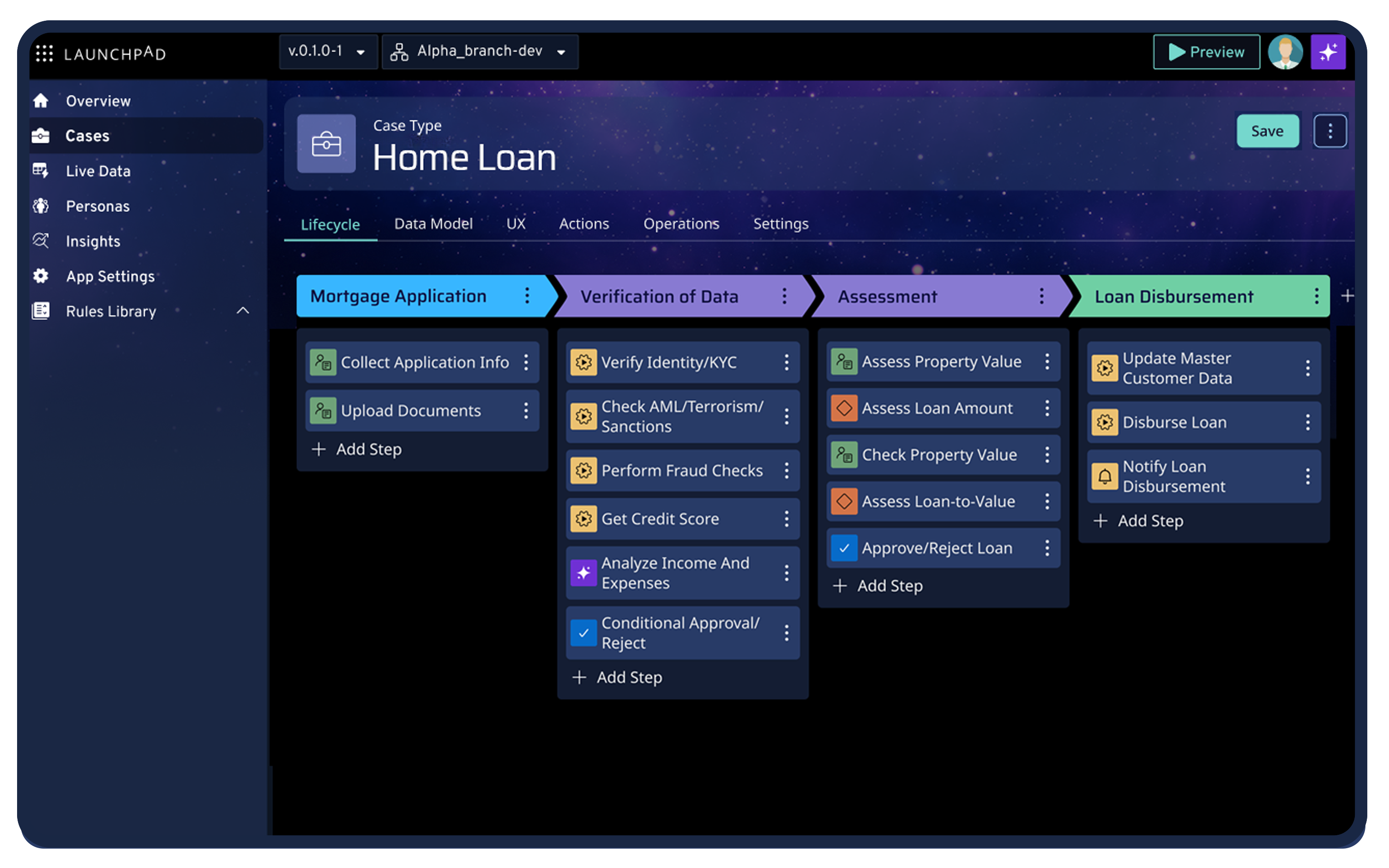
Launchpad is an AI-powered platform for building commercial B2B SaaS products. The platform provides production-ready infrastructure from day one, unlike tools that only generate prototypes.
GenAI Blueprint generates app blueprints from natural language descriptions. You describe your requirements, and Blueprint creates case types, data models, workflows, personas, and sample data.
Launchpad focuses on workflow orchestration. The platform supports multiple processes within a single stage, conditional process execution, and long-running workflows. You can embed AI inside workflows to evaluate documents, determine routing, generate recommendations, and execute actions autonomously.
The platform handles subscriber management with identity management, usage reporting, and configuration tools. The multitenant architecture provides strict separation between tenants through isolated Firecracker environments in dedicated AWS accounts.
Companies like Digital FastForward and Espero use Launchpad to ship commercial software in less time.
Key features
- Agentic AI inside workflows: Evaluates documents, routes approvals, generates recommendations, and executes actions without manual handoffs.
- Model-driven workflow automation: Builds conditional, long-running workflows with AI-powered routing instead of heavy custom code.
- Secure data modeling: Supports embedded objects, relationships, and attachments with built-in security policies and access controls
- OpenAPI auto-generated integrations: Creates integrations from OpenAPI specs and uses AI to extract and map data efficiently.
- AI-powered notifications: Generates dynamic notification steps with AI-written content based on real workflow data.
- AI expression assistant: Converts natural language into executable logic and explains existing expressions for faster iteration.
- Production-ready infrastructure: Provides managed cloud hosting, database, multitenancy, security, and auto-scaling from day one.
Pricing
Launchpad uses AWS-style usage-based pricing. Average contract value starts at $900/month. There's a free tier (Explore) for prototyping.
Read more to predict AI features costs
Pros
- Model-driven workflow automation handles complex business processes without custom code
- Usage-based pricing starts at $900/month and scales with revenue
- Enterprise-grade features that typically take 6-12 months to build are pre-configured
- Backed by Pega's 40-year enterprise software reputation
Cons
- Focused specifically on B2B workflow-centric applications
- Engineers who prefer full control over every code layer may find abstraction limiting
2. Bolt.new
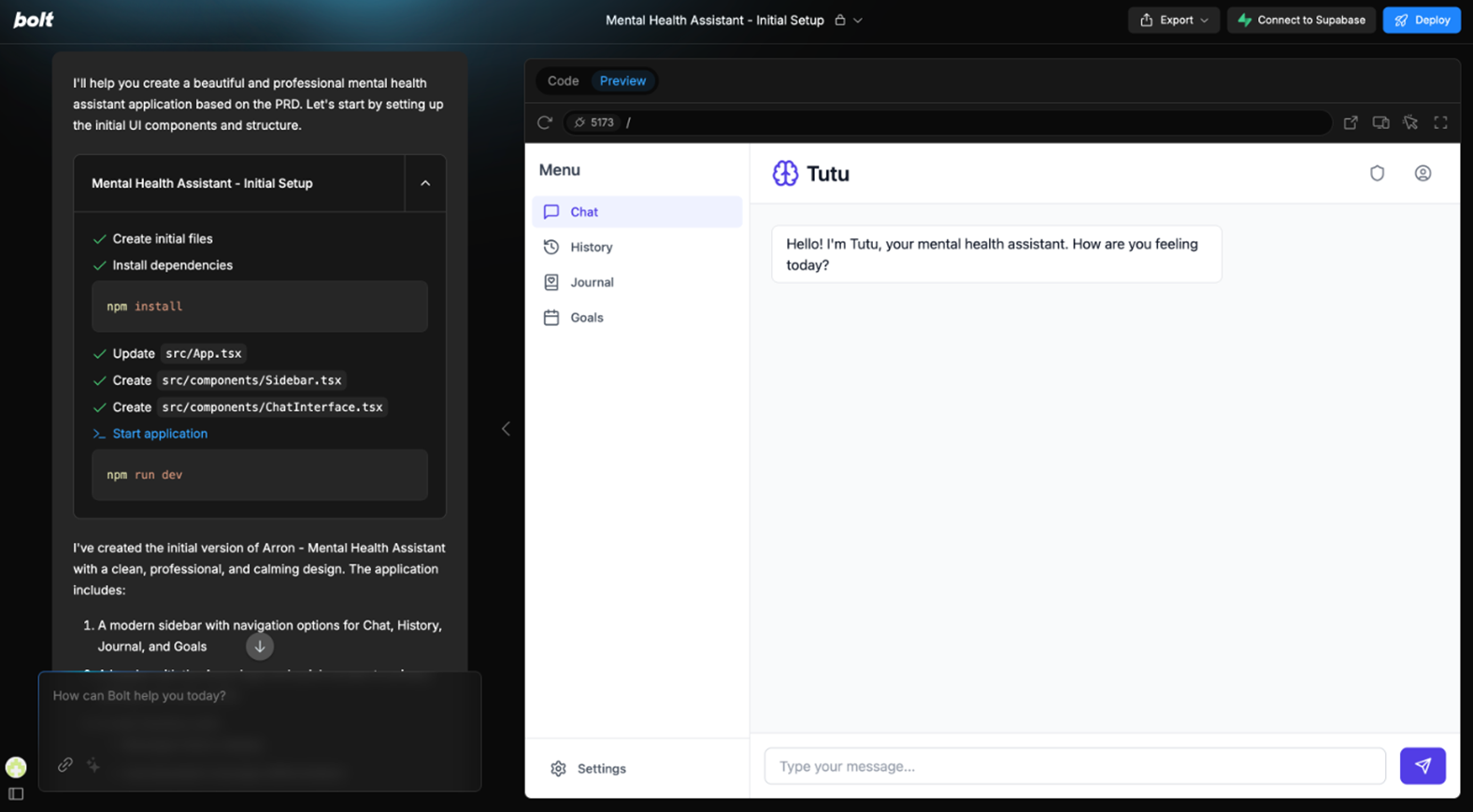
Bolt.new generates complete full-stack applications from text prompts. Describe what you want to build, and the platform generates a working prototype with frontend and backend logic, as well as deployment.
The platform runs entirely in your browser using WebContainers technology. You can iterate on generated code by asking for changes in natural language, and Bolt implements them in real-time.
Unlike traditional code generators that dump files locally, Bolt.new provides instant deployment. Every change goes live immediately through a shareable URL.
Key features
- Natural language iteration: Refines applications through conversational commands.
- Multi-framework support: Generates applications in React, Vue, Svelte, Next.js, and other modern frameworks from a single prompt.
- NPM package integration: Installs and configures dependencies as you describe features that need them.
- Live editing: Updates code and preview simultaneously without manual refresh or rebuild steps.
Pricing
Bolt offers four pricing options: Free ($0/month), Pro ($25/month), Teams ($30 per member/month), and Enterprise (custom pricing).
Pros
- Fastest path from idea to working prototype
- No local setup required
- Great for validating concepts quickly
Cons
- Generated code quality varies significantly
- Not designed for production deployment at scale
- Limited customization once generated
- No enterprise features like multitenancy or advanced security
3. Lovable (formerly GPT Engineer)
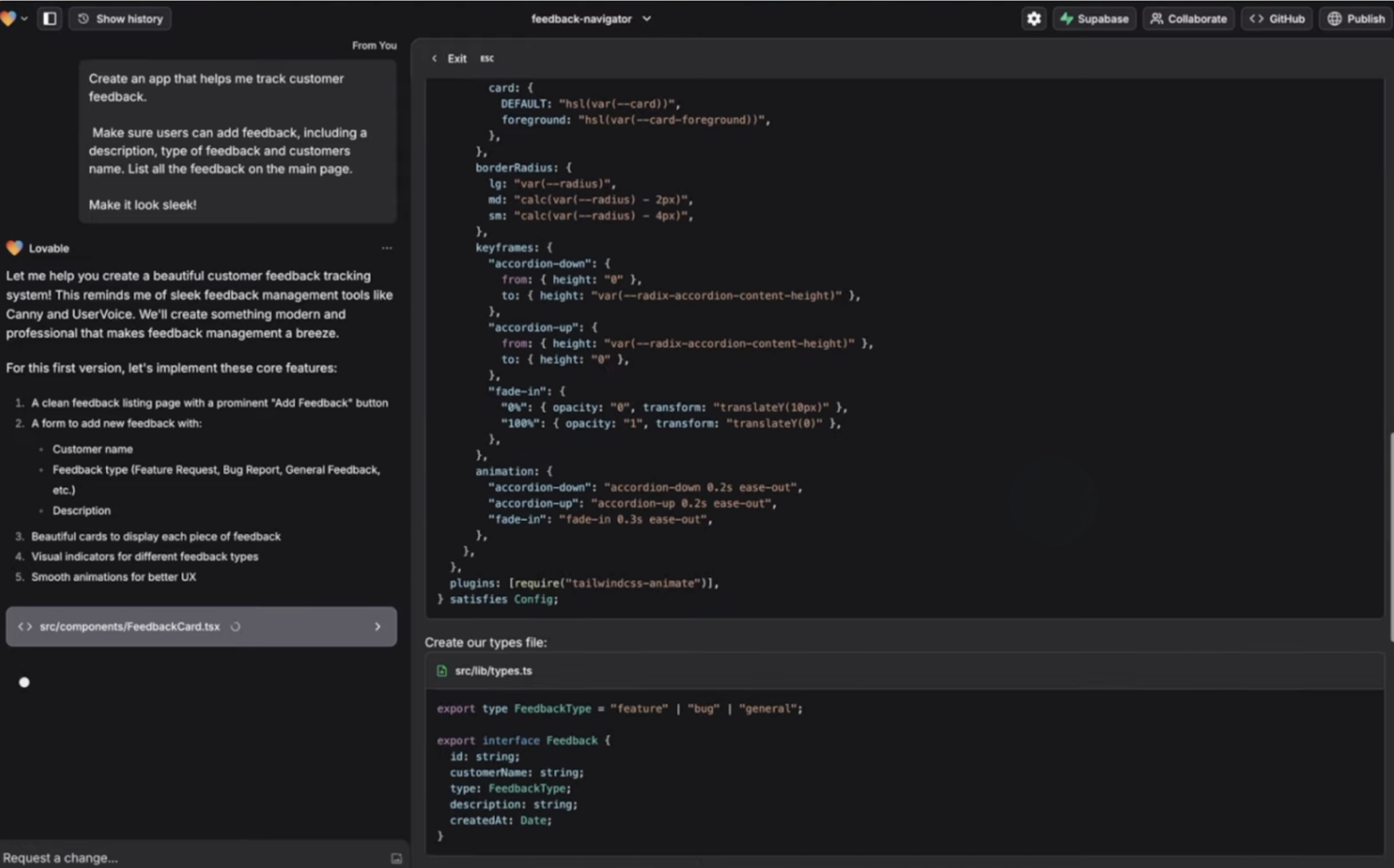
Lovable focuses on generating polished frontend interfaces from descriptions. The platform creates React components with Tailwind styling, then scaffolds basic backend functionality.
The AI understands design patterns and generates interfaces that look professional without manual styling. You describe the user flow, and Lovable builds the screens, navigation, and interactions.
Key features
- GitHub repository sync: Automatically commits generated code to your GitHub repository with every change for version control.
- Supabase RLS scaffolding: Creates Row-Level Security policies in Supabase for multi-tenant data isolation.
- Conversational refinement: Modifies UI components, data models, and logic through simple chat commands without technical syntax.
- Design pattern recognition: Understands common UX patterns like dashboards, forms, and tables to generate appropriate layouts.
Pricing
Lovable offers four plans: Free ($0/month), Pro ($25/month), Business ($50/month), and Enterprise (custom pricing).
Pros
- Produces visually polished interfaces quickly
- Good for MVP development
- Reasonable pricing for indie developers
Cons
- Backend capabilities are limited compared to the frontend
- Struggles with complex business logic
- No built-in deployment infrastructure
- Manual work is required for production readiness
4. Cursor
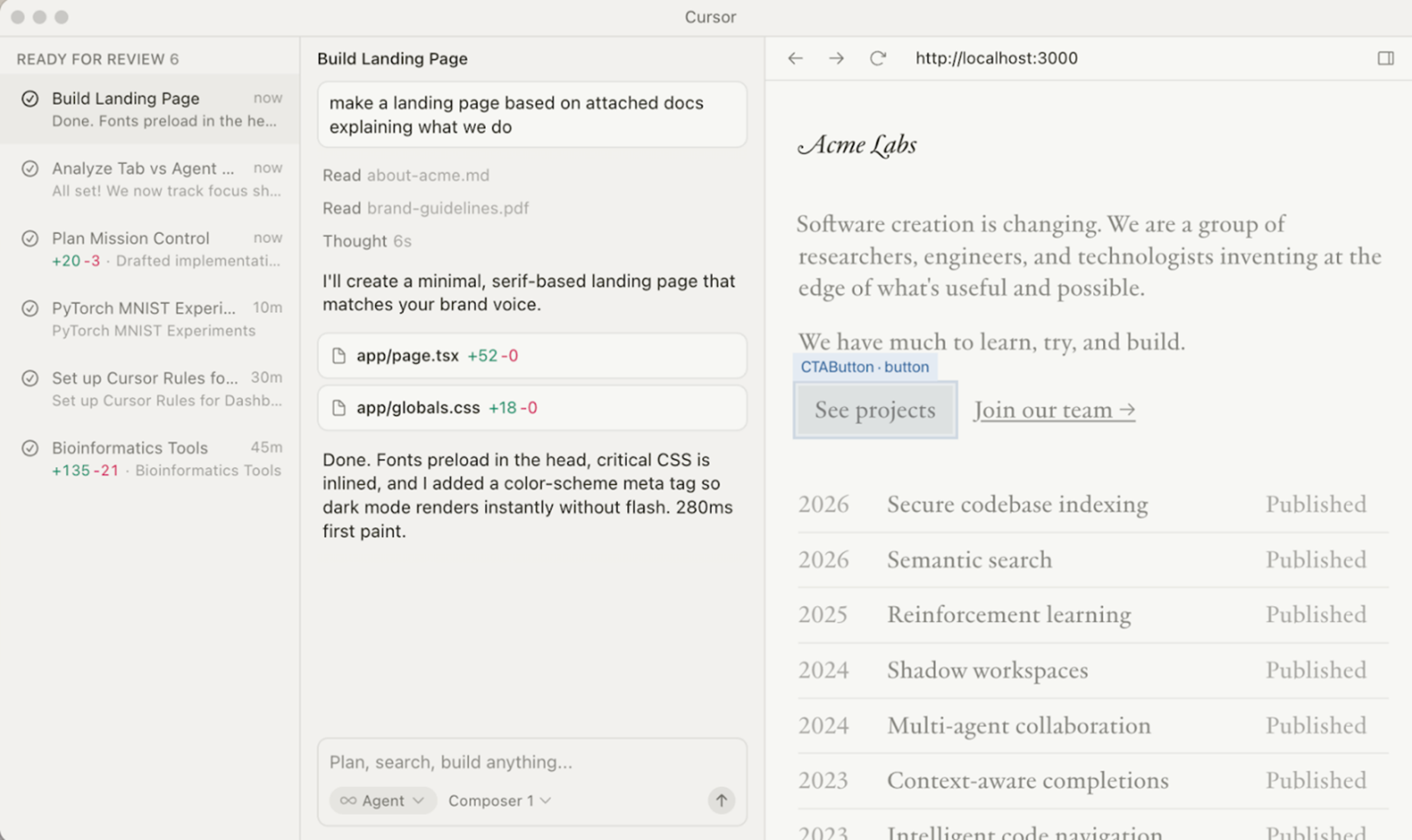
Cursor is an AI-powered code editor built on VS Code. Unlike app builders that generate entire applications, Cursor assists developers in writing code through intelligent completion, code explanation, and refactoring suggestions.
The platform maintains context across your entire codebase. When you ask Cursor to implement a feature, it understands your project structure, coding patterns, and dependencies.
Cursor works with any language or framework. It's a tool for experienced developers who want AI assistance, not a replacement for coding knowledge.
Key features
- Codebase Indexing: Maintains semantic understanding of your entire project to suggest contextually relevant code.
- Composer Mode: Edits multiple files simultaneously while maintaining consistency across your codebase architecture.
- Terminal Integration: Executes commands and debugs errors directly from AI suggestions without switching windows.
- Diff View: Shows proposed changes side-by-side before applying them, preventing unexpected modifications.
- Custom Model Selection: Switches between Claude, GPT-4, and other models based on task requirements.
- Privacy Mode: Processes code locally without sending to external servers for sensitive projects.
Pricing
Cursor offers four plans: Hobby (Free), Pro ($20/month), Pro+ ($60/month), and Ultra ($200/month).
Pros
- Works with existing codebases and workflows
- Maintains full developer control
- Excellent for experienced engineers
Cons
- Requires coding knowledge to use effectively
- Not a complete app builder, assistance tool only
- Learning curve for maximizing AI features
5. Replit Agent
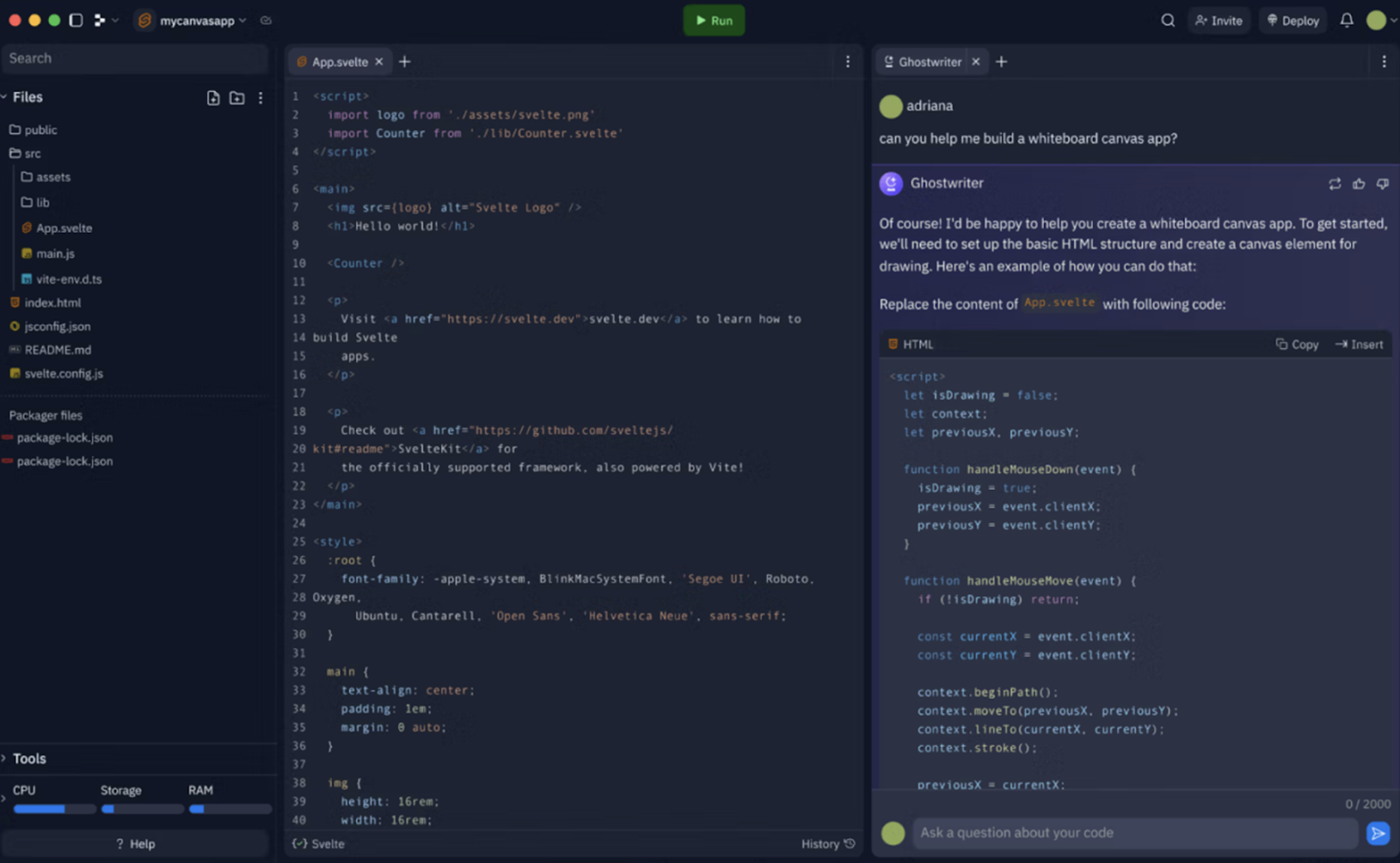
Replit Agent lets you build applications through conversation. Describe what you want, and the AI writes code, creates files, installs packages, and handles configuration.
Unlike code completion tools, Replit Agent takes full actions autonomously. It can build complete features, debug issues, and deploy applications without manual intervention.
The platform includes hosting infrastructure. Applications built with Replit Agent deploy automatically to Replit's cloud.
Key features
- Extended Thinking Mode: Runs complex reasoning tasks for up to 200 minutes with self-supervision.
- Built-In Authentication: Provides ready-to-use user auth systems that connect to your database automatically.
- Stripe Integration: Configures payment processing without storing API keys in your codebase.
- Automatic Debugging: Analyzes backend logs and fixes errors autonomously without human intervention.
- Deployment Monitoring: Tracks compute unit usage and provides billing transparency before deployment.
Pricing
Replit offers four plans: Starter (Free), Replit Core ($20/month billed annually), Teams ($35 per user/month billed annually), and Enterprise (custom pricing).
Pros
- Accessible to non-technical users
- Handles full development lifecycle
- Built-in hosting and deployment
Cons
- Generated code quality inconsistent
- Limited control over architecture decisions
- Replit hosting is less flexible than major cloud providers
- Not designed for enterprise-scale applications
6. v0 by Vercel
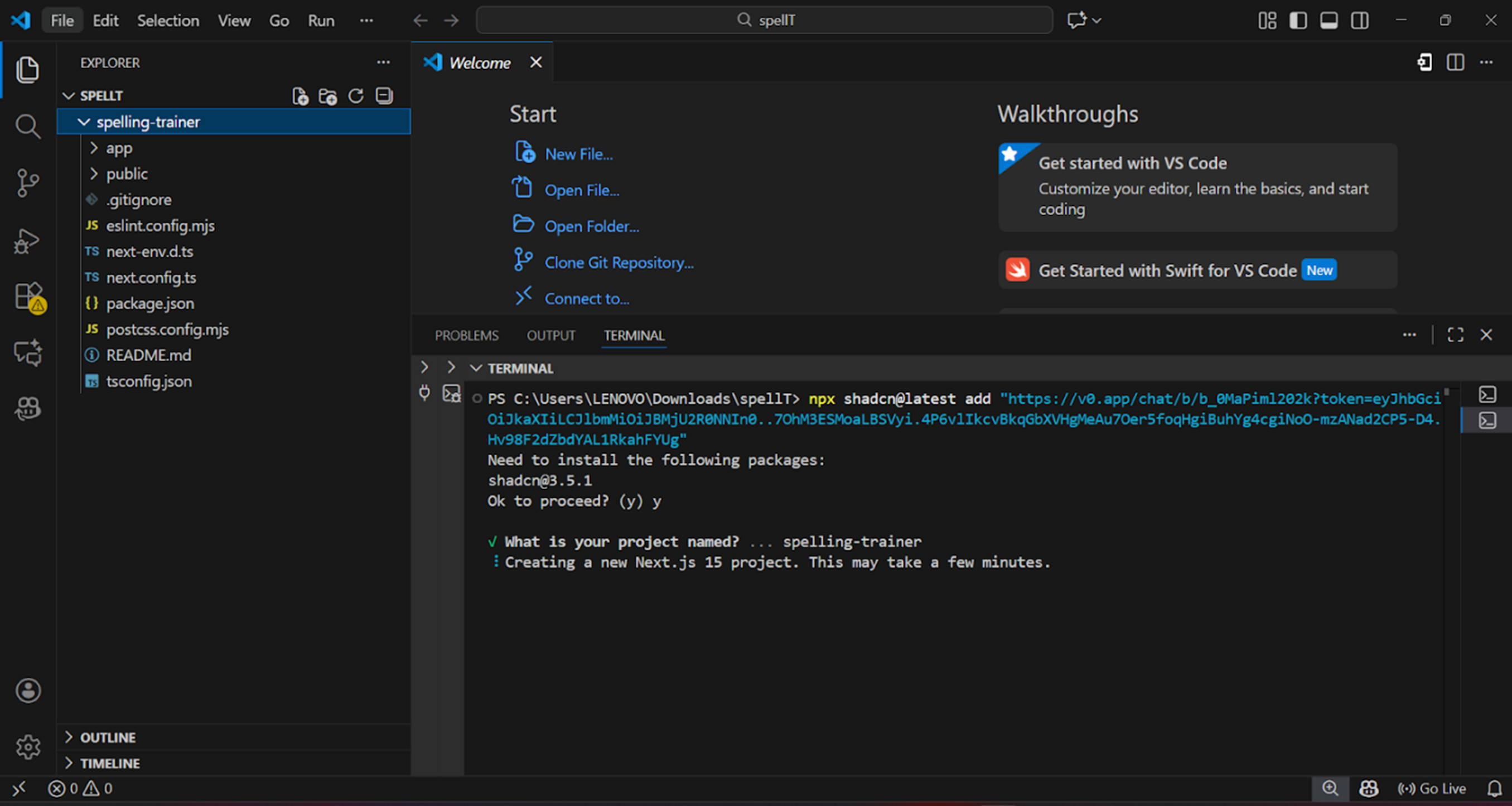
v0 generates React components from text descriptions or screenshots. Describe a UI element, and v0 produces production-quality React code using shadcn/ui components and Tailwind CSS.
The platform specializes in frontend components, not complete applications. You integrate generated components into existing projects.
v0 understands modern React patterns including hooks, server components, and TypeScript. Generated code follows best practices and includes accessibility features.
Key features
- Screenshot to Component: Uploads design mockups or existing UI screenshots to generate matching React code.
- Shadcn/UI Standards: Uses the shadcn/ui component library for consistent, production-ready design systems.
- Dark Mode Support: Generates components with automatic dark mode variants using CSS variables.
- Responsive Design: Creates mobile-first layouts that adapt across breakpoints without additional prompting.
- Accessibility Annotations: Includes ARIA labels, semantic HTML, and keyboard navigation in generated components.
- Version History: Tracks all iterations of generated components for rollback and comparison.
Pricing
v0 by Vercel offers two types of pricing plans:
- Individuals: Free ($0/month), Premium ($20/month)
- Teams: Team ($30/user/month), Business ($100/user/month), Enterprise (custom pricing)
Pros
- Highest quality UI component generation
- Integrates with existing React projects
- Code follows modern best practices
- No vendor lock-in, standard React code
Cons
- Components only, not full applications
- No backend functionality
- Requires React knowledge to integrate
- Limited to Vercel's design system choices
7. GitHub Copilot
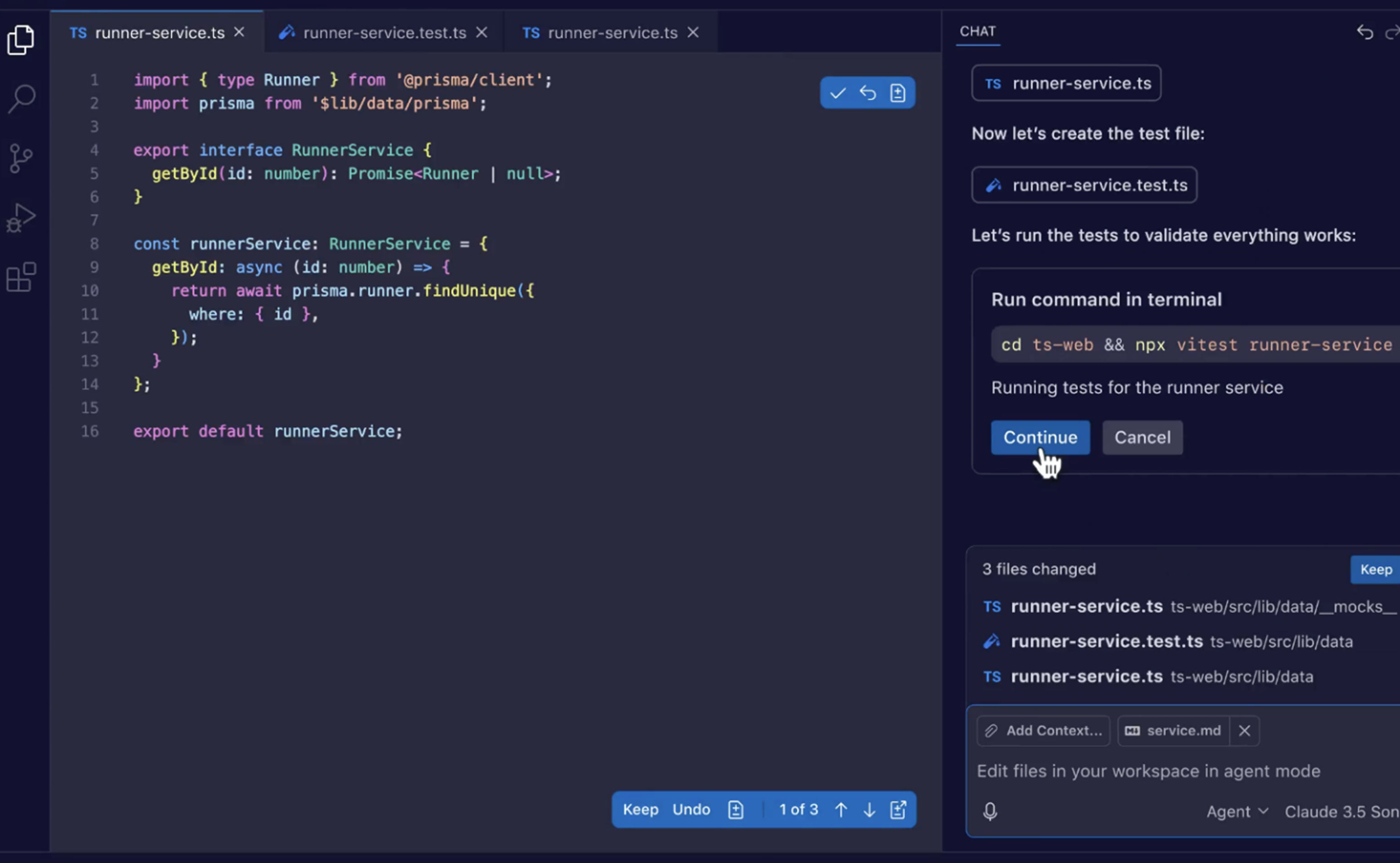
GitHub Copilot provides AI-powered code suggestions directly in your IDE. As you type, Copilot suggests completions ranging from single lines to entire functions.
The platform trains on public code repositories, learning patterns from millions of projects. It suggests contextually relevant code based on your file content, comments, and function names.
Copilot works with all major programming languages and integrates with VS Code, Visual Studio, Neovim, and JetBrains IDEs.
Key features
- Inline Documentation: Generates code comments and documentation as you write functions.
- Test Case Generation: Creates unit tests automatically based on your function signatures and logic.
- Code Translation: Converts code between programming languages while maintaining functionality.
- Vulnerability Detection: Identifies security issues and suggests fixes based on OWASP guidelines.
- API Usage Examples: Provides code snippets for unfamiliar libraries based on official documentation.
- Enterprise Code Filtering: Excludes suggestions that match public code patterns for IP protection (Enterprise plan).
Pricing
GitHub Copilot offers three plans: Free ($0/user/month), Team ($4/user/month), and Enterprise (starting at $21/user/month).
Pros
- Accelerates coding for experienced developers
- Works with existing workflows and tools
- Broad language and framework support
- Low learning curve, just start typing
Cons
- Assistance tool, not app builder
- Requires programming expertise
- Suggestions are sometimes incorrect or outdated
- Potential licensing concerns with generated code
8. Builder.ai
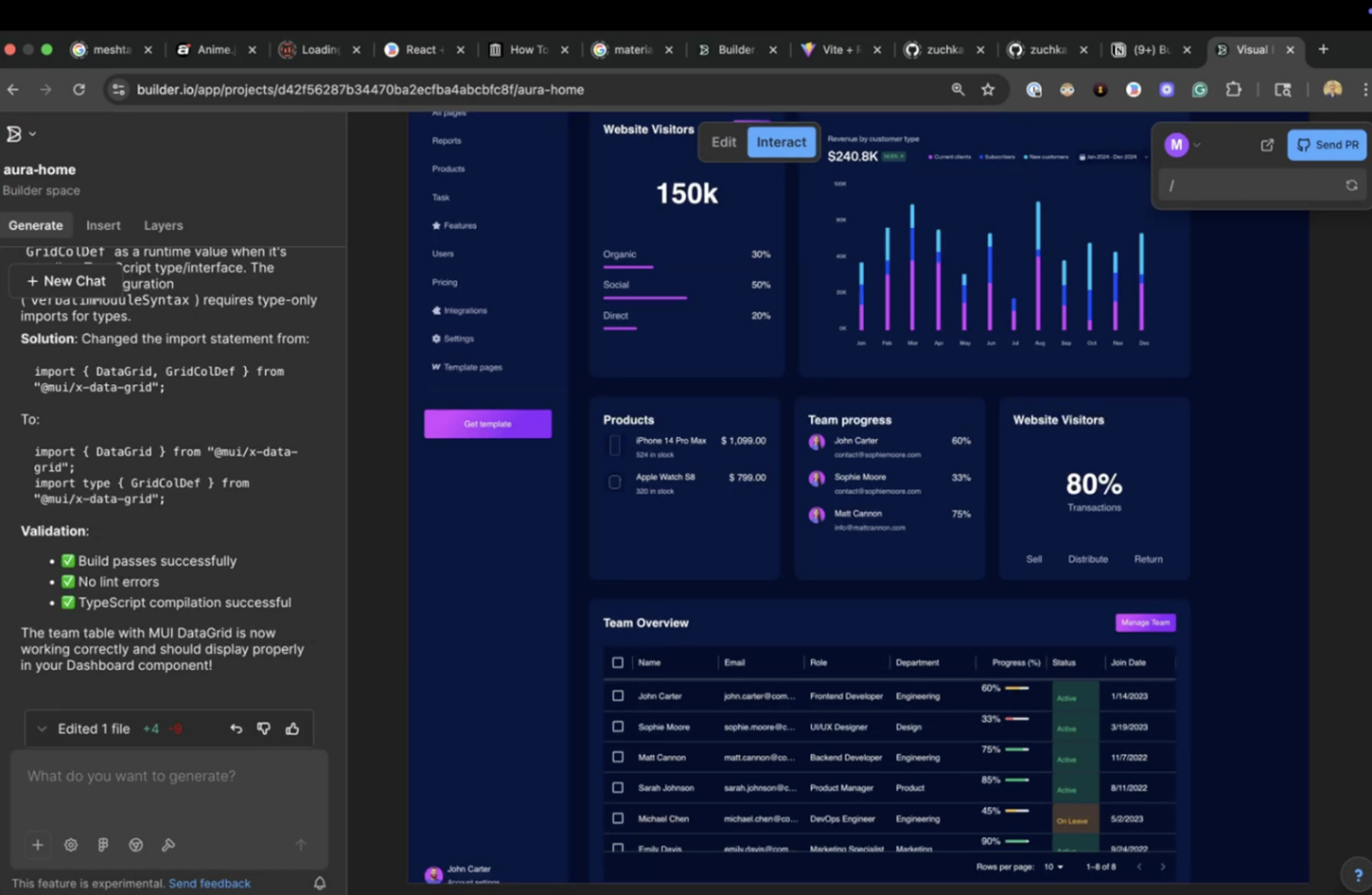
Builder.ai uses an assembly approach to app building. Instead of generating custom code from scratch, the platform combines pre-built, tested components called building blocks.
You describe your requirements through a guided process. Builder.ai's AI selects appropriate building blocks, then human developers customize and assemble them into your application.
This hybrid AI-human approach aims to deliver production-quality applications faster than traditional development while avoiding the quality issues of pure AI generation.
Key features
- Assembly-Based Development: Combines pre-tested, reusable components instead of generating custom code from scratch.
- AI-Powered Requirements Gathering: Uses AI to understand your needs and recommend appropriate building blocks.
- Human Developer Integration: Professional developers customize and assemble components for production quality.
- Full Project Management: Includes end-to-end project coordination from requirements to deployment.
- Deployment Services: Handles application deployment and infrastructure setup.
- Ongoing Maintenance: Provides continuous support and updates after launch.
Pricing
Builder.ai offers four plans: Free ($0/user/month), Pro ($30/user/month), Team ($50/user/month), and Enterprise (custom pricing).
Pros
- Higher quality than pure AI generation
- Full-service approach includes design and deployment
- Production-ready applications
- Ongoing maintenance available
Cons
- Significantly more expensive than self-service platforms
- Longer timeline than instant AI generation
- Less control over architecture decisions
- Vendor dependency for changes and updates
9. FlutterFlow
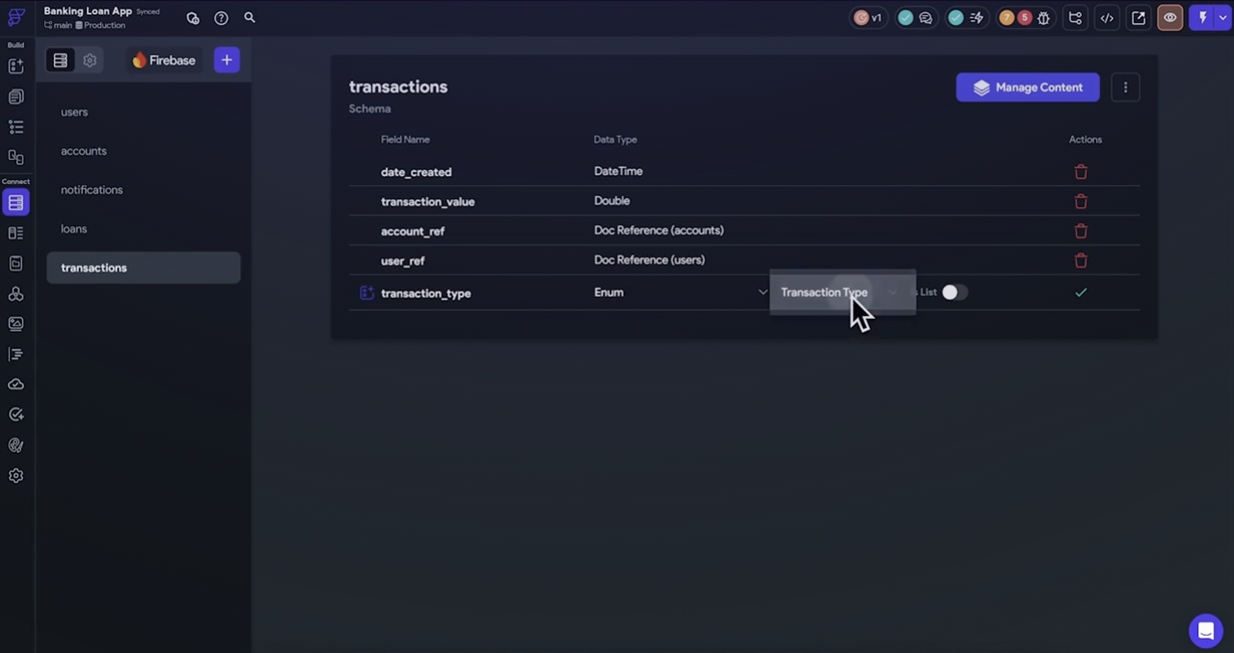
FlutterFlow builds native mobile applications using the Flutter framework. AI features generate screens from descriptions, suggest layouts, and create navigation flows.
The platform generates real Flutter code you can export and modify. This provides an escape hatch if you outgrow the visual builder or need custom functionality.
Key features
- Visual Flutter Builder: Creates native iOS and Android apps with drag-and-drop interface and AI assistance.
- AI Screen Generation: Generates screens, layouts, and navigation flows from natural language descriptions.
- Firebase and Supabase Integration: Connects to backend services for authentication, database, and storage.
- Custom Code Support: Allows adding custom Flutter/Dart code for advanced functionality.
- CI/CD Integration: Supports GitHub integration and automated deployment pipelines on Growth plan.
Pricing
FlutterFlow offers four plans: Free ($0/month), Basic ($15.60/month), Growth (from $32/month for first seat), and Business (from $60/month for first seat).
Pros
- Native mobile app performance
- Real code export provides flexibility
- Good Firebase integration
Cons
- Mobile-focused, web support limited
- AI features basic compared to specialized platforms
- Requires Flutter knowledge for advanced customization
- Backend dependent on external services
10. Bubble
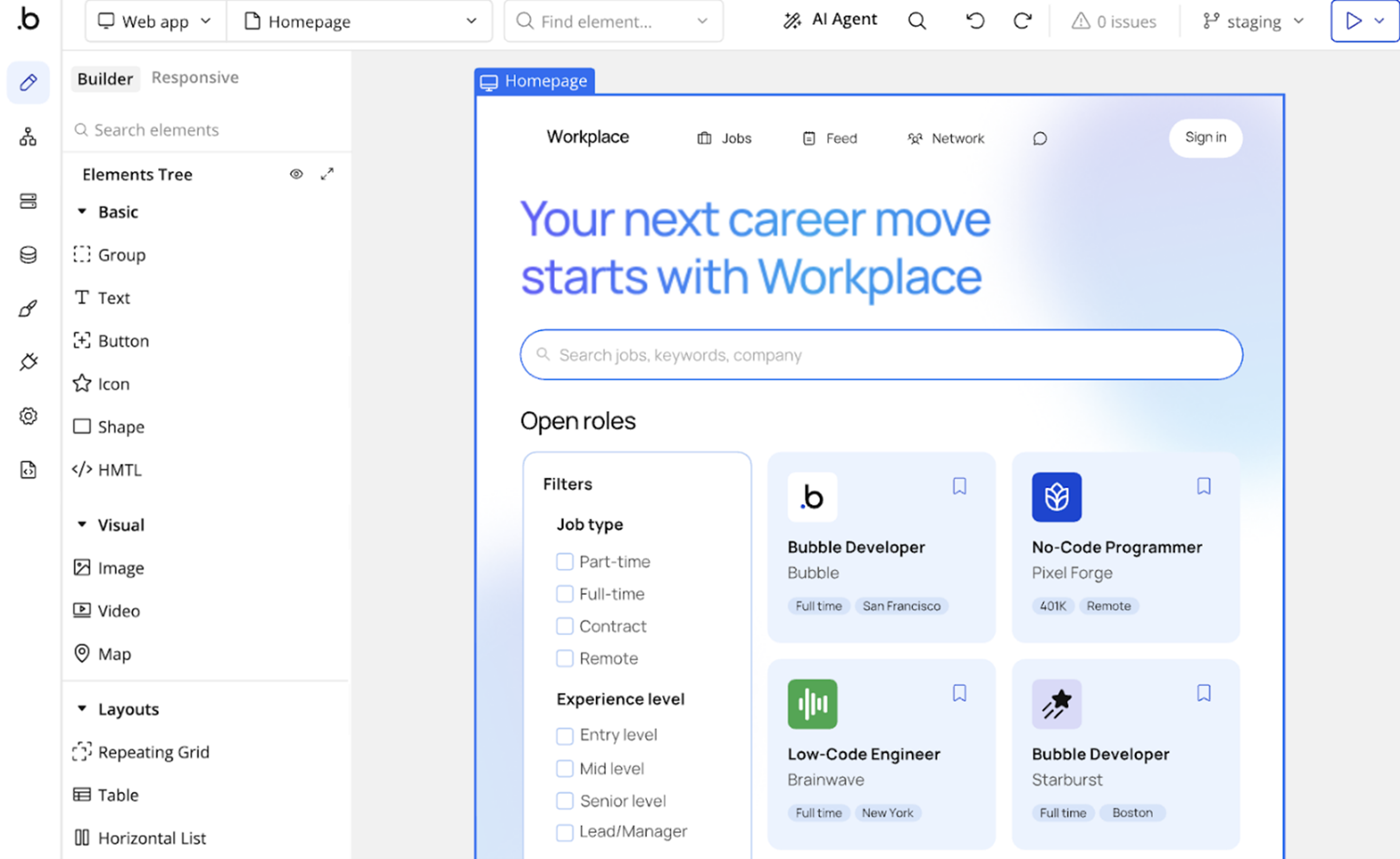
Bubble is a visual application builder with AI features that help generate layouts, database schemas, and workflow logic. The platform provides complete backend functionality including database, API integrations, and workflow automation.
While primarily a visual builder, AI features accelerate specific development tasks. You can build complex applications without writing code, though mastering the platform requires investment for non-trivial applications.
Key features
- Visual Application Builder: Creates complete web applications with drag-and-drop interface and full backend capabilities.
- AI-Assisted Generation: Uses AI to generate page layouts, database schemas, and workflow logic from descriptions.
- Privacy Rules Engine: Enforces data security and multi-tenant isolation through database-level privacy controls.
- API Integration: Connects to external services and builds custom API endpoints for your application.
- Plugin Ecosystem: Extends functionality through an active marketplace of community-built plugins.
Pricing
Bubble offers five plans: Free ($0/month), Starter ($59/month billed annually), Growth ($209/month billed annually), Team ($549/month billed annually), and Enterprise (custom pricing).
Pros
- Complete application platform
- Scales to production workloads
- Active plugin ecosystem
Cons
- AI features are additions, not core capability
- Steep learning curve for complex applications
- Performance limitations with data-heavy apps
- Vendor lock-in, can't export code
11. Mendix
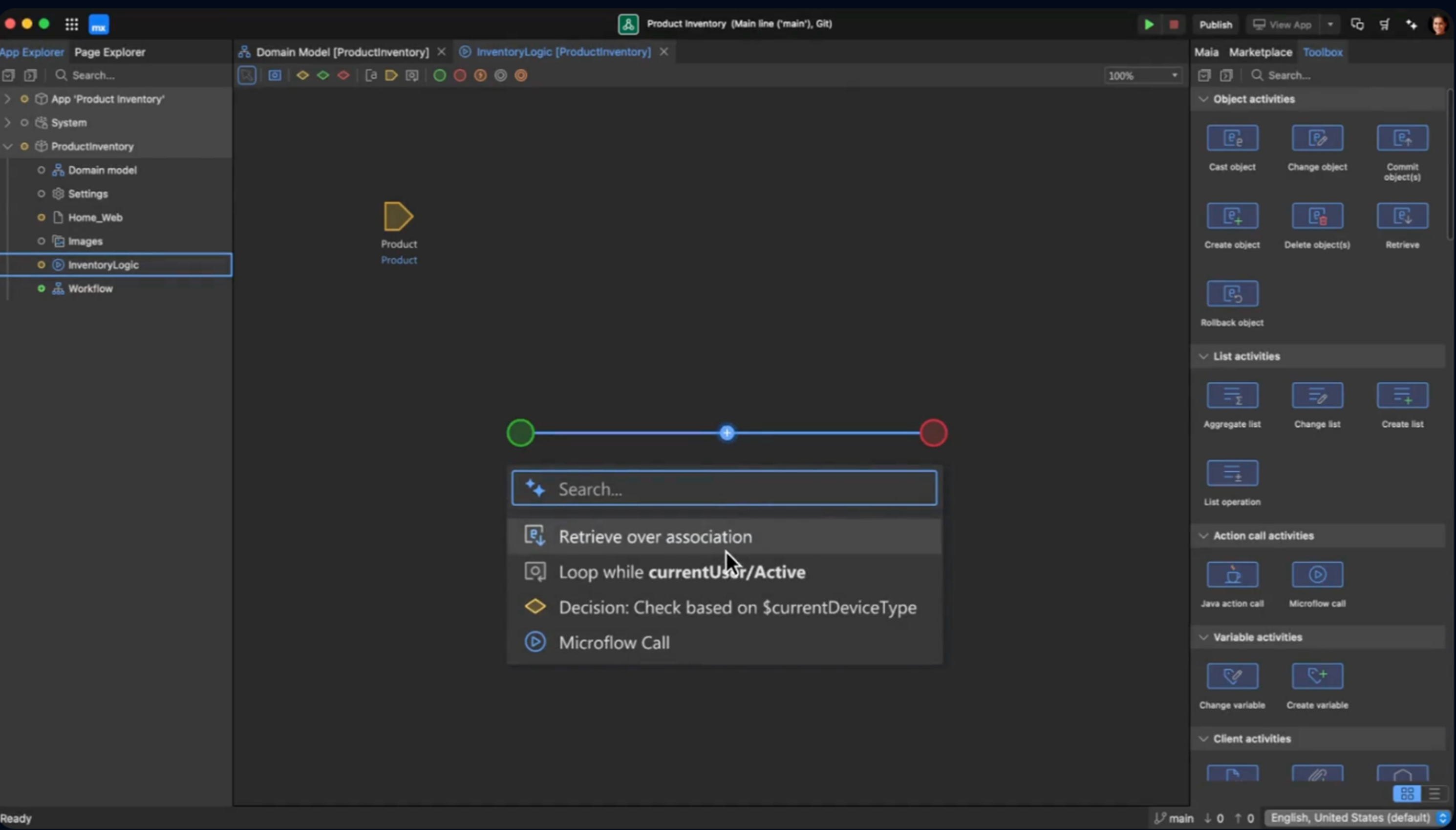
Mendix is an enterprise application development platform owned by Siemens. The platform offers visual development with AI assistance for generating application components, workflows, and integrations.
The platform operates a formal ISV Program allowing software companies to build and sell commercial products with revenue-sharing models.
Key features
- Formal ISV Program: Provides revenue-sharing model with free platform access for software companies building commercial products.
- Multi-Tenancy Architecture: Supports both shared-database and separate-schema multi-tenant approaches.
- Protected Modules: Hides ISV intellectual property and proprietary logic from end customers.
- SOC 2, FedRAMP, GDPR Compliance: Meets enterprise security and compliance requirements out of the box.
Pricing
Mendix offers three plans (Free, Standard, Premium) with pricing starting from €900 /month.
Pros
- Enterprise credibility with established customer base
- Formal ISV program designed for commercial software vendors
- Comprehensive multi-tenancy support built-in
- Strong compliance credentials (SOC 2, FedRAMP, GDPR)
- Protected modules preserve intellectual property
Cons
- Enterprise pricing can be significant investment
- Steeper learning curve than simpler platforms
- Vendor lock-in due to proprietary platform
12. Xano
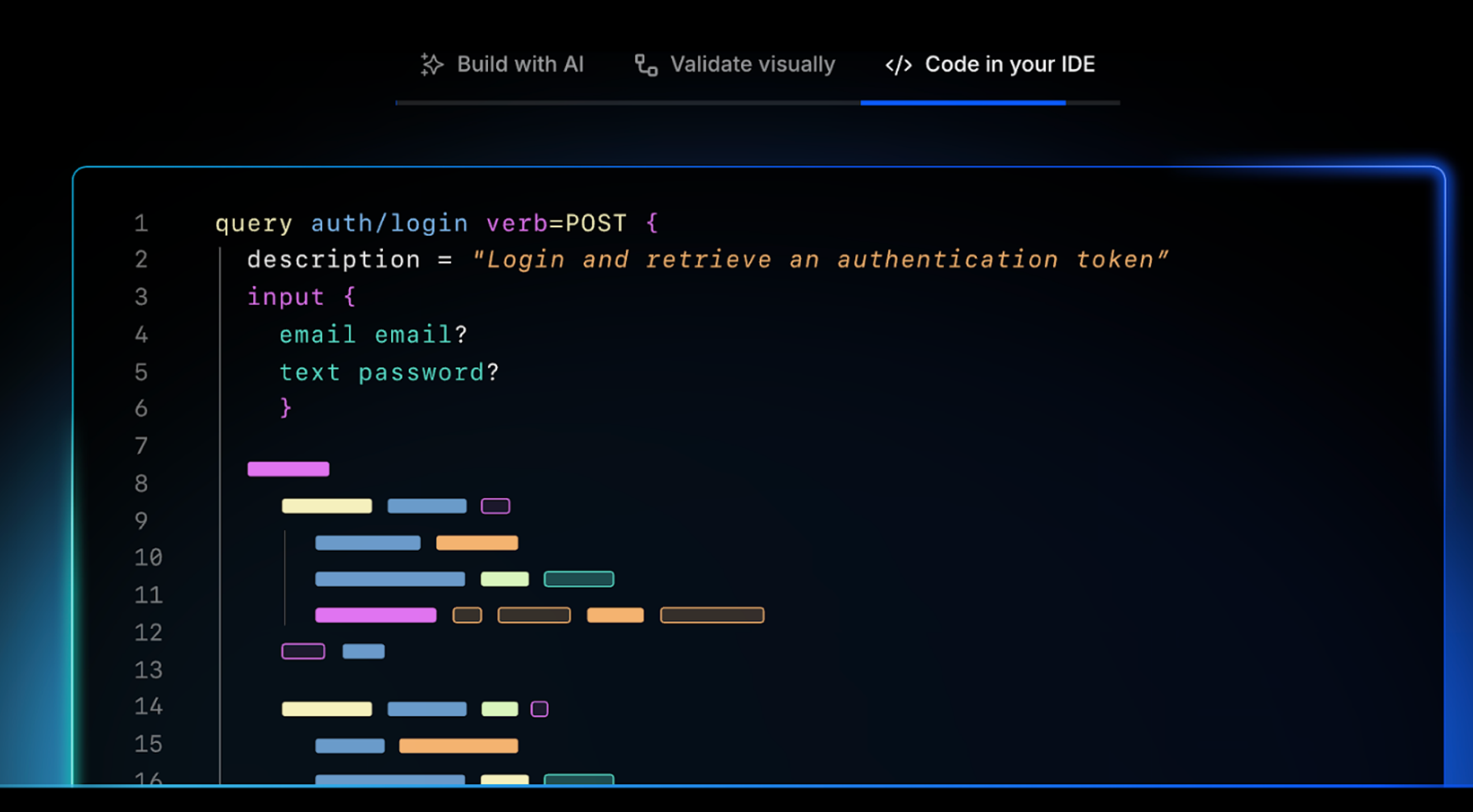
Xano provides production-grade backend infrastructure for commercial SaaS applications through a visual API builder. The platform is backend-only and requires pairing with a frontend builder.
Xano provides a PostgreSQL database with visual API builder, first-class multi-tenancy support, and enterprise compliance certifications including SOC 2 Type 2, HIPAA, and GDPR. Teams have built complete multi-tenant SaaS applications with role-based permissions, Stripe subscriptions, and webhook integrations in three weeks.
Xano handles data management, API creation, and auto-scaling infrastructure so development teams can focus on building features. The platform supports unlimited data storage and API requests with automatic load balancing and server scaling.
Key features
- Multi-Tenant Architecture: Provides first-class support for tenant isolation and role-based access control.
- PostgreSQL Database: Offers relational database with visual query builder and complex relationship support.
- Auto-Scaling Infrastructure: Handles automatic load balancing and server scaling without manual configuration.
- Enterprise Compliance: Meets SOC 2 Type 2, HIPAA, and GDPR requirements for regulated industries.
- Frontend Agnostic: Connects to any frontend through standard REST APIs with native integrations for WeWeb, Bubble, FlutterFlow.
Pricing
Xano offers four plans starting with a free tier. Paid plans include Essential, Pro and Custom with price starting from $99.
Pros
- Production-grade backend infrastructure without DevOps overhead
- First-class multi-tenancy support built-in
- Enterprise compliance certifications (SOC 2, HIPAA, GDPR)
- Unlimited data storage and API requests
- Works with any frontend through standard APIs
Cons
- Backend-only, requires separate frontend solution
- Learning curve for visual backend development
- Per-workspace pricing can add up for agencies
- Advanced features require higher pricing tiers
13. Flatlogic
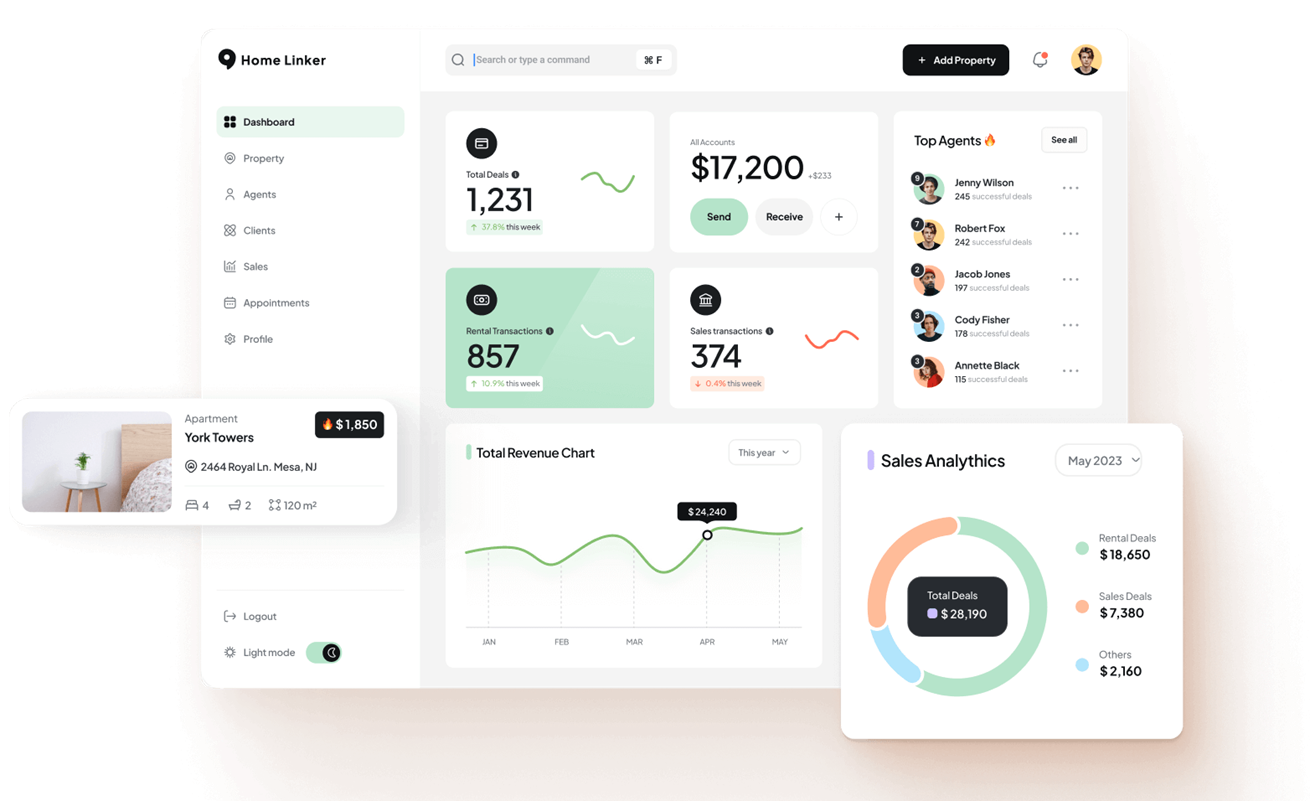
Flatlogic (AppWizzy) is an AI-powered platform that generates production-ready business applications including SaaS, CRM, and ERP systems. Unlike sandbox-based builders, Flatlogic provides development VMs in the cloud with your chosen stack.
The platform uses a hybrid approach: an LLM extracts structured specifications from your prompts, and a deterministic generator creates complete applications with authentication, roles, CRUD operations, dashboards, and CI/CD pipelines.
Full source code ownership is central to the platform. You can download the complete stack, push to GitHub, and deploy anywhere.
Key features
- AI-Powered Full-Stack Generation: Creates complete web applications with frontend, backend, and database from natural language descriptions.
- Real Development VMs: Provisions actual cloud VMs with chosen stack (PHP, Node, Python, PostgreSQL, MySQL) not sandboxes.
- Full Source Code Ownership: Provides complete code download and GitHub export with zero vendor lock-in.
- Multi-Tenant SaaS Support: Builds applications with role-based access control, subscription logic, and tenant isolation.
- Professional Workflow: Includes version control, dual environments (staging/production), and CI/CD pipelines.
- One-Click Deployment: Deploys applications instantly to cloud infrastructure with automatic configuration.
Pricing
Flatlogic pricing starts at $18/month with different tiers based on features and source code access. Enterprise plans available for larger teams.
Pros
- Complete source code ownership eliminates vendor lock-in
- Real development infrastructure, not limited sandboxes
- Explicitly designed for commercial B2B SaaS products
- Professional workflow with Git, environments, and CI/CD
Cons
- Still requires development knowledge for advanced customization
- Generated code architecture may not match all team preferences
14. OutSystems
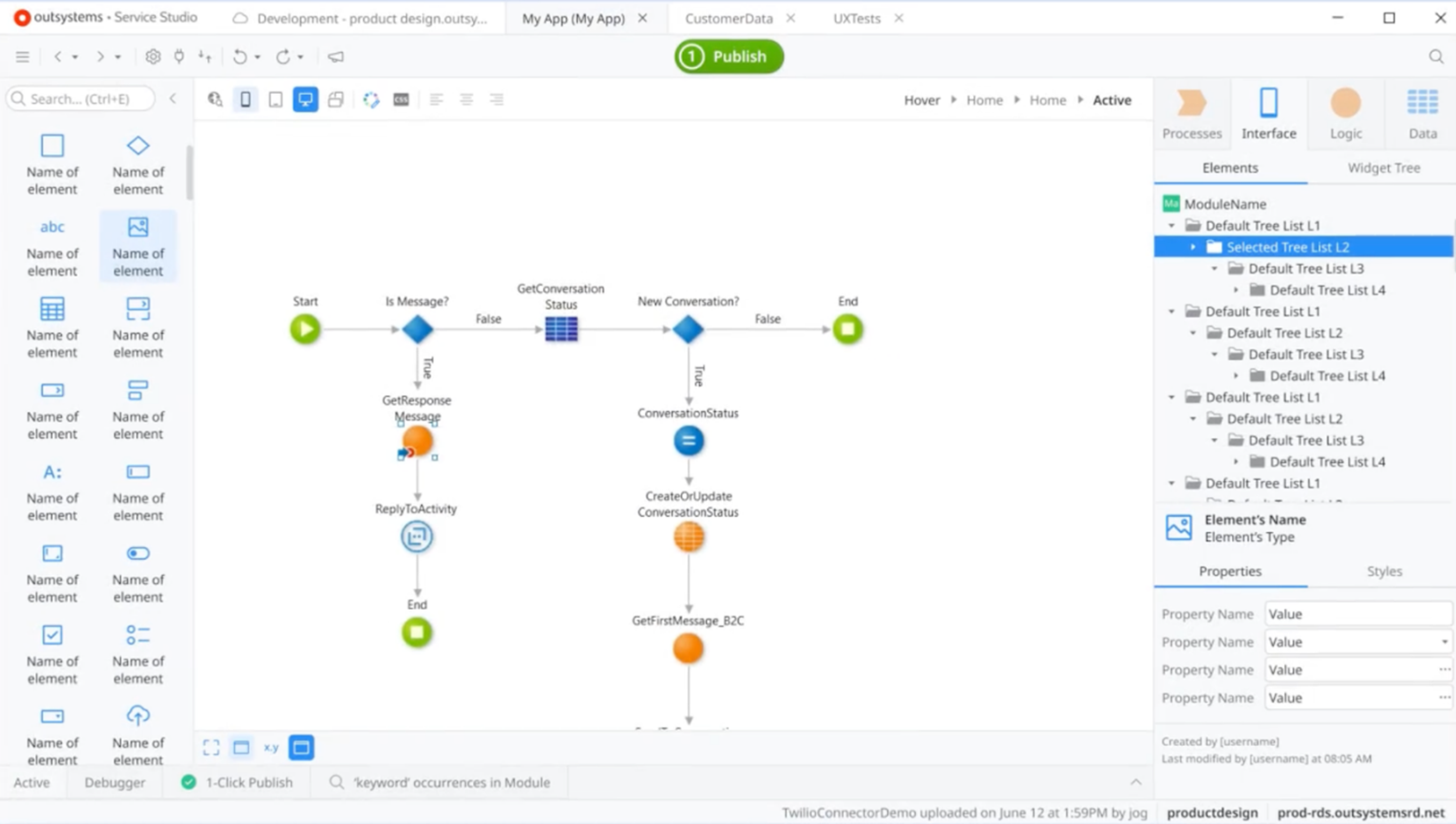
OutSystems is an enterprise application development platform with AI-assisted development capabilities. The platform operates a dedicated ISV/MSP partner program for software companies building and selling commercial products.
Multi-tenancy is built-in and the system automatically adds TenantId columns, scopes queries, and isolates sessions and data. Two isolation models exist: logical segregation (shared database) and physical segregation (separate databases).
The platform supports both cloud and on-premises deployments with enterprise-grade reliability and automatic failover.
Key features
- ISV Partner Program: Offers dedicated programs for software vendors with 160+ active ISV partners.
- Cloud and On-Premises: Supports deployment to OutSystems Cloud or on-premises infrastructure.
- 99.5%+ Uptime Guarantee: Provides enterprise-grade reliability with automatic failover and load balancing.
- Mobile App Development: Builds native mobile applications alongside web applications.
Pricing
OutSystems uses custom enterprise pricing starting around $36,300/year for 100 internal users. ISV partners negotiate special terms, but platform costs remain substantial.
Pros
- Purpose-built for commercial ISVs selling software
- Native multi-tenancy with proven architecture
- Strong production credentials with major enterprise customers
- 99.5%+ uptime with automatic failover
- Comprehensive ISV partner program
Cons
- Significant upfront investment (typically thousands per month)
- Weeks of setup and configuration required
- High vendor lock-in with proprietary platform
15. Emergent
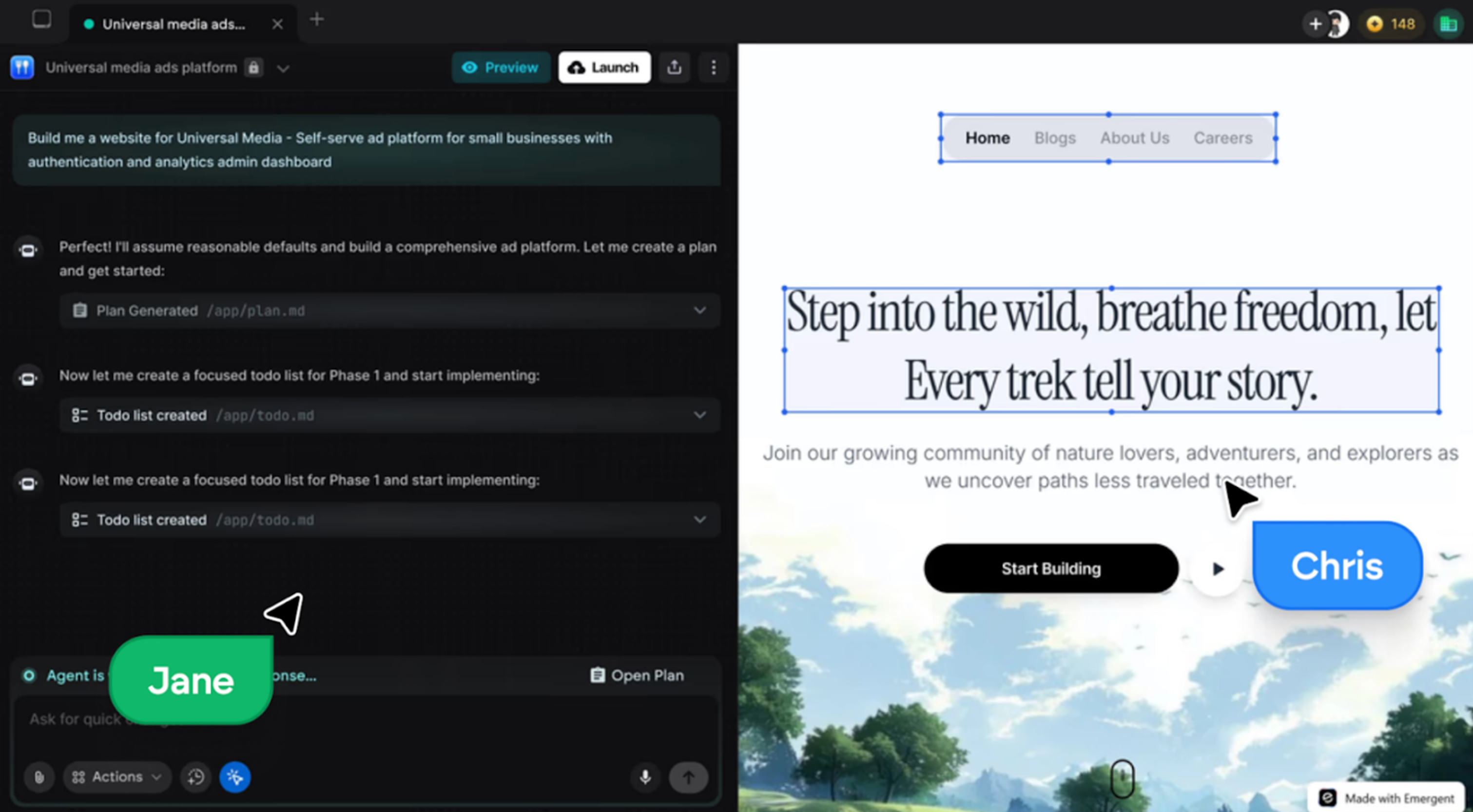
Emergent is an AI application builder that uses autonomous coding agents to generate, test, and deploy production applications from plain-language descriptions. Unlike code assistants, Emergent handles the complete software lifecycle from architecture and coding to testing and deployment.
The platform explicitly supports multi-tenant B2B SaaS applications with built-in tenant isolation, role-based access, billing integration, and usage tracking. The platform provides full code export, allowing teams to download complete codebases and self-host applications.
Key features
- Autonomous Coding Agents: Builds complete applications from natural language using a multi-agent system that plans, codes, tests, and deploys.
- Full Code Export: Generates complete, exportable codebases for self-hosting and customization.
- Production-Ready Deployment: Handles deployment to cloud infrastructure with monitoring and scaling.
- Built-In Integrations: Automatically configures authentication, APIs, and third-party service connections.
- Extended Autonomous Mode: Runs up to 200 minutes with self-supervision and testing.
Pricing
Emergent uses a credit-based billing model. The Standard plan starts at $17 per month, the Pro plan at $167 per month, and the Enterprise plan is available with custom pricing.
Pros
- Rapid market adoption demonstrating product-market fit
- Full code export eliminates vendor lock-in
- Production deployment with monitoring included
Cons
- Still relatively new platform (launched 2024)
- Credit-based pricing can be unpredictable for heavy usage
- UI customization less flexible than specialized builders
Honorable mentions
Here are 9 more AI-powered app builders worth considering:
|
# |
Tool |
Description |
|
16 |
Base44 |
Full-stack AI builder with integrated backend and database. Generates complete applications without external services. Acquired by Wix. |
|
17 |
Softgen AI |
Generates Next.js applications with automatic GitHub export and full code ownership using standard tech stack. |
|
18 |
Rork |
AI-first native mobile builder for iOS and Android from natural language. Exports React Native code. Backed by a16z. |
|
19 |
BuildShip |
Visual backend builder generating serverless APIs and workflows with AI. Connects 25+ services and exports to JavaScript. |
|
20 |
Softr |
Builds client portals and business tools with AI generation. White-label capability for agencies. SOC 2 compliant. |
|
21 |
Anything |
Full-stack builder with an autonomous testing agent that finds and fixes bugs. Generates React/Next.js with 50+ integrations. |
|
22 |
Draftbit |
Visual React Native builder with code export and AI assistance for mobile app development |
|
23 |
Microsoft Power Apps |
Enterprise application platform with AI Builder for workflow automation and business process applications |
|
24 |
AppMaster |
Backend generator that creates exportable source code for web, mobile, and backend applications |
How to choose the right AI app builder
Here are guidelines to help you choose the right AI app builder:
1. Define what you're building
Start by clarifying your development stage and approach.
If you're validating ideas or building quick prototypes, tools like Bolt.new, Lovable, or Replit Agent generate working applications fast for MVPs and client demos.
If you're shipping a commercial B2B SaaS product, you need production infrastructure from day one. Platforms like Launchpad, OutSystems, or Mendix provide workflow automation, security, and scalability that prototype-focused tools don't.
If you're an experienced developer who wants faster coding, tools like Cursor or GitHub Copilot make sense. They assist with writing code but don't replace your development stack.
2. Check production readiness
Many platforms claim to be production ready. Few define what that means. Ask:
- Does the platform support multitenancy or separate customer environments?
- Are security and compliance features available (SOC 2, HIPAA, role-based access)?
- Can it handle growth from hundreds to thousands of users?
- Are workflows and approvals supported, or only basic CRUD actions?
If a tool can't clearly answer these, it's likely a prototype generator, not a production platform.
3. Evaluate workflow and automation needs
Most AI app builders focus on UI generation. Fewer support real workflow automation.
If your application needs approvals, routing, conditional logic, or multi-step processes, look for platforms with built-in workflow orchestration such as Launchpad, OutSystems, or Mendix.
For simpler applications with basic logic, tools like Bubble or FlutterFlow are sufficient.
4. Understand vendor lock-in
Some platforms let you export code. Others do not.
Lower lock-in options include Flatlogic, FlutterFlow, Draftbit, Emergent, and component generators like v0 by Vercel.
Higher lock-in platforms include Bubble, Mendix, and OutSystems, where rebuilding may be required if you leave.
If long-term flexibility matters, prioritize tools with code export or standard stacks.
5. Match pricing to your business model
AI app builders use different pricing approaches:
- Per-user pricing (common with Bubble, Microsoft Power Apps)
- Usage-based pricing (e.g., Launchpad)
- Flat subscriptions (e.g., Bolt.new, Lovable, Cursor)
- Enterprise contracts (e.g., OutSystems, Mendix)
For SaaS products, usage-based or predictable flat pricing is usually safer than per-user pricing.
6. Test the AI before committing
Before choosing a platform:
- Build the same feature twice using the tool
- Check if the output works without heavy cleanup
- See how the platform handles edge cases
- Evaluate whether AI helps with logic, workflows, and integrations
Many tools speed up layout creation. Fewer meaningfully reduce backend and workflow complexity.
Build commercial B2B software faster with Launchpad
In summary, relying on traditional full-stack development or prototype-only AI builders slows you down and creates technical debt. Modern software teams need a platform that supports real workflows, scales reliably, and is production-ready from day one. Launchpad delivers enterprise-grade infrastructure, built-in workflow automation, and usage-based pricing designed for commercial B2B SaaS.
Sign up to explore Launchpad's free tier and build commercial B2B SaaS applications your customers will pay for.
About the Author
Kat Austin works in product marketing for Launchpad, helping companies understand how AI-powered software can automate work, deliver measurable outcomes, and bring new solutions to market faster.